When I first started writing tech updates for Comp Doc, I imagined a world where a quarterly newsletter could keep most users safely afloat. Fast forward to 2026, and that vision feels quaint. The velocity of change—especially in security, networking, and AI—means that waiting even a few weeks can leave your workstation vulnerable or your workflow lagging. In this “Important Updates” post, I’m pulling back the curtain on the most critical shifts that affect everyone from home‑office power users to enterprise IT teams. Think of it as a reality check: the tech you trusted yesterday may be obsolete today, and the upgrades you’ve been postponing are now non‑negotiable. I’ll walk you through the why, the what, and the how, sprinkling in real‑world examples and a few actionable steps you can take right after you finish reading. Let’s dive into the updates that are redefining performance, security, and productivity in 2026.
Security Playbooks Are No Longer Optional
Cyber threats have evolved from opportunistic ransomware to highly targeted, AI‑augmented attacks. This escalation forces a rethink of traditional defense models. The old “patch‑and‑pray” approach is dead; today, a proactive zero‑trust framework is the baseline. In practical terms, that means continuous identity verification, micro‑segmentation of networks, and real‑time threat intelligence feeding directly into your security appliances. The shift also demands that every endpoint—whether it’s a laptop, a smartphone, or an IoT sensor—be treated as a potential entry point. Implementing these controls may feel daunting, but the payoff is measurable: reduced breach surface, faster incident response, and lower long‑term costs. I’ve seen teams that ignored these changes pay the price in downtime and brand damage. If you’re still relying on legacy firewalls and static VPNs, it’s time to upgrade your security playbook before the next wave hits.
Network Evolution Is Accelerating
Our networks are no longer just pipes for data; they’re intelligent ecosystems that adapt on the fly. The rollout of Wi‑Fi 7 is only the tip of the iceberg—what really matters is the integration of AI‑driven zero‑trust principles into every layer of connectivity. Imagine a network that continuously assesses device health, user behavior, and threat context before granting access, all without human intervention. This is the promise of the network evolution we’re witnessing across campuses and remote environments. For IT leaders, the challenge lies in balancing performance with security: deploying high‑throughput Wi‑Fi 7 access points while configuring AI policies that prevent lateral movement. The good news? Modern network controllers now come with built‑in machine‑learning modules that can be fine‑tuned via intuitive dashboards, reducing the need for deep scripting expertise. Embracing this shift early gives your organization the bandwidth to support emerging workloads like AR collaboration and edge analytics without compromising safety.
The Hardware Landscape Is Getting Smarter
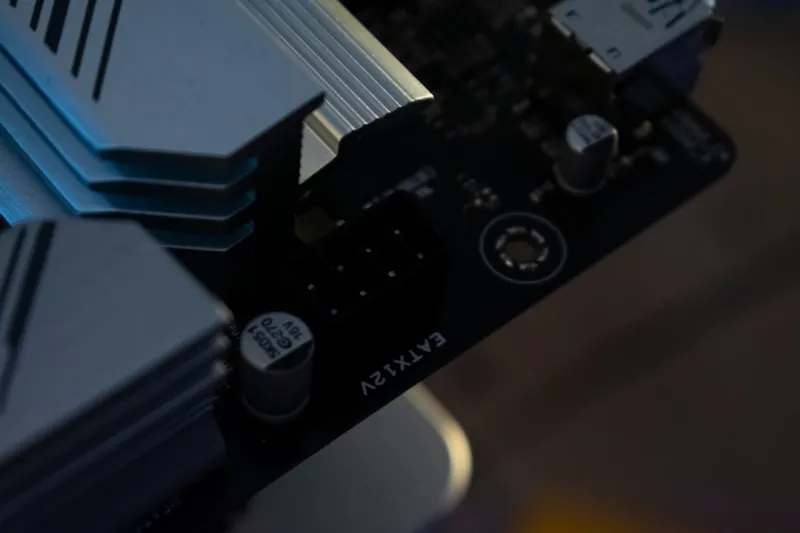
On the hardware front, 2026 brings a wave of innovations that blur the line between compute and intelligence. Motherboards now feature embedded AI accelerators, and GPUs are designed with error‑correction and thermal throttling that adapt to workload intensity. If you’ve ever wondered why your GPU keeps crashing under heavy rendering, the answer often lies in outdated firmware or insufficient VRM cooling—issues that newer boards address out of the box. While we could dive deep into each component, the key takeaway is simple: strategic upgrades are no longer about raw clock speed alone. A balanced system—one that pairs a modern CPU with a motherboard that supports PCIe 5.0, DDR5‑5600 memory, and built‑in security keys—delivers a more reliable, future‑proof experience. For those on a budget, consider a phased approach: start with the motherboard, then add a compatible GPU and high‑speed RAM. This method lets you reap performance gains now while keeping the path open for next‑gen components.
AI‑Powered Office Suites Are Changing How We Work
Microsoft Office has transformed from a static productivity suite into an AI‑augmented engine that anticipates your needs. Features like real‑time content generation, intelligent data visualizations, and contextual grammar suggestions are now baked into Word, Excel, and PowerPoint. Leveraging these tools can shave hours off routine tasks, but only if you know how to trigger them. In my recent deep dive, I uncovered a set of shortcuts and hidden commands that let you automate report generation, summarize meeting notes, and even draft email replies with a single keystroke. These AI‑powered Office hacks are especially valuable for remote teams that need to stay agile. The bottom line: treat AI as a collaborative partner, not a replacement. By integrating these capabilities into your daily workflow, you’ll see a measurable boost in productivity and a reduction in manual errors.
Developers Must Adopt a New Playbook
Software development in 2026 is defined by speed, security, and sustainability. The era of monolithic releases is over; continuous integration and continuous deployment (CI/CD) pipelines now include automated security scans, code‑quality metrics, and AI‑driven code suggestions. This shift forces developers to become fluent in both coding and security best practices, often within the same sprint. The modern dev toolbox includes container orchestration platforms, serverless functions, and observability stacks that provide end‑to‑end visibility. If you haven’t yet integrated these practices, expect longer time‑to‑market and higher maintenance costs. The good news is that many of these tools offer low‑code interfaces, lowering the barrier for teams transitioning from legacy environments. Embrace a culture of “shift‑left” security, where vulnerabilities are caught early, and let AI assist in code reviews to maintain consistent quality across the board.
The OS Landscape Is More Fragmented Than Ever
Operating systems in 2026 are no longer a one‑size‑fits‑all proposition. While Windows, macOS, and Linux remain dominant, each has evolved with specialized editions targeting specific workloads—think Windows 11 Pro for Business, macOS 14 with enhanced privacy layers, and Linux distributions optimized for AI workloads. This fragmentation means that IT departments must develop nuanced policies for patch management, application compatibility, and user training. A universal update strategy that works for a Windows laptop may break a Linux server running containerized AI models. The solution lies in adopting a unified endpoint management (UEM) platform that can orchestrate updates across disparate OSes while respecting their unique requirements. Additionally, leveraging virtualization and containerization can abstract applications from the underlying OS, providing a layer of consistency that simplifies management. Staying ahead of these trends ensures that you can support a mixed‑device environment without sacrificing security or performance.
Staying Ahead Requires Continuous Learning
The only constant in tech is change, and the fastest way to stay relevant is to treat learning as a daily habit. Subscribe to reputable sources, attend virtual conferences, and, most importantly, apply new knowledge in sandbox environments before rolling it out organization‑wide. I make it a point to allocate an hour each week to explore emerging tools, whether it’s a new AI model for document summarization or a beta version of a network security suite. This practice not’t just keep me informed; it gives me a hands‑on perspective that translates into actionable advice for readers. For a curated list of the most pressing updates, check out the essential tech updates guide I recently compiled. By treating your tech stack as a living organism—regularly feeding it patches, upgrades, and fresh insights—you’ll ensure it remains robust, secure, and ready for whatever comes next.
Take Action Today and Future‑Proof Your Tech
Now that you’ve seen the landscape—security playbooks, AI‑enhanced networking, smarter hardware, and a dynamic OS ecosystem—the next step is simple: prioritize. Start with a comprehensive audit of your current environment, identify the most critical gaps, and create a phased upgrade roadmap. Allocate budget not just for hardware, but also for training and automation tools that will amplify the return on your investments. Remember, the goal isn’t to chase every new feature, but to adopt those that align with your business objectives and risk tolerance. If you need a personalized assessment, reach out to the Comp Doc team—we’re ready to help you design a strategy that balances innovation with stability. Let’s turn these important updates into a competitive advantage, ensuring your organization thrives in the fast‑moving tech world of 2026.