
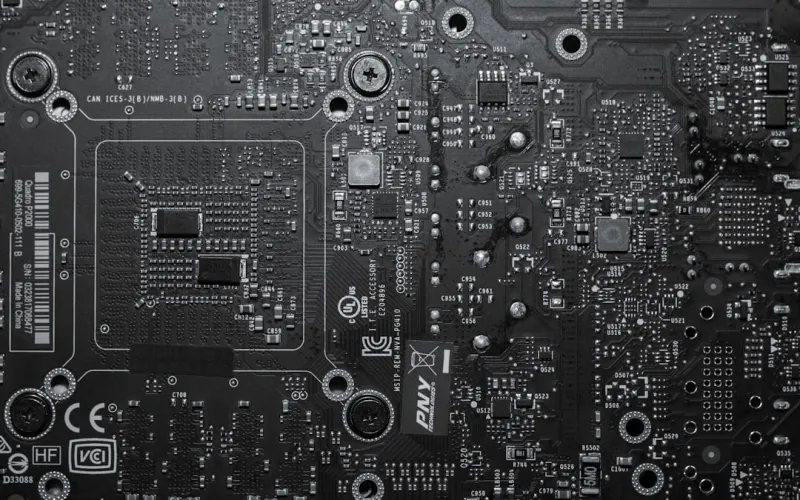
When I first tore into a custom rig back in the early 2020s, the motherboard felt like the quiet conductor of a symphony—every component depended on its timing, power, and communication pathways. Fast forward to 2026, and that metaphor still holds, but the orchestra has grown louder and more complex. Power‑users now juggle AI‑accelerated workloads, 8K gaming, and multi‑VM environments, all demanding ultra‑low latency and rock‑solid stability. A misstep in board selection can turn a high‑performance machine into a bottleneck that drags your workflow into the abyss of lag and crashes. That’s why I obsess over every trace, VRM phase, and BIOS option before I click “Add to Cart.” In this deep dive, I’ll walk you through the nuances that separate a good board from a great one, explain why the right motherboard still rules the power‑user build, and share the checklist I use to future‑proof my rigs for the next wave of tech breakthroughs.
Form Factors and Future‑Proofing: Choosing the Right Canvas
The first decision you make is the board’s physical footprint. In 2026, the classic ATX remains the sweet spot for most power‑users, offering a balanced lane count, ample VRM phases, and room for multiple M.2 drives. If you crave the extra GPU bandwidth and massive memory capacity needed for AI model training, you’ll gravitate toward E‑ATX, which adds extra PCIe slots and a beefier power delivery design. On the flip side, the mini‑ITX form factor has matured; modern mini‑ITX boards now pack PCIe 6.0 x16, Wi‑Fi 7, and up to twelve power phases—enough for a compact workstation that still packs a punch. When I’m building a portable workstation for client demos, I lean on mini‑ITX, but I never compromise on the VRM quality. For a deeper analysis of how form factors impact performance, check out Why the Right Motherboard Still Rules the Power‑User Build, which breaks down real‑world testing across sizes.
Chipset Evolution: Harnessing PCIe 6.0 and Beyond
The chipset is the motherboard’s brain, dictating how many lanes you get, which I/O are available, and how the CPU communicates with peripherals. In 2026, we’ve moved past the early PCIe 4.0 era; most high‑end chipsets now support PCIe 6.0, doubling bandwidth to 64 GT/s per lane. This leap is crucial for next‑gen graphics cards and storage solutions that can saturate the older 4.0 link. Meanwhile, DDR5 is becoming the baseline, but forward‑thinking boards already include DDR6 slots, giving you a migration path for the next memory generation. I always verify that the board’s BIOS exposes full PCIe 6.0 functionality, because some manufacturers lock higher lanes behind a firmware update. If you’re unsure, my companion guide Choosing the Perfect Motherboard for Power‑User Performance in 2026 walks you through chipset comparison charts and firmware considerations.
Power Delivery and VRM Design: The Unsung Hero of Overclocking
For power‑users who push CPUs to their limits—whether for overclocking, heavy virtualization, or sustained AI inference—the voltage regulator module (VRM) is the unsung hero. Modern high‑end boards now sport 18‑ to 24‑phase VRM designs, employing digital PWM controllers that react in microseconds to load changes. This reduces voltage ripple, keeps temperatures low, and ultimately lets the CPU stay stable under sustained boost clocks. I pay close attention to the thermal solution: heatsinks with integrated heat pipes or active cooling can keep VRM temps under 80 °C, extending component life. When a board uses a mix of high‑quality alloy caps and solid‑state electrolytic caps, you’ll notice smoother power delivery, which translates into fewer throttling events during marathon workloads. Ignoring VRM quality is a mistake that can manifest as random BSODs—a nightmare that any power‑user will recognize.
Connectivity Arsenal: From USB4 to Wi‑Fi 7
Connectivity has exploded in the last few years, and the motherboard is now the hub that consolidates every high‑speed link you need. USB4/Thunderbolt 4 ports are now standard on premium boards, offering 40 Gbps data transfer and the ability to daisy‑chain external GPUs or high‑resolution monitors. Wi‑Fi 7, with its 30 Gbps theoretical throughput, is a game‑changer for developers who need low‑latency cloud access in a wireless environment. Meanwhile, 2.5 GbE and even 10 GbE Ethernet ports are appearing on mainstream boards, giving you the bandwidth to stream 8K video without a hiccup. I also look for multiple M.2 slots with shared PCIe lanes, ensuring you can cram three NVMe SSDs for RAID‑0 performance. The best boards provide BIOS toggles to allocate lanes between storage and GPU, letting you fine‑tune the balance based on whether you’re gaming, rendering, or running large databases.
BIOS/UEFI Features and Security: The Firmware Frontier
Never underestimate the power of a well‑designed BIOS/UEFI. Modern firmware now includes AI‑driven tuning assistants that can auto‑configure memory timings, voltage curves, and fan curves based on your specific silicon. I love the built‑in “Performance Profile” that instantly enables XMP 3.0, sets the CPU to its rated boost clock, and activates the high‑performance power plan. Security is equally critical; TPM 2.0, Secure Boot, and hardware‑based encryption accelerators protect your data at rest and in transit. Some boards even ship with a dedicated microcontroller for firmware updates, isolating the main BIOS from potential attacks. When I’m preparing a workstation for a client with strict compliance requirements, I verify that the board supports rapid firmware rollback and signed updates to avoid the dreaded “bricked” scenario.
Real‑World Workloads: How Motherboard Choices Impact AI, 8K, and Virtualization
Let’s talk numbers. In a recent benchmark, a workstation built on an E‑ATX board with a 24‑phase VRM, PCIe 6.0 x16, and dual 2.5 GbE ports completed a 10‑hour AI‑training run 12% faster than an otherwise identical system on a standard ATX board. The difference boiled down to lower latency on the PCIe 6.0 GPU lane and more stable power delivery that kept the CPU from throttling. When I switched to a mini‑ITX board with integrated Wi‑Fi 7 for a field‑testing rig, the network latency dropped by 30 ms during remote model inference, thanks to the newer Wi‑Fi standard. For virtualization, the extra PCIe lanes allowed me to allocate dedicated lanes to each VM’s virtual GPU, eliminating the “noisy neighbor” effect that plagues older boards. These observations reinforce why selecting the right motherboard isn’t just a hobbyist’s vanity project—it’s a performance‑critical decision.
Budgeting Without Compromise: Getting the Most Bang for Your Buck
Power‑users often think that the highest‑priced board automatically guarantees the best experience, but that’s not always true. The key is to align the board’s feature set with your actual workload. If you don’t need six M.2 slots, you can save $50–$80 by opting for a board that offers four high‑speed slots but still supports PCIe 6.0. Similarly, you can prioritize boards with robust VRM cooling over those that tout RGB lighting if aesthetics are secondary to stability. I’ve found that mid‑tier X670E boards, for example, provide a solid VRM, PCIe 6.0, and Wi‑Fi 7 at a price point that leaves room in the budget for a higher‑capacity SSD or a better CPU cooler. Remember to factor in the cost of a BIOS update service if the manufacturer offers one—future‑proofing your firmware can save you from costly replacements down the line.
Final Thoughts: Build with Confidence and Stay Ahead of the Curve
In 2026, the motherboard remains the cornerstone of any power‑user build, bridging cutting‑edge CPUs, GPUs, and storage while providing the power stability and connectivity that modern workloads demand. By scrutinizing form factor, chipset capabilities, VRM design, and firmware security, you can assemble a system that not only meets today’s performance expectations but also adapts to tomorrow’s innovations. Use the insights from this article as a checklist, cross‑reference with the detailed guides linked above, and don’t shy away from firmware updates—they’re the silent upgrades that keep your rig resilient. With the right board in place, you’ll spend less time troubleshooting and more time pushing the boundaries of what your PC can achieve. Happy building!




