
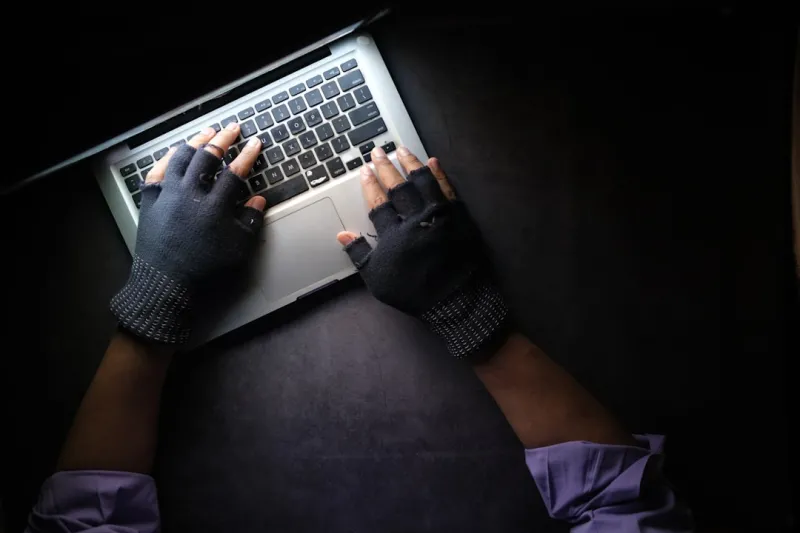
When I first started tinkering with custom rigs back in the early 2010s, viruses felt like a distant threat—something you read about in tech forums while sipping coffee. Fast‑forward to 2026, and malware has evolved from blunt‑force ransomware to stealthy, AI‑driven predators that can infiltrate a system before you even notice a slowdown. The modern power‑user now juggles high‑performance workloads, cloud‑synchronised environments, and a suite of productivity tools, all while trying to keep the digital gremlins at bay. In this deep dive, I’ll walk you through the most pressing malware trends of the year, how they specifically target power‑users, and the strategic steps you can take to stay ahead without sacrificing the speed and flexibility you love about your workstation.
The AI‑Generated Malware Explosion
Artificial intelligence isn’t just powering your favorite photo‑editing apps; it’s also reshaping the threat landscape. In 2026, malicious actors leverage large language models to auto‑generate polymorphic code that mutates on each execution, evading traditional signature‑based antiviruses. These AI‑crafted payloads can mimic legitimate processes, making detection a nightmare for standard endpoint solutions. For power‑users who routinely run scripts and automation tools, this means a single compromised macro could cascade across your entire workflow. The key countermeasure is adopting behavior‑based monitoring that learns the baseline of your system’s activity—allowing it to flag anomalies the moment a script behaves out of character. Pair this with a disciplined sandboxing strategy for any new code you download, and you’ll dramatically reduce the attack surface.
Supply‑Chain Attacks: The Silent Infiltrators
Supply‑chain compromises have become the silent, high‑impact method for delivering ransomware and espionage tools directly into trusted software. The infamous 2023 incident that hit a major graphics driver vendor set a precedent that we’re still feeling in 2026. Attackers now infiltrate update servers, package managers, and even firmware distributions, embedding malicious code that activates only after a specific hardware configuration is detected—perfect for targeting power‑users with cutting‑edge components. To defend, you must verify the integrity of every update before installation. This is where why 2026 updates are the power‑user’s secret weapon comes into play: enabling cryptographic signing verification and using a trusted, isolated update environment can stop a compromised driver before it reaches your core system.
Ransomware 2.0: Double‑Extortion Meets Data‑Leak Threats
Ransomware in 2026 has moved beyond the classic “pay or lose your files” model. Attackers now employ double‑extortion, encrypting data while simultaneously exfiltrating it to threaten public exposure. For power‑users who manage client projects, source code, or proprietary research, the stakes are higher than a mere data loss; a leak can damage reputations and contracts. The defense strategy hinges on immutable backups stored offline, coupled with real‑time anomaly detection that can spot unusual outbound traffic. Additionally, leveraging versioned snapshots for critical directories ensures you can roll back without paying a ransom. Remember, the goal isn’t just to recover files—it’s to preserve trust.
Fileless Malware: Living in Memory
Fileless attacks exploit legitimate system tools—like PowerShell, WMI, or even the Windows Management Instrumentation—to execute malicious code directly in memory, leaving no trace on disk. Because they piggyback on trusted binaries, traditional antivirus solutions often miss them entirely. Power‑users who regularly automate tasks with PowerShell scripts are especially vulnerable if they run scripts from unverified sources. Mitigation involves tightening execution policies, enforcing script signing, and deploying endpoint detection and response (EDR) platforms that monitor memory injection patterns. By restricting the use of “unsafe” commands and auditing script provenance, you can keep the memory space clean and your workflow uninterrupted.
Mobile‑First Threats Crossing Over to Desktops
The line between mobile and desktop ecosystems continues to blur, especially with the rise of universal Windows platforms that run Android and Linux apps side‑by‑side. Attackers are capitalising on this convergence, delivering mobile‑oriented malware that leverages insecure app permissions to gain footholds on desktop systems. These cross‑platform payloads often masquerade as productivity utilities—think a “PDF optimizer” that requests broad file system access. The safeguard is a layered permission model: scrutinise each app’s required privileges, and employ a sandbox environment for any non‑essential software. Regularly auditing installed apps through the Windows “App & device control” settings can reveal hidden threats before they propagate.
Zero‑Day Exploits in Firmware and BIOS
Firmware attacks have surged as attackers recognise the durability of BIOS and UEFI compromises. A successful exploit can survive OS reinstalls, persisting through clean installs and wiping out traditional security measures. Power‑users who frequently overclock or flash custom BIOS images are prime targets. The best defence is a combination of secure boot enforcement, firmware integrity checking, and staying on the latest vendor‑provided firmware releases. Many manufacturers now offer signed firmware updates that can be validated before flashing—making the process almost as critical as applying OS patches. Pair this with a hardware‑based TPM module to ensure that only authenticated firmware can run on your machine.
Social Engineering 2.0: Deepfake Phishing
Phishing has graduated from poorly crafted emails to sophisticated deepfake videos and audio clips that mimic trusted colleagues or vendors. In 2026, attackers use AI‑generated voice synthesis to convince power‑users to approve privileged actions, such as disabling security tools or providing admin credentials. The human factor remains the weakest link, but awareness can be bolstered with multi‑factor authentication (MFA) and voice‑recognition verification for critical commands. Implement a policy where any request for privileged changes must be verified through a secondary channel—preferably a secure messaging platform with end‑to‑end encryption. Training sessions that showcase real deepfake examples can also sharpen your instincts against these new social engineering tactics.
Building a Resilient Power‑User Defense Stack
All these threats converge on a single truth: a robust, layered security posture is non‑negotiable for power‑users. Start with a hardened OS—enable Windows Defender Application Guard, configure Controlled Folder Access, and enforce strict update policies. Next, integrate essential security moves for 2026 like network segmentation, using a dedicated VLAN for your workstation, and deploying a personal firewall that blocks outbound traffic by default. Complement this with a reputable EDR solution that offers memory‑analysis capabilities, and schedule regular threat‑hunt sessions to proactively search for anomalies. By treating security as a continuous process rather than a set‑and‑forget task, you keep your high‑performance setup both fast and safe.
The Role of Community and Continuous Learning
Finally, never underestimate the power of community. In the power‑user ecosystem, knowledge sharing through forums, Discord channels, and GitHub projects accelerates the discovery of novel defense techniques. Follow reputable security researchers, subscribe to threat intel feeds, and contribute your own findings when you encounter a new strain of malware. The collaborative spirit not only enriches your own skill set but also fortifies the broader community against evolving threats. Remember, in 2026, staying ahead isn’t just about installing patches—it's about cultivating a mindset of perpetual vigilance and sharing that vigilance with peers.




