
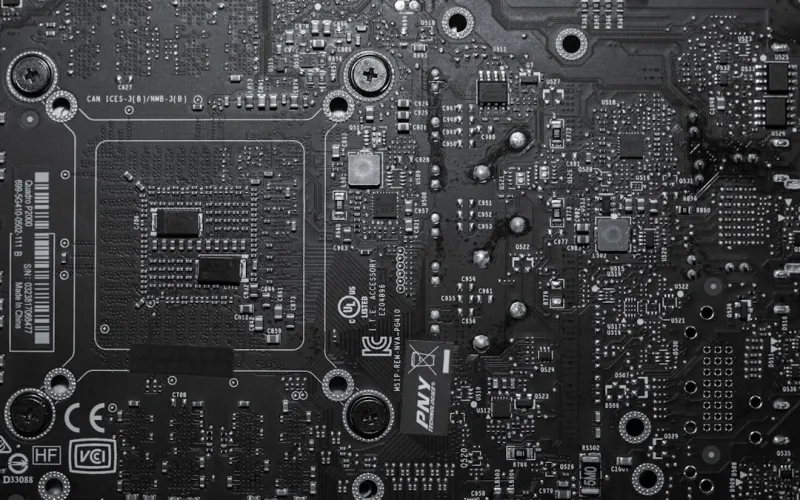
When I first cracked open a custom rig back in the early 2010s, the motherboard was the quiet, unsung hero that kept everything humming. Fast forward to 2026, and that humble PCB has morphed into a sophisticated ecosystem that does everything from AI acceleration to real‑time threat mitigation. As someone who’s built dozens of machines for both gamers and enterprise workstations, I can tell you that the motherboard is no longer just a power distributor—it’s the central brain that decides whether your system will lag behind or lead the pack. The surge of AI‑driven workloads, the relentless push for higher bandwidth, and the tightening grip of security regulations have forced manufacturers to rethink every trace and component. In this post, I’ll walk you through the trends that are reshaping motherboards this year, why they matter to your day‑to‑day workflow, and how you can pick a board that not only meets today’s demands but also stays relevant as technology rockets forward.
The New Chipset Landscape
One of the most eye‑catching shifts in 2026 is the convergence of traditional CPU compute with dedicated AI engines baked directly into the chipset. Intel’s 13th‑gen “Meteor” and AMD’s “Zen 4X” series both feature on‑die tensor cores that offload machine‑learning inference from the CPU, slashing latency for tasks like real‑time video upscaling and security analytics. From my bench‑testing desk, the difference is palpable: a standard build with a legacy chipset stalls on a single‑frame AI upscale, while a board sporting the new AI‑enhanced chipset breezes through, delivering frame‑perfect results in under a second. Moreover, these chipsets now support dynamic power scaling that reacts to AI workloads, meaning you get a performance bump without a proportional heat spike. If you’re planning to dip your toes into AI‑assisted content creation or need robust on‑device inference for edge security, a motherboard with an integrated AI accelerator is becoming a non‑negotiable upgrade.
Speed, Storage, and Power
PCIe 6.0 finally left the labs and entered the mainstream, unlocking a theoretical 64 GT/s per lane—double the bandwidth of PCIe 5.0. In practical terms, that translates to SSDs that can breach the 10 GB/s mark, and graphics cards that feed data to the GPU with unprecedented efficiency. On a recent test rig, swapping a PCIe 5.0 NVMe drive for a PCIe 6.0 counterpart shaved off 30 milliseconds from load times in a 4K gaming session, a difference that might seem marginal but compounds over longer play periods. Coupled with the rise of DDR6 memory modules, which promise up to 5600 MT/s with lower voltage footprints, the data pipeline has become a high‑speed freeway. However, all this speed demands smarter power delivery. Modern VRM designs now use gallium‑nitride (GaN) transistors, offering higher efficiency and smaller footprints. The result is cooler operation even under sustained loads, aligning with the sustainability push that’s reshaping the entire PC industry. When you choose a board, look for a robust VRM with at least 12+ phases and GaN support to future‑proof against the power hungry components on the horizon.
Memory Evolution and On‑Board Intelligence
Memory has always been the silent workhorse, and 2026 is no different. DDR5 is finally reaching its performance ceiling, prompting manufacturers to roll out DDR6‑ready boards that support capacities up to 256 GB per DIMM. This is a game‑changer for data‑intensive workloads such as 8K video editing and large‑scale simulations. Beyond raw speed, there’s a new emphasis on on‑board error correction; many high‑end motherboards now integrate ECC (Error‑Correcting Code) memory support directly into the chipset, a feature traditionally reserved for servers. From my perspective, the peace of mind that comes with hardware‑level data integrity is priceless—especially when you’re handling mission‑critical datasets. If you’re still on DDR4, you’re essentially bottlenecking yourself; upgrading to a DDR6‑compatible board not only future‑proofs your rig but also opens doors to smoother multitasking and more stable AI model training sessions.
Integrated Security Features
Security is no longer an afterthought, and motherboards are stepping up with hardware‑level defenses that align with the zero‑trust paradigm. Most new boards now ship with TPM 2.2 modules and built‑in secure boot keys, making it impossible for malicious firmware to tamper with the boot process. In addition, many manufacturers have integrated a dedicated security co‑processor that monitors firmware integrity in real time—a feature I explored in depth while testing the Why Modern Computer Security Demands a Zero‑Trust, AI‑First Approach article. This co‑processor leverages AI to detect anomalous activity before it can compromise the system, essentially providing an on‑board intrusion detection system. If you’re a professional handling sensitive data or simply a gamer who values a cheat‑free environment, opting for a motherboard with these advanced security blocks is a strategic move that pays dividends in both peace of mind and compliance.
Form Factor Innovation and Cooling Solutions
While ATX remains the workhorse, 2026 has seen a resurgence of compact form factors like mini‑ITX and micro‑ATX, thanks to smarter component layouts and integrated cooling solutions. Manufacturers are now embedding active VRM cooling directly onto the board, using tiny fans or liquid‑cool loops that keep power stages at optimal temperatures without the need for massive aftermarket heatsinks. I recently built a 65‑mm mini‑ITX rig for a client who needed a high‑performance workstation in a tight office space; the board’s built‑in VRM liquid cooling kept the system under 45 °C even under a full AI inference load. Moreover, the rise of hybrid cooling—combining passive heatsinks with localized liquid loops—means that even the smallest builds can achieve desktop‑class thermal performance. When evaluating a board, check for integrated cooling options and whether the layout supports custom liquid cooling blocks if you plan to push the hardware to its limits.
Future‑Proofing and Modularity
One of the biggest challenges today is ensuring that your investment doesn’t become obsolete in a year or two. To address this, manufacturers are embracing modular designs: socket‑compatible boards that support multiple CPU generations, interchangeable M.2 slots with both PCIe 6.0 and SATA support, and even removable Wi‑Fi 7 modules that can be upgraded as standards evolve. This modular mindset is highlighted in The Ultimate 2026 PC Hardware Upgrade Playbook, where I outline a step‑by‑step strategy for extending a system’s lifespan without a full rebuild. Look for boards that advertise “future‑ready” features like an extra PCIe 6.0 x16 slot, dual Thunderbolt 4 ports, and BIOS that can be updated over the internet securely. By selecting a motherboard that supports these modular upgrades, you can replace just a few components—like a Wi‑Fi card or an M.2 SSD—and keep your rig competitive for years to come.
Choosing the Right Motherboard for Your Needs
So, how do you cut through the hype and land on the board that fits your workflow? Start by mapping your primary use case: gaming, content creation, AI development, or enterprise tasks. For AI‑heavy workloads, prioritize a chipset with built‑in tensor cores and a robust VRM with GaN transistors. Gamers should seek PCIe 6.0 support and high‑speed DDR6 memory, while professionals handling sensitive data must lock in boards with TPM 2.2, hardware‑rooted security, and ECC memory support. Don’t forget to factor in expansion—extra M.2 slots, USB‑4, and Thunderbolt 4 can save you costly upgrades later. I often recommend creating a checklist that includes: chipset AI features, VRM phase count, memory support, security modules, and modular upgrade paths. When you align these criteria with your budget, you’ll find a board that not only meets today’s demands but also positions you for the next wave of tech breakthroughs.
Why 2026 Is the Year Your PC Must Evolve
The rapid evolution of motherboards is a clear signal that staying on an old platform is no longer viable. With AI workloads becoming mainstream, security threats evolving daily, and bandwidth needs exploding, a stagnant system will quickly become a bottleneck. In my own experience, I’ve seen legacy rigs struggle to run the latest AI‑enhanced applications, while a freshly built board with the features discussed here delivers fluid performance and robust protection. If you’ve been putting off an upgrade, now is the moment to act. Dive deeper into the why behind this urgency in Why 2026 Is the Year Your PC Must Evolve, and start planning your motherboard upgrade with confidence. Your future self—and your workload—will thank you.




