
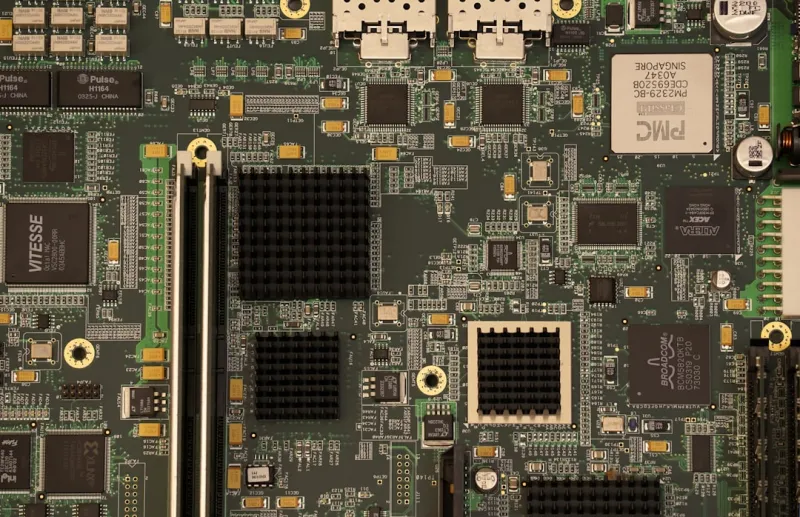
When I first ripped open a motherboard back in the early days of desktop gaming, the landscape was a tangle of bulky capacitors, a handful of PCI slots, and a BIOS that felt more like a relic than a tool. Fast‑forward to 2026, and the board you slot your CPU into is practically a miniature data‑center, packed with AI accelerators, high‑speed interconnects, and firmware that can rewrite itself on the fly. As a power‑user who lives at the intersection of hardware tinkering and software optimization, I’ve learned that the motherboard is no longer just the glue that holds components together—it’s the strategic platform that dictates how far you can push the limits of performance, efficiency, and security. In this deep dive, I’ll walk you through the most compelling motherboard trends shaping the power‑user experience this year, and why you should treat your next board purchase as a long‑term investment rather than a quick upgrade.
Chipset Evolution: AI‑Ready Foundations
One of the most seismic shifts in 2026 is the integration of AI‑centric capabilities directly into the chipset. Modern Intel and AMD platforms now ship with dedicated tensor cores and neural‑network processors that sit alongside traditional CPU cores, handling tasks like real‑time video upscaling, predictive workload scheduling, and on‑board inference without taxing the main processor. This evolution means that a motherboard can now offload repetitive AI chores—think background image classification for security cameras or instant language translation—directly to the silicon, freeing up precious CPU cycles for the heavy lifting you care about. The impact on power users is immediate: you can run AI‑enhanced workflows, such as generative art rendering or large‑scale data preprocessing, with lower latency and power draw. For a broader look at how these hardware shifts fit into the bigger picture, check out the future‑proof hardware trends article I wrote earlier this year.
Power Delivery: From Analog to Digital Precision
Power delivery has graduated from analog voltage regulators to fully digital VRM architectures, delivering up to 200 watts of clean, stable power across 14‑plus phase designs. These digital controllers use real‑time telemetry to adjust voltage and current on a per‑core basis, eliminating the voltage droop that once caused throttling under sustained loads. For those who overclock or run multi‑GPU rigs, this means you can sustain boost clocks for hours without hitting thermal or stability walls. Moreover, the new power‑stage components are built with gallium nitride (GaN) and silicon carbide (SiC) technologies, which not only improve efficiency but also reduce heat generation, aligning with today’s sustainability goals. As a result, the motherboard’s power delivery system has become a silent, yet decisive, player in the overall system performance equation—a fact that most casual builders still overlook.
Memory Landscape: DDR5, DDR6, and On‑Board ECC
Memory support on motherboards has taken a giant leap forward. While DDR5 is now the baseline for most high‑end builds, 2026 sees the first wave of DDR6 modules hitting the market, offering bandwidths exceeding 70 GB/s and latency improvements of up to 20 percent. For power users who rely on massive in‑memory databases or AI model training, that bandwidth boost translates directly into faster dataset ingestion and reduced training epochs. Additionally, many new boards now feature on‑board ECC (Error‑Correcting Code) memory support, even for consumer‑grade CPUs, providing a safety net against bit‑flips that could corrupt critical workloads. This is especially valuable in environments where data integrity is non‑negotiable, such as scientific simulations or financial modeling. Pairing DDR6 with integrated ECC gives you the performance of cutting‑edge memory while maintaining the reliability traditionally reserved for enterprise servers.
Expansion Slots: PCIe 6.0 and the Rise of CXL
PCIe 6.0 is no longer a buzzword—it’s the de‑facto standard on flagship motherboards, delivering 64 GT/s per lane and supporting data rates up to 256 GB/s with a 16‑lane configuration. This bandwidth is a game‑changer for AI accelerators, NVMe 4.0/5.0 storage, and next‑gen networking cards that demand ultra‑low latency. Beyond PCIe, the Compute Express Link (CXL) is making its debut on consumer boards, offering coherent memory sharing between CPUs and accelerators. For a power user, this means you can connect a high‑performance FPGA or a dedicated AI inference card and have it operate as if its memory were part of the main system RAM—dramatically simplifying software stacks and boosting performance. When you combine PCIe 6.0’s raw throughput with CXL’s memory coherence, the motherboard becomes a versatile hub capable of handling everything from 8K video editing to real‑time AI inference pipelines.
Form Factor Innovation: From ATX to Hybrid Modular Designs
The classic ATX layout still dominates the market, but 2026 introduces a new breed of hybrid modular form factors that blend the expandability of ATX with the compactness of mini‑ITX. These designs feature detachable VRM modules, swappable I/O cages, and integrated water‑block sections that can be upgraded without replacing the entire board. This modularity is a boon for power users who frequently iterate on cooling solutions or want to experiment with exotic configurations—think adding a dedicated liquid‑cooled GPU bracket that slots directly into the motherboard’s coolant manifold. Additionally, manufacturers are employing advanced PCB materials like Rogers® and ceramic‑based laminates to improve signal integrity at high frequencies, ensuring that your high‑speed components stay stable even under intense workloads. The net effect is a more adaptable platform that can evolve alongside your needs, rather than becoming obsolete after a couple of years.
Security at the Silicon Level: TPM 2.2 and Hardware Root of Trust
Security is no longer an afterthought; it’s baked into the silicon. Modern motherboards ship with TPM 2.2 chips that support dynamic root of trust measurement (DRTM) and secure boot extensions tailored for AI‑driven environments. This hardware foundation enables you to verify the integrity of every firmware component before it runs, thwarting sophisticated supply‑chain attacks that have plagued the industry in recent years. Coupled with built-in hardware encryption accelerators, you can encrypt entire storage volumes at line speed without taxing the CPU. For power users juggling sensitive data—be it proprietary code, client datasets, or confidential research—these protections are essential. To stay ahead of the evolving threat landscape, I recommend reviewing the critical updates article that outlines the latest firmware patches and security practices you should adopt immediately.
Firmware and Software Ecosystem: AI‑Driven BIOS Tuning
The BIOS has shed its archaic reputation, emerging as an AI‑assisted control plane that learns your usage patterns and optimizes voltage, frequency, and cooling curves on the fly. Modern UEFI interfaces now feature predictive algorithms that can anticipate thermal spikes during a 3D rendering session and pre‑emptively adjust fan curves, preventing throttling before it happens. Moreover, firmware updates are delivered over the air (OTA) with cryptographic verification, ensuring you always run the latest stability and security patches without manual intervention. This intelligent firmware ecosystem also integrates with operating‑system level power‑user tools, allowing you to script custom profiles that toggle between “AI Lab” and “Gaming Beast” modes with a single click. As the line blurs between hardware and software, mastering these AI‑driven BIOS features becomes as crucial as knowing your OS shortcuts.
Buying Guide: Future‑Proofing Your Motherboard Investment
When it’s time to select your next board, treat it like a strategic asset rather than a disposable component. Start by confirming support for the latest CPU socket and chipset, ensuring you can upgrade the processor without a full system overhaul. Verify that the board offers PCIe 6.0 slots, CXL compatibility, and at least one DDR6 DIMM slot—these will keep you ready for the next wave of memory and accelerator technologies. Look for a robust VRM design with digital control and at least 14 phases, especially if you plan to push the CPU to its limits. Prioritize models that include a TPM 2.2 chip, hardware encryption, and OTA firmware capabilities to stay ahead of security threats. Finally, consider the modularity of the form factor; a hybrid design can save you money in the long run by allowing targeted upgrades. By following this checklist, you’ll build a platform that not only excels today but also adapts gracefully to the innovations that 2026 and beyond will bring.




