
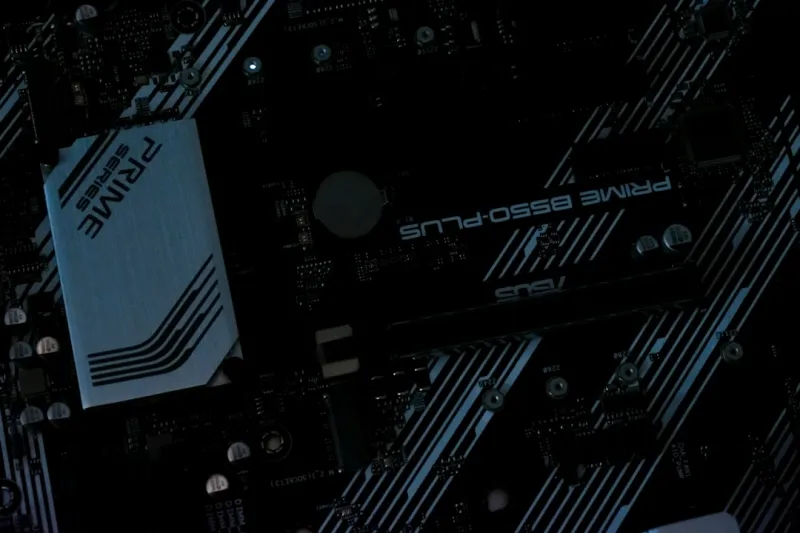
Why Motherboards Are the Unsung Heroes of Modern Builds
When I first cracked open a case back in the early 2020s, the motherboard was just a slab of circuitry that held everything together. Fast‑forward to 2026, and that slab has become a sophisticated platform that decides whether your AI‑driven workloads, high‑refresh gaming, or next‑gen content creation run like a dream or grind to a halt. As a long‑time power user, I’ve learned that the board you choose is the single most decisive factor in future‑proofing a system. It’s not just about fitting a CPU; it’s about ensuring every lane, every voltage rail, and every firmware feature can evolve alongside the relentless pace of hardware innovation. In this post I’ll walk you through the trends that matter, the hidden pitfalls that trip up even seasoned builders, and the concrete steps you can take today to lock in performance for years to come.
PCIe 6.0, DDR6, and the New Form‑Factor Landscape
2026 is the year where PCIe 6.0 finally left the prototype stage and landed in mainstream motherboards, delivering up to 64 GT/s per lane—double the bandwidth of PCIe 5.0. For power users who juggle multiple GPUs, high‑speed storage arrays, or dedicated AI accelerators, that extra headroom translates directly into lower latency and higher throughput. At the same time, DDR6 memory is gaining traction, offering up to 32 GB/s per module and improved power efficiency compared to DDR5. While many builders still cling to the classic ATX form factor, we’re seeing a surge in hybrid designs that blend E‑ATX power delivery with mini‑ITX compactness, thanks to smarter PCB layouts and multi‑phase VRM clusters. These new form factors give you the flexibility to build a massive workstation in a 15‑liter case or a portable creator rig without sacrificing expansion options. Understanding how these standards intersect will help you pick a board that doesn’t become obsolete the moment a new GPU or storage standard hits the market.
Choosing the Right Chipset: Intel Z‑Series vs AMD X‑Series
The chipset sits at the heart of every motherboard decision, dictating everything from PCIe lane distribution to overclocking capabilities. Intel’s Z‑790 (and its 2026 successors) now support both DDR6 and PCIe 6.0, while also offering integrated AI acceleration blocks that offload inference tasks from the CPU. AMD’s X‑770 series, on the other hand, leans heavily into open‑source firmware and provides a more generous lane map for multi‑GPU setups. If you’re building an AI‑focused rig, the AMD platform’s extra PCIe lanes can be a game‑changer, especially when you stack two or three compute cards. Conversely, if you’re chasing the highest single‑core performance for software development or Windows 12 gaming, Intel’s higher boost clocks and refined power management often give a slight edge. The key is to match the chipset’s strengths with your primary workload, and to double‑check that the board’s BIOS supports the latest micro‑code updates—something I explore in depth in Mastering Motherboard Selection: A Power‑User’s Blueprint for Future‑Ready Builds.
Power Delivery and VRM Architecture: The Unsung Backbone
When you pair a 165 W CPU with a power‑hungry GPU, the voltage regulator modules (VRMs) become the silent workhorses that keep your system stable. Modern high‑end boards now sport 20‑plus phase designs, using digital PWM controllers that can dynamically adjust current flow with millisecond precision. This matters because a weak VRM not only throttles performance but also shortens component lifespan—a concern that’s magnified when you run intensive AI training cycles 24/7. Look for boards that feature premium MOSFETs, ample heatsink coverage, and, if possible, integrated VRM temperature sensors you can monitor via software. Some manufacturers even bundle fan‑controlled VRM cooling, which is a nice safety net for overclocking adventures. Remember, a board with a robust power delivery system will let you push the envelope without fearing sudden crashes, and it will keep your system humming smoothly through future CPU upgrades.
Connectivity That Keeps You Ahead: USB4, Thunderbolt 5, Wi‑Fi 7
Connectivity has become a decisive factor in motherboard selection, especially as peripherals evolve at breakneck speed. USB4 now offers 40 Gbps bandwidth, matching Thunderbolt 5’s performance while maintaining universal compatibility with the USB‑C ecosystem. For creators who need to move multi‑terabyte datasets between external SSDs and the workstation in seconds, a board with multiple USB4 ports is non‑negotiable. Meanwhile, Wi‑Fi 7 delivers up to 30 Gbps on the 6 GHz band, dramatically reducing latency for cloud‑based AI workflows. Pair that with a 2.5 GbE or even 10 GbE Ethernet port, and you’ve got a network backbone that won’t bottleneck your data‑intensive tasks. I often reference the Future‑Proof Your Network: Power‑User Strategies for 2026 guide when mapping out connectivity, because the right motherboard can be the difference between a smooth 4K streaming session and a choppy, dropped‑frame nightmare.
Storage Expansion: M.2, PCIe 6.0 SSDs, and RAID Options
In the age of AI model training, storage speed is as crucial as CPU horsepower. Motherboards now come equipped with three to four M.2 slots, many of which support PCIe 6.0 NVMe drives that can exceed 14 GB/s sequential read speeds. This means you can load massive datasets into RAM almost instantly, shaving minutes off training cycles. For those who still rely on SATA for bulk archival, look for boards that isolate SATA traffic from the primary PCIe lanes, preventing bottlenecks when the M.2 drives are active. RAID support has also matured; modern BIOS implementations allow hardware‑level RAID 0/1/5/10 configurations without the need for third‑party cards, delivering both redundancy and performance. When planning your storage hierarchy, think about a tiered approach: a lightning‑fast PCIe 6.0 SSD for active projects, a secondary NVMe for secondary workloads, and a high‑capacity SATA array for long‑term archives.
BIOS/UEFI Evolution and Software Integration
The firmware layer has undergone a quiet revolution in recent years. BIOS interfaces now feature AI‑assisted overclocking profiles that analyze thermal and power data in real time, suggesting optimal settings with a single click. Moreover, the integration with Windows 12’s power‑management APIs means your motherboard can dynamically adjust voltage rails based on OS‑level workload predictions, boosting efficiency without manual tweaks. Always verify that the board you choose receives regular BIOS updates—manufacturers that maintain a robust update schedule are more likely to patch security vulnerabilities and add support for new CPUs or memory kits. For power users who love to tinker, boards that expose advanced settings through a web‑based dashboard or a companion mobile app can streamline the fine‑tuning process. I’ve found that a well‑documented UEFI, coupled with community‑driven forums, reduces the learning curve dramatically and keeps your system secure for the long haul.
Sustainability, Repairability, and the Long‑Term Upgrade Path
Beyond raw specs, the modern power‑user mindset includes an eye toward sustainability and repairability. Motherboards that use modular power phases, socketed MOSFETs, and replaceable VRM heatsinks make it possible to service a board instead of discarding it when a component fails. Look for boards that follow the “clean‑board” philosophy—fewer proprietary cables, standardized connectors, and clearly labeled jumpers—so future upgrades don’t become a scavenger hunt. Additionally, manufacturers that provide detailed schematics and open‑source firmware (such as some AMD partners) empower the community to extend the board’s life far beyond the typical three‑year refresh cycle. Pair this with the knowledge from The Ultimate Motherboard Guide for Power Users, and you’ll have a roadmap that balances cutting‑edge performance with responsible, long‑term ownership.
Putting It All Together: Your Blueprint for a Future‑Ready Rig
Choosing the perfect motherboard in 2026 isn’t about chasing the flashiest logo; it’s about aligning chipset capabilities, power delivery, connectivity, and firmware flexibility with your specific workflow. Start by listing your primary use cases—AI training, 4K gaming, content creation—and match those to the board’s lane distribution and VRM design. Verify that the firmware receives regular updates and that the manufacturer supports modular repairs. Finally, cross‑reference your shortlist with proven resources like The Ultimate Motherboard Guide for Power Users to ensure you’ve covered every hidden nuance. By treating the motherboard as the central nervous system of your build, you’ll craft a system that not only dominates today’s benchmarks but also adapts gracefully to the innovations of tomorrow.




