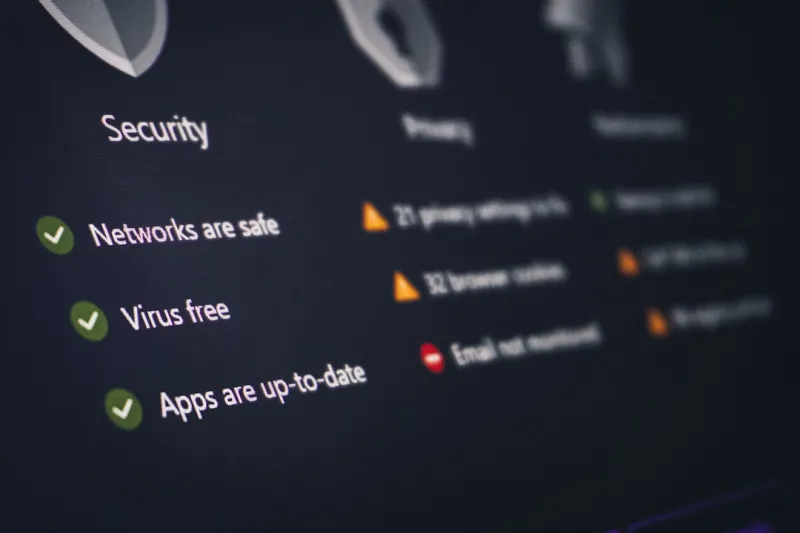
In 2026 the virus landscape feels less like a wild frontier and more like a well‑orchestrated symphony—except the conductor is a malicious actor with a penchant for exploiting the very tools power users rely on daily. I still remember the first time a ransomware note popped up on my workstation while I was fine‑tuning a custom GPU driver; the panic was real, but the response was measured. Over the years I’ve learned that the most effective defense isn’t a product stack, but a mindset that treats every new alert as a puzzle waiting to be solved. That’s why, as a self‑identified power user, I approach malware with the same rigor I bring to a hardware build: dissect every component, understand the attack surface, and constantly iterate on my safeguards. This article walks you through the current threat vectors, the practical steps you can take, and the mental models that keep my environment clean even when the headlines scream about a new AI‑driven worm.
Malware in 2026 has graduated from rudimentary file‑infectors to sophisticated, AI‑augmented campaigns that can adapt on the fly. Ransomware operators now bundle machine‑learning models that probe a network, identify high‑value assets, and encrypt only the files that matter most to the business, maximizing pressure on victims. Supply‑chain attacks have become a favorite vector because compromising a single upstream library can compromise thousands of downstream installations, all without a single line of malicious code appearing on the target host. Even classic trojans have been reborn with “living‑off‑the‑land” techniques—leveraging legitimate OS utilities like PowerShell and Windows Management Instrumentation to stay under the radar. The result is a threat environment that moves faster than traditional signature‑based defenses, demanding that we adopt behavior‑based detection and a proactive patch cadence.
Power users sit at the intersection of high performance and high exposure, making us prime targets for these advanced threats. The more we push the envelope—whether by installing bleeding‑edge drivers, experimenting with containerized dev environments, or automating tasks with scripts—the larger the attack surface becomes. Recognizing this, I treat security the same way I approach a complex build: I map every dependency, question every permission, and stay a step ahead of the adversary. That mindset is precisely why the hidden threats article is a must‑read for anyone who refuses to settle for the default security baseline. By learning how threat actors think, we can preemptively lock down the vectors they most often exploit, from insecure macro scripts to improperly scoped cloud credentials.
Implementing a layered defense strategy starts with a hardened operating system. In Windows 11, for example, I enable core isolation, memory integrity, and the built‑in Windows Defender Application Control (WDAC) policies that lock down executable execution to a trusted whitelist. Regular, automated patching is non‑negotiable; I rely on a combination of WSUS for Microsoft updates and a custom script that pulls the latest firmware releases for my motherboard and GPU. Beyond the OS, endpoint detection and response (EDR) tools that leverage behavioral analytics are essential. They flag anomalies such as a legitimate PowerShell process spawning a network connection to an unfamiliar IP address—a classic indicator of a living‑off‑the‑land attack. By correlating these signals with system logs, I can triage alerts before they bloom into full‑blown infections.
Network architecture is the next crucial line of defense, especially for a power‑user who often toggles between home labs, corporate VPNs, and public Wi‑Fi. Segmentation isolates critical workloads from less‑trusted environments, limiting the blast radius if a device gets compromised. I employ VLANs and a strict firewall rule set that only permits necessary traffic, combined with DNS filtering to block known malicious domains. Understanding the principles outlined in the modern networks guide helps translate these concepts into actionable configurations, such as enforcing mutual TLS for inter‑service communication and leveraging zero‑trust policies for device onboarding. The goal is simple: even if a malware instance slips past the endpoint guard, it should hit a wall the moment it tries to spread laterally.
The emergence of AI‑driven malware has turned the tables on traditional detection methods, but it also offers defenders a new set of tools. Threat actors are now using generative models to craft phishing emails that bypass spam filters, or to obfuscate payloads dynamically, rendering static signatures obsolete. Staying current with the AI computing trends means incorporating anomaly‑based detection systems that learn the normal behavior of your machine and flag deviations in real time. For instance, I’ve integrated a lightweight unsupervised learning model that watches for sudden spikes in disk I/O—a common tell‑tale sign of ransomware encryption activity. Paired with automated quarantine actions, this approach buys precious minutes to investigate before the malicious code can cause irreversible damage.
Detection is only half the battle; effective response hinges on preparation. I keep a set of immutable recovery media—bootable USB sticks with a clean Windows PE environment—so I can quickly take a compromised system offline and perform forensic analysis without risking further spread. My incident response playbook includes steps to capture volatile memory, hash critical system files, and generate a timeline of executed processes. These artifacts are invaluable for understanding the infection vector and for reporting to any relevant stakeholders. Additionally, I maintain a rolling set of encrypted backups on an external hard drive, a strategy I discussed in previous posts about hard drive mastery. The redundancy ensures that, even if the primary system is rendered useless, my data remains recoverable without paying a ransom.
Backup integrity is a topic that deserves its own deep dive, but the key takeaway for power users is to treat offline storage as a security control, not just a convenience. I schedule nightly differential backups to a high‑performance SSD, then mirror those snapshots to a larger, slower HDD that sits unplugged for 48 hours—effectively creating an air‑gapped vault. This approach mitigates the risk of “backup‑ransomware,” where attackers encrypt both live data and its backups. Regularly testing restoration procedures is equally important; a backup is only as good as your ability to restore it under pressure. By rehearsing disaster recovery drills quarterly, I keep my response muscle memory sharp, ensuring that a real-world infection doesn’t turn into a protracted outage.
Finally, the true power‑user advantage lies in a culture of continuous learning. Malware authors evolve daily, and the tools we use to combat them are in a constant state of flux. I allocate time each week to read the latest threat intelligence reports, experiment in a sandboxed environment, and share findings with the community via forums and blog posts. This proactive stance not only keeps my own systems resilient but also contributes to the broader ecosystem’s collective defense. Remember, the battle against viruses and malware isn’t a one‑time configuration; it’s an ongoing process of adaptation, vigilance, and the willingness to dive deep when something looks off. Embrace the mindset, refine your toolkit, and you’ll stay a step ahead of the ever‑evolving threat landscape.