
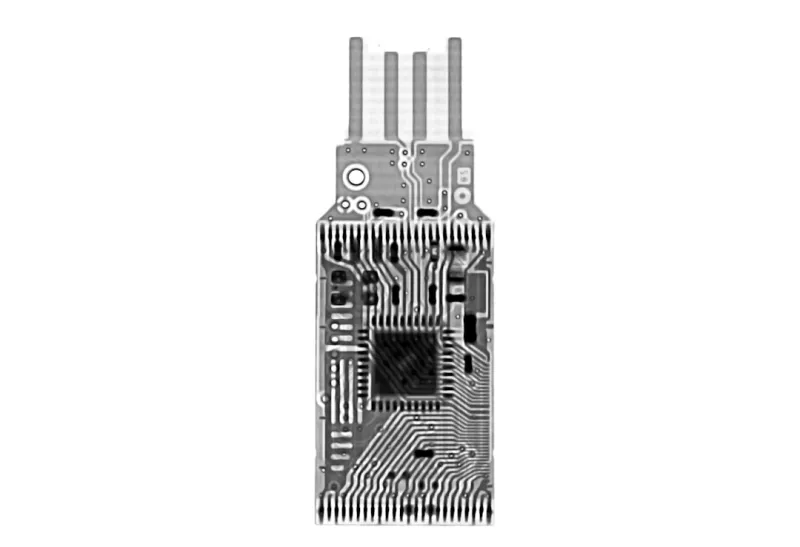
When I first started building PCs in the early 2010s, the motherboard was the silent workhorse that most folks barely noticed. Fast‑forward to 2026, and that humble PCB has transformed into a sophisticated, AI‑aware platform that can dictate the success or failure of an entire system. As someone who lives at the intersection of hardware tinkering and software performance, I’ve learned that a motherboard is no longer just a collection of slots and ports—it’s the central nervous system that orchestrates power delivery, data flow, and even security policies in real time. The rise of DDR5, PCIe 5.0, and integrated networking chips means the board you choose can either unlock the full potential of your CPU and GPU or bottleneck them, no matter how premium the components are. In this deep dive, I’ll walk you through the trends reshaping motherboards, the key specs to scrutinize, and how to future‑proof your next build without breaking the bank.
From Simple Backplanes to Smart Hubs: The Evolution of Motherboards
Back in the day, motherboards were essentially just a set of connectors for the CPU, RAM, and a few peripheral slots. Today, they’re intelligent hubs equipped with onboard AI accelerators that can offload tasks like real‑time telemetry, predictive thermal management, and even basic intrusion detection. This shift mirrors the broader industry move toward edge‑first design, where processing happens as close to the data source as possible. The hardware trends shaping PCs in 2026 emphasize this integration, making the motherboard a critical component for both gaming rigs and workstation builds. Additionally, manufacturers are embedding advanced power‑phase designs that adapt to the CPU’s power envelope on the fly, reducing voltage spikes and enhancing overall efficiency—an essential factor when you’re pushing a 14‑core Zen 4 or an upcoming 12‑core Raptor Lake Refresh to its limits.
One of the most exciting developments is the inclusion of built‑in 2.5 GbE and 10 GbE Ethernet controllers with AI‑driven traffic shaping. These aren’t just for faster file transfers; they enable adaptive security measures that can isolate suspicious packets before they even reach the OS, aligning with the zero‑trust networking paradigm that’s gaining traction across enterprises. In practice, this means your gaming PC can also serve as a secure node for remote work, without needing a separate network card. Moreover, the convergence of Wi‑Fi 7 and Bluetooth 5.3 on the motherboard eliminates the need for external adapters, reducing latency and freeing up valuable PCIe lanes for GPUs or NVMe drives.
Key Specs That Matter: What to Look for in 2026
When evaluating a motherboard in 2026, the first spec that jumps out is the chipset’s support for PCIe 5.0 and the emerging PCIe 6.0 standard. While most GPUs still run on PCIe 5.0, the bandwidth headroom becomes crucial for next‑gen SSDs and dedicated AI accelerators. Look for boards offering at least four x16 slots with full bifurcation support—this ensures you can run multi‑GPU setups or split a single slot for dual‑NVMe configurations without sacrificing performance. Another pivotal factor is the VRM design; high‑end motherboards now sport 18‑phase or even 20‑phase configurations with digital control loops that fine‑tune voltage on a per‑core basis. This level of granularity not only improves overclocking stability but also extends the lifespan of both CPU and motherboard by minimizing thermal stress.
Memory support has also leaped forward. DDR5‑6000 and DDR5‑6600 kits are now mainstream, and many boards feature built‑in memory overclocking profiles that can automatically tune timings based on the installed modules. However, it’s not just about speed—latency and ECC support are becoming more relevant, especially for creators and developers who run memory‑intensive workloads. If you’ve ever wondered why your system crashes under heavy loads, the answer often lies in RAM stability. For a deeper dive into RAM troubleshooting, check out why your PC’s RAM keeps crashing and how to fix it. Pairing a robust motherboard with high‑quality DDR5 modules can dramatically reduce those dreaded blue screens.
Security is another arena where modern boards are stepping up. Many manufacturers now embed a Trusted Platform Module (TPM) 2.0 directly onto the PCB, alongside firmware that supports secure boot and measured boot processes. These features dovetail with the broader industry push for AI‑driven zero‑trust defenses, as discussed in our AI‑powered zero‑trust defense article. In short, a motherboard that natively supports these security layers can simplify compliance for professionals and provide an extra shield for gamers who often overlook such concerns.
Lastly, the expansion ecosystem should not be overlooked. While M.2 slots have become a given, the distribution of SATA ports, USB‑Type‑C connectors, and even Thunderbolt 5 (now standard on many high‑end boards) can make a huge difference in daily usability. Thunderbolt 5 offers up to 80 Gbps transfer speeds, enabling seamless workflows between external GPUs, fast storage arrays, and 8K monitors. When you’re building a future‑proof rig, consider not only the number of ports but also their placement—front‑panel USB‑C for quick device swaps and rear‑panel USB‑4 for high‑throughput connections can keep your workspace tidy and efficient.
Future‑Proofing: Strategies to Keep Your Build Relevant
Future‑proofing isn’t about buying the most expensive board on the market; it’s about anticipating where the industry is headed and selecting a platform that can adapt. One strategy is to prioritize boards that support BIOS updates over the next five years, especially those with dual‑BIOS designs. Dual‑BIOS provides a safety net if a flash goes wrong and often includes a “legacy” mode to support older CPUs, which can be handy if you decide to downgrade for a specialized workload. Additionally, look for motherboards that offer modular I/O panels—these allow you to swap out ports without replacing the entire board, extending the lifespan of your system as new standards emerge.
Another practical tip is to invest in a board with a robust VRM cooling solution, such as hybrid air‑liquid coolers or large heatsinks with heat pipes. As CPUs become more power‑hungry, efficient VRM cooling ensures you can sustain high boost clocks without throttling. Moreover, many modern boards now come with built‑in fan and pump headers that integrate with popular monitoring software, giving you granular control over thermal profiles. By keeping your cooling solution flexible, you can upgrade to more demanding CPUs in the future without needing a new motherboard.
Don’t forget the software side of things. Motherboard manufacturers are rolling out companion apps that let you tweak settings directly from Windows, including fan curves, RGB lighting, and even AI‑driven power management. These tools often receive regular updates that add support for new hardware, meaning your board can stay compatible with future CPUs and GPUs. Pair this with an operating system that embraces AI and security—like the latest builds discussed in our operating systems in 2026 guide—to ensure your entire stack remains cohesive and secure.
Finally, consider the ecosystem of add‑ons you may want down the road. For example, if you anticipate using PCIe‑based AI accelerators for machine‑learning workloads, choose a motherboard that offers ample PCIe lanes and supports bifurcation without sacrificing GPU slots. Similarly, if you’re eyeing ultra‑high‑resolution displays, ensure the board includes DisplayPort 2.0 or HDMI 2.1a for 8K output at high refresh rates. By aligning your motherboard’s capabilities with both current needs and foreseeable upgrades, you’ll avoid the costly cycle of frequent rebuilds.
Conclusion: Your Motherboard is the Heartbeat of Your PC
In 2026, the motherboard has shed its reputation as a passive component and emerged as a dynamic, intelligent hub that can influence performance, security, and longevity. By understanding the nuanced specs—PCIe version, VRM phase count, memory support, integrated networking, and security features—you can make an informed choice that serves both today’s demands and tomorrow’s innovations. Remember, the right board doesn’t just hold your components together; it amplifies their strengths, mitigates weaknesses, and safeguards your data. As you plan your next build, let the motherboard be the cornerstone of your design, and you’ll enjoy a smoother, faster, and more secure computing experience for years to come.




