Data is the new oil, and in 2026 the pipelines that move that data are more varied than ever. As a long‑time power‑user, I’ve watched storage tech jump from the clunky 5400 RPM drives of the early 2010s to today’s blazingly fast NVMe modules that can shuffle terabytes in a blink. Yet, despite the flash frenzy, traditional hard‑disk drives (HDDs) still hold a strategic spot in many high‑performance rigs. The reason isn’t nostalgia—it’s physics, economics, and the sheer volume of data we now generate from 8K video, AI model training, and massive game assets. In this article I’ll break down why hard drives remain essential, how they’ve evolved, and how you can blend them with SSDs for a storage stack that’s both speedy and cost‑effective.
How HDD Technology Has Quietly Leveled Up
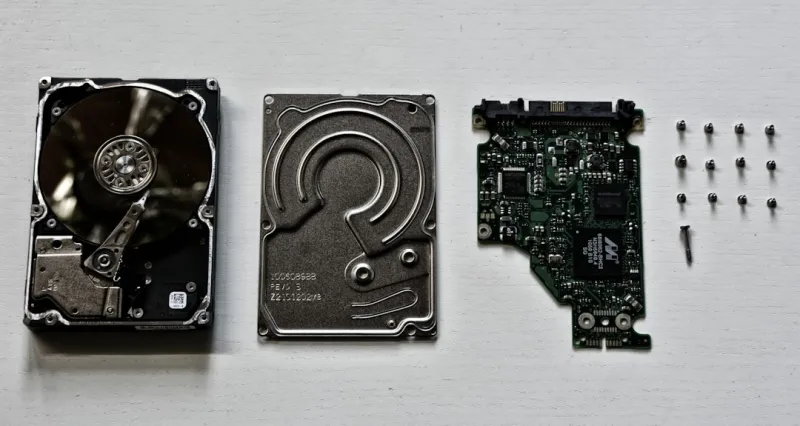
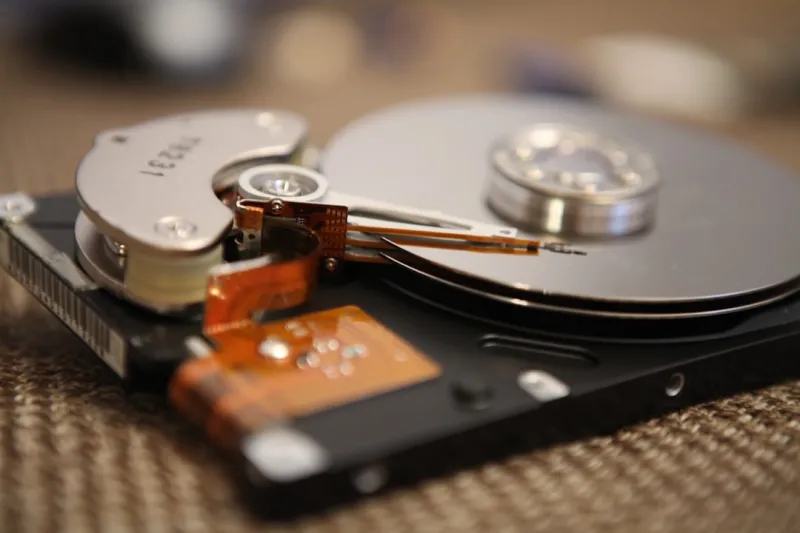
When you think of hard drives, the image that comes to mind is a spinning platter humming in the background. That image is still accurate, but the internals have gotten a lot smarter. In 2026 manufacturers have pushed areal density beyond 2 Tb/in², meaning each platter now stores more data than the entire 2020‑era HDD market combined. Innovations like heat‑assisted magnetic recording (HAMR) and microwave‑assisted magnetic recording (MAMR) have allowed these densities without sacrificing reliability. The result? A 10‑TB desktop‑class drive can now spin at 7200 RPM while maintaining the same power envelope as a 4‑TB model from five years ago. For power users who need massive, affordable archives—think raw video footage, large datasets, or multi‑boot environments—these advances translate directly into lower total cost of ownership and fewer drive bays to manage.
The SSD Surge: Speed Meets Scale
Solid‑state drives have been the darling of the performance‑focused community for a decade, and 2026 is no exception. NVMe 4.0 and the emerging NVMe 5.0 standards deliver read/write speeds that dwarf even the fastest HDDs, with sequential throughput topping 14 GB/s on high‑end models. The biggest shift, however, is the dramatic price drop per gigabyte; today you can purchase a reliable 4 TB NVMe SSD for less than half the cost it cost in 2023. This democratization means that power users can now allocate SSD space not just for the OS and primary applications, but also for active project files—think 8K video editing timelines or large AI training batches. The trade‑off remains endurance: write‑intensive workloads can wear out NAND cells faster, so understanding TBW (terabytes written) ratings is crucial for long‑term stability.
Hybrid Storage: The Best of Both Worlds
If you’re not ready to abandon the massive capacity of HDDs but crave the responsiveness of SSDs, hybrid solutions provide a middle ground. SSHDs combine a modest NAND cache (usually 8‑32 GB) with a traditional platter, automatically moving frequently accessed data onto the flash tier. For most power‑user scenarios—like a gaming library that’s constantly accessed yet too large for a pure SSD—this can shave seconds off load times without breaking the bank. Additionally, tiered storage software, built into modern operating systems, lets you designate which folders live on the fast tier versus the bulk tier. By intelligently migrating data based on usage patterns, you get SSD‑level performance for active projects while preserving HDD space for archival content.
Reliability Matters: Understanding Drive Lifespan
One of the biggest misconceptions among enthusiasts is that SSDs are inherently more reliable than HDDs. In reality, both have failure modes that require proactive management. HDDs suffer from mechanical wear—bearing fatigue, head crashes, and vibration‑induced errors—while SSDs face wear‑out of NAND cells and potential firmware bugs. In 2026, manufacturers now publish detailed MTBF (mean time between failures) and DWPD (drive writes per day) metrics, making it easier to compare apples‑to‑apples. The key for power users is to implement a layered backup strategy: use RAID 1 or RAID 5 for immediate redundancy, and maintain off‑site or cloud backups for disaster recovery. Tools like SMART monitoring can alert you to impending HDD failures, while SSD health utilities report remaining lifespan based on wear leveling. By keeping an eye on these indicators, you can preempt data loss before it strikes.
Why Power Users Need Massive, Fast Storage for AI and Media
My own workflow in 2026 revolves around training generative AI models and editing 8K video streams—tasks that devour terabytes of data in a single session. For these workloads, the storage hierarchy is critical. I keep my primary dataset on a RAID‑0 array of NVMe 4.0 drives for maximum throughput, but I offload older model checkpoints to a 16‑TB HAMR HDD that offers a sweet spot between cost and capacity. This blend lets me iterate quickly without constantly hunting for space. If you’re curious about optimizing AI workloads, check out AI Computing Mastery: A Power‑User’s Guide to 2026 Performance, which dives deep into how storage bandwidth directly impacts training times and model accuracy.
Future‑Proofing Your Drive Choices: Capacity, Endurance, and Warranty
When selecting storage for a power‑user rig, think three steps ahead. First, estimate your growth curve: a 4 TB SSD may seem ample today, but with 8K footage averaging 1 TB per hour, you’ll need room to expand. Second, evaluate endurance ratings—look for SSDs with at least 1.5 PBW (petabytes written) for heavy write cycles, and HDDs with multi‑year MTBF guarantees. Third, consider warranty and service options; many manufacturers now offer “lifetime” data recovery plans for enterprise‑grade drives. Pairing a high‑capacity HDD with a fast NVMe cache not only balances cost but also shields you from future bottlenecks as software demands scale. And remember, the physical form factor matters: U.2 and EDSFF drives are becoming mainstream in high‑density workstations, offering more room for expansion without sacrificing airflow.
Maintaining a Healthy Storage Stack: Firmware, Monitoring, and Updates
Even the best hardware can degrade without proper care. Regular firmware updates are essential; they often include fixes for vibration tolerance on HDDs and improved wear‑leveling algorithms for SSDs. I schedule a quarterly check using tools that query SMART data and cross‑reference manufacturer release notes. For power users, staying on top of these updates is part of the broader maintenance routine outlined in Critical 2026 Power‑User Updates You Can’t Afford to Miss. Additionally, implement automated health alerts via scripts that email you when temperature spikes or error counts exceed thresholds. Clean your drive bays regularly to prevent dust buildup, which can exacerbate bearing wear on HDDs and affect cooling for high‑performance SSDs. By treating your storage like any other critical component—regularly inspected and updated—you’ll extend its useful life and keep your workflow humming.
Balancing Speed, Capacity, and Cost for the Ultimate Power‑User Setup
In the end, the ideal hard‑drive strategy in 2026 is a harmonious blend of speed, capacity, and budget awareness. SSDs deliver the lightning‑fast responsiveness needed for active development, AI training, and video editing, while HDDs provide the massive, affordable archives that keep your data ecosystem sustainable. By leveraging hybrid configurations, monitoring health metrics, and staying current with firmware and power‑user updates, you can build a storage solution that scales with your ambitions. The landscape will continue to evolve—new NVMe standards, emerging storage‑class memory, and even higher‑density magnetic platters are on the horizon—but the fundamentals remain: choose the right tool for the job, protect your data, and never stop optimizing.