
2026 has turned into a whirlwind of announcements, patches, and paradigm shifts that directly affect anyone who identifies as a power‑user. From the latest operating‑system hardening measures to the rapid evolution of AI‑accelerated workloads, the landscape is moving faster than ever. In this update, I’m pulling together the most consequential changes that will shape how we build, secure, and optimize our rigs over the next several years. Expect deep dives into GPU selection, memory reliability, network performance, and the new security playbooks that are redefining “unbreakable defense.” My goal is to translate the flood of vendor blogs, firmware release notes, and community chatter into actionable intel you can apply today, whether you’re a developer, a content creator, or a data‑science heavyweight. Let’s cut through the noise, highlight the signals, and give you a roadmap that keeps your workstation both cutting‑edge and rock‑solid.
Operating‑System Hardening and Zero‑Trust Adoption
One of the biggest shifts this year is the universal embrace of zero‑trust principles at the OS level. Microsoft’s “Secure Baseline 2026” and the latest Linux kernel hardening patches now require every process, driver, and peripheral to present verifiable credentials before gaining elevated privileges. This isn’t just a checkbox for compliance; it fundamentally changes how we troubleshoot and debug. Expect to see more granular audit logs, mandatory signed drivers, and a default “deny‑by‑default” stance on network sockets that were previously open. For power‑users, this translates into a tighter feedback loop: you’ll need to validate toolchains and plugins before they run, but the payoff is a dramatically reduced attack surface. If you haven’t already, start mapping your critical workflows to these new policies, and consider adopting a dedicated “security profile” in your OS that automatically enforces the most stringent settings for high‑value tasks.
GPU Landscape: Performance, Efficiency, and Future‑Proofing
The GPU market in 2026 is a study in contrast. While the flagship models from the leading vendors boast teraflops of ray‑tracing power, the mid‑tier cards have caught up in AI inference efficiency thanks to dedicated tensor cores and on‑die memory compression. Choosing the right GPU now requires balancing raw rasterization performance with AI workload acceleration and power consumption. In my recent deep‑dive, Choosing the Right GPU for Power‑Users in 2026, I laid out a decision matrix that weighs frame‑rate needs against training time for machine‑learning models. If you’re primarily gaming, a GPU with a higher boost clock and larger VRAM will still dominate. However, for data‑science pipelines, a card with a higher tensor‑core count and lower wattage can slash both training time and electricity bills. The sweet spot for most power‑users sits at the upper‑mid tier, where you get enough CUDA cores for heavy rendering while maintaining a manageable thermal envelope for long‑hour sessions.
AI Computing Integration: From Prototype to Production
This year’s AI boom isn’t just about new models; it’s about how we integrate them into everyday workflows. The emergence of on‑device inference engines means you can run large language models locally without streaming data to the cloud, preserving privacy and reducing latency. I recently explored these trends in Unleashing AI Computing: A Power‑User’s Blueprint for 2026, where I highlighted the rise of “model‑on‑the‑edge” kits that plug directly into your workstation’s PCIe lanes. These kits come pre‑optimized for popular frameworks like PyTorch and TensorFlow, offering plug‑and‑play acceleration for tasks ranging from code autocompletion to real‑time video upscaling. The practical takeaway? Allocate a dedicated PCIe 4.0 slot for AI accelerators, and keep your driver stack updated to benefit from the latest kernel‑level optimizations that reduce overhead and improve throughput.
Memory Reliability: Cracking the RAM Conundrum
Even as CPUs and GPUs evolve, RAM remains a stubborn pain point for power‑users, especially when pushing the limits of large datasets and virtual machines. The latest DDR5‑5600 modules promise higher bandwidth, but many users report intermittent crashes due to timing mismatches with newer chipsets. In my investigative piece on memory stability, I identified three core culprits: sub‑optimal XMP profiles, insufficient voltage headroom, and firmware bugs in the memory controller. The solution is a combination of manual timing tweaks, enabling “Memory Guard” in the BIOS, and, when possible, opting for ECC‑enabled modules if your motherboard supports them. Remember, a single faulty stick can masquerade as a software bug, leading to hours of wasted debugging. By proactively testing each DIMM with tools like MemTest86+ and keeping your firmware up‑to‑date, you can dramatically reduce the frequency of those dreaded blue‑screen moments.
Network Mastery: Speed, Security, and Scalability
High‑speed networking has become a non‑negotiable component of any power‑user rig, especially as remote rendering farms and cloud‑based AI services proliferate. The rollout of Wi‑Fi 7 and 10 GbE Ethernet adapters offers multi‑gigabit throughput, but the real challenge lies in securing those connections without sacrificing performance. Implementing VLAN segmentation for work and personal traffic, combined with a hardware‑based firewall that supports deep packet inspection, can thwart lateral movement attacks while preserving low latency. Additionally, take advantage of the newer “TCP Fast Open” and “QUIC” protocols that many modern cloud services now support; they reduce handshake overhead and improve responsiveness for interactive workloads. A well‑tuned network stack, paired with a quality of service (QoS) policy that prioritizes real‑time data streams, will keep your streaming, gaming, and AI inference pipelines humming without bottlenecks.
Beyond Antivirus: A Comprehensive Security Playbook
Traditional antivirus solutions are no longer sufficient for the sophisticated threat landscape of 2026. Power‑users now need a layered approach that blends behavior‑based detection, sandboxing, and zero‑trust verification. My recent guide, Secure Your Power‑User Workstation: A 2026 Playbook for Unbreakable Defense, outlines a step‑by‑step process to harden your environment: start with a minimal attack surface by disabling unused services, then deploy a host‑based intrusion detection system (HIDS) that monitors anomalous system calls. Pair this with application‑specific containers that isolate high‑risk software—think browsers, email clients, and experimental AI tools. Finally, integrate a continuous vulnerability scanning pipeline that automatically patches firmware and driver updates. This holistic strategy ensures that even if a malicious payload slips past one defense layer, subsequent safeguards will contain and neutralize the threat.
Future‑Proofing Hardware: Strategies That Actually Work
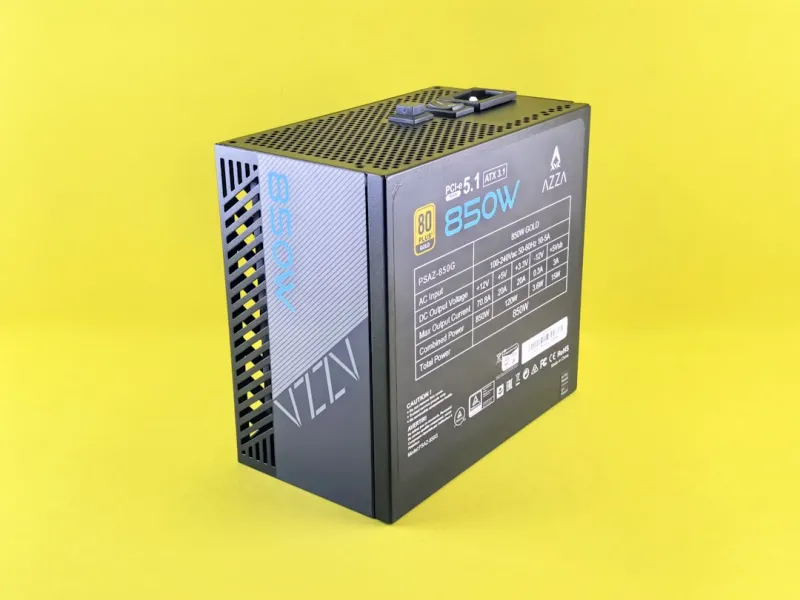
When building a workstation that needs to stay relevant for at least the next five years, the key is modularity and forward‑compatible interfaces. Prioritize a motherboard that supports PCIe 5.0, DDR5, and has ample M.2 slots for NVMe storage upgrades. Investing in a high‑capacity, 2 TB or larger NVMe SSD now not only accelerates OS boot times but also provides a buffer for future data‑intensive applications like 8K video editing or large‑scale simulation. Don’t overlook power delivery either; a robust 850W–1000W PSU with an 80+ Platinum rating ensures stable voltage under sustained loads, especially when you’re running multiple GPUs and AI accelerators simultaneously. Finally, consider a chassis with excellent airflow and space for additional radiators or liquid‑cooling loops, as thermal throttling remains the Achilles’ heel of high‑performance rigs. By planning for expansion today, you avoid costly rebuilds when the next hardware wave arrives.
Software Development Wave: Tools, Tactics, and a Power‑User Mindset
The software development ecosystem in 2026 is dominated by AI‑assisted coding assistants, container‑first deployment models, and a surge in low‑code platforms that still require deep technical expertise to customize. Power‑users should adopt a hybrid workflow: leverage AI suggestions for boilerplate code while maintaining strict code‑review practices to catch subtle logic errors. Embrace tools like GitHub Copilot X, which now integrates directly with IDEs to offer real‑time security linting, reducing the chance of introducing vulnerable code paths. Container orchestration with Kubernetes on a local development cluster allows you to simulate production environments, ensuring that performance bottlenecks are caught early. Moreover, the rise of “dev‑sec‑ops” pipelines means that static analysis, dependency scanning, and automated patching are now expected parts of the CI/CD process. By aligning your development practices with these trends, you’ll stay ahead of both performance and security expectations.
Closing Thoughts: Staying Agile in an Ever‑Changing Landscape
In a year where hardware breakthroughs, AI integration, and security mandates intersect, the only constant for power‑users is change. The updates covered here—operating‑system hardening, GPU selection, AI accelerators, memory reliability, network enhancements, and a layered security approach—form a cohesive framework that you can adapt to your specific workflow. Remember, the goal isn’t to chase every shiny new feature, but to build a resilient, performant, and secure workstation that can evolve gracefully. Keep an eye on firmware releases, regularly audit your configuration, and never underestimate the value of community knowledge. As we continue to push the boundaries of what a single machine can achieve, staying informed and proactive will be your greatest advantage. Let’s keep the conversation going—share your own updates, challenges, and successes in the comments, and together we’ll shape the future of power‑user computing.




