
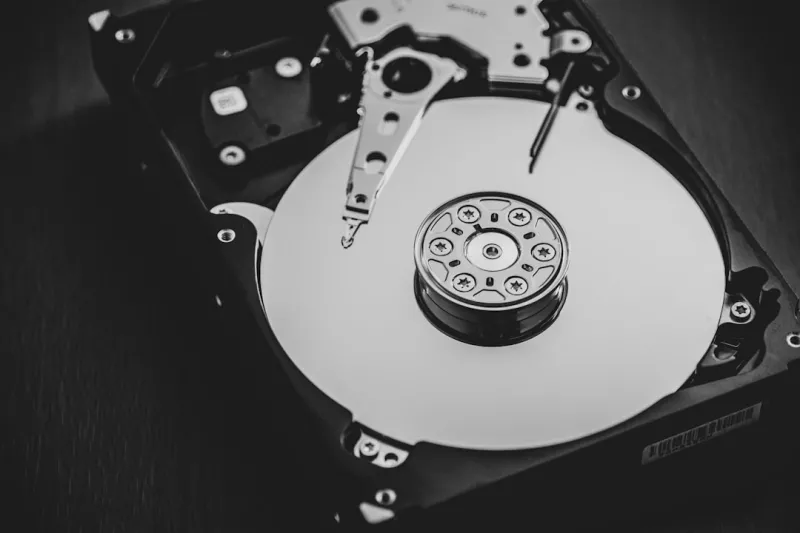
When I first cracked open a 3.5‑inch platter in my garage workshop back in the early 2020s, I never imagined I’d still be championing hard drives a decade later. Fast forward to 2026, and the conversation around storage has become a swirling mix of NVMe flash, AI‑accelerated caches, and cloud‑first architectures. Yet, as many of you have told me over countless coffee‑fuelled troubleshooting sessions, the humble HDD refuses to fade into the background. It’s not just nostalgia; it’s a pragmatic response to the soaring data demands of AI models, video‑intensive workloads, and archival needs that simply can’t be met by flash alone without breaking the bank. In this post, I’ll walk you through why hard drives remain a cornerstone of modern PCs, how to squeeze every ounce of performance out of them, and what the next wave of magnetic storage might look like—all from the hands‑on, no‑fluff perspective that’s earned me a reputation as the “hard‑drive whisperer” among my peers.
The Magnetic Evolution: From 5400 RPM to Heat‑Assisted Recording
The hard drive’s journey over the past decade has been anything but static. In 2020, 5400 RPM drives were already being relegated to secondary storage, but by 2026 we see a resurgence of purpose‑built 7200 RPM and even 10,000 RPM units, especially in AI‑ready workstations where sustained sequential reads matter. The breakthrough has been heat‑assisted magnetic recording (HAMR), which uses a tiny laser to momentarily heat the media, allowing bits to be packed tighter without sacrificing stability. This technology, once a lab curiosity, is now commercially viable and is driving areal densities beyond 2 TB per platter. Coupled with shingled magnetic recording (SMR) refinements, manufacturers can now offer 20‑TB drives at a fraction of the price per gigabyte that SSDs charge for comparable capacity. For anyone building a data‑heavy rig on a budget, these advances mean you can keep your massive datasets on‑site without sacrificing reliability or draining your wallet.
Why Hard Drives Still Matter in an AI‑Dominated Landscape
Artificial intelligence workloads thrive on massive datasets—think terabytes of training images, genomic sequences, or high‑resolution video streams. While NVMe SSDs deliver blistering random I/O, they’re still cost‑prohibitive when you need to store petabytes of raw material. Hard drives fill that sweet spot, offering a cost‑effective, high‑capacity tier that works hand‑in‑hand with faster tiers in a tiered storage architecture. Many AI‑ready platforms now ship with a hybrid stack: a fast NVMe cache for active training sets, backed by a multi‑terabyte HDD array for the bulk of the data. This arrangement not only slashes total ownership cost but also reduces the wear on SSDs, extending their lifespan. If you’re curious about how this fits into the broader AI ecosystem, check out Hard Drives Remain Vital in the AI‑Driven 2026 Landscape for a deeper dive.
Performance Tweaks: Getting the Most Out of Your HDD
Even though hard drives lack the nanosecond latency of flash, there are several practical steps you can take to shave seconds off large file transfers. First, prioritize drives with a larger cache—64 MB or 128 MB is common on modern 7200 RPM models and can dramatically improve burst performance. Second, align partitions on 4K boundaries; misaligned partitions cause needless read‑modify‑write cycles that throttle throughput. Third, enable write‑back caching in the OS, but pair it with a reliable UPS to avoid data loss during power events. Finally, consider a RAID‑0 stripe of two drives if you need higher sequential bandwidth for video editing or AI data streaming, but be aware of the reduced redundancy. Pairing these tactics with a solid-state boot drive ensures your operating system and applications launch instantly, while the HDD quietly handles the heavy lifting in the background.
Reliability Matters: Monitoring Health and Preventing Failure
Hard drives have come a long way in durability, yet they remain mechanical devices susceptible to wear and environmental factors. The key to longevity is proactive monitoring. Most modern drives support SMART (Self‑Monitoring, Analysis, and Reporting Technology), which provides real-time metrics on temperature, reallocated sectors, and read error rates. Tools like CrystalDiskInfo or built‑in OS utilities can alert you before a catastrophic failure. Keep the drive’s operating temperature below 45 °C; excessive heat accelerates bearing wear and can corrupt data. Vibration dampening is another often‑overlooked factor—mount your drives on rubberized bays or use anti‑vibration brackets, especially in multi‑drive enclosures. And if you notice a sudden spike in “Spin‑Retry Count,” it’s time to back up and replace the unit. Remember, a well‑maintained HDD can easily surpass its rated MTBF of 1.5 million hours, delivering reliable service well beyond the typical upgrade cycle.
Selecting the Right Capacity and Form Factor for 2026 Builds
Choosing a hard drive today isn’t just about picking the largest capacity you can afford. Form factor, interface, and intended workload all play pivotal roles. For desktop enthusiasts, the 3.5‑inch SATA‑III (6 Gb/s) drive remains the gold standard for bulk storage, offering the highest capacities and best price‑per‑gigabyte. If you’re building a compact PC or a NAS with limited space, 2.5‑inch SATA drives provide a slimmer profile while still delivering respectable performance—especially the newer 2.5‑inch 10 Gb/s SATA‑III models that can match the throughput of many 3.5‑inch counterparts. In the realm of servers, SAS (Serial Attached SCSI) drives deliver dual‑port redundancy and higher IOPS, making them ideal for mission‑critical AI training clusters. When deciding capacity, think in terms of your data lifecycle: keep active datasets on SSDs, archive older but still needed data on 12 TB or 16 TB HDDs, and offload cold storage to even larger 20‑TB drives when your budget allows.
Future Outlook: Hybrid and Emerging Magnetic Technologies
The horizon for magnetic storage in 2026 is brimming with promise. Beyond HAMR, shingled magnetic recording is evolving into what manufacturers are calling “SMR‑plus,” which blends traditional magnetic domains with selective overwriting techniques to boost write performance without sacrificing density. Meanwhile, hybrid drives—often branded as SSHDs—combine a modest NAND cache (typically 8 GB to 32 GB) with a traditional platter, delivering SSD‑like responsiveness for frequently accessed files while retaining massive capacity. While some purists dismiss hybrids as a stop‑gap, they’re gaining traction in gaming rigs and content‑creation PCs where quick load times matter but budgets remain tight. Looking further ahead, research into microwave‑assisted magnetic recording (MAMR) suggests we could see hard drives that double current areal densities within the next five years, potentially reshaping the storage hierarchy once again.
Troubleshooting Common HDD Issues in the Modern PC
Even the most robust hard drives can encounter hiccups, and as a seasoned troubleshooter I’ve compiled a quick checklist for the most frequent problems. First, if you’re seeing intermittent freezes or “blue screen” errors, verify that the drive’s firmware is up‑to‑date—manufacturers often release patches that address compatibility with newer SATA controllers. For unexplained read/write errors, run a full SMART diagnostic; a rising “Current Pending Sector” count is a clear warning sign. Noise can also be a clue: excessive clicking or grinding typically points to a failing bearing, and you should immediately back up the data. If you suspect a cable issue, swap the SATA cable and power connector to rule out a bad link. And for those confronting sudden capacity drops, check for hidden partitions created by previous OS installations—these can be removed with disk management tools. For a more detailed guide on handling blue‑screen scenarios, see Why Blue Screens Still Haunt 2026 PCs—and How to Beat Them.
Wrapping Up: The Hard Drive’s Role in the 2026 PC Ecosystem
In a world buzzing with AI, cloud services, and ever‑faster flash storage, it’s easy to write off the hard drive as a relic. Yet, as we’ve explored, magnetic storage offers a unique blend of capacity, cost efficiency, and reliability that remains indispensable for creators, gamers, and data scientists alike. By staying informed about the latest advancements—whether it’s HAMR, SMR‑plus, or hybrid caching—and by practicing diligent maintenance, you can ensure your HDD not only survives but thrives alongside your cutting‑edge components. So the next time you’re planning a build, don’t overlook the humble platter; give it a place at the table, and let it handle the heavy data lifting while your SSDs sprint ahead. Happy building, and may your data always stay safe and speedy.




