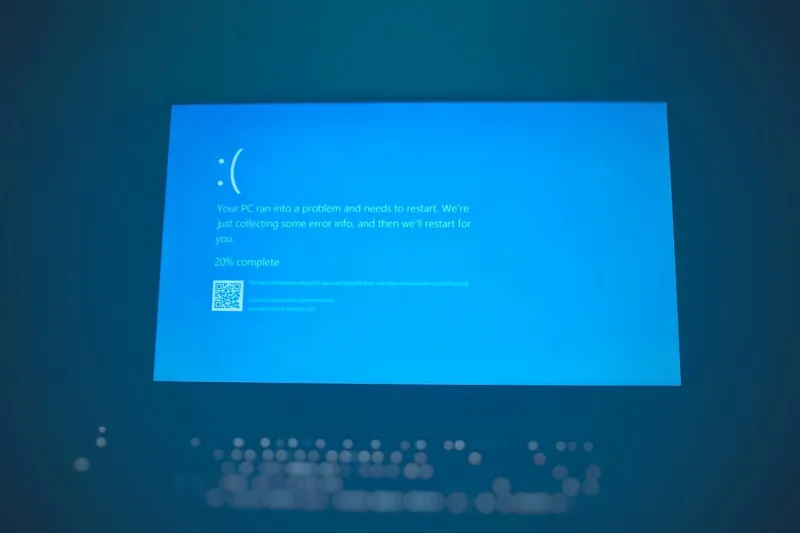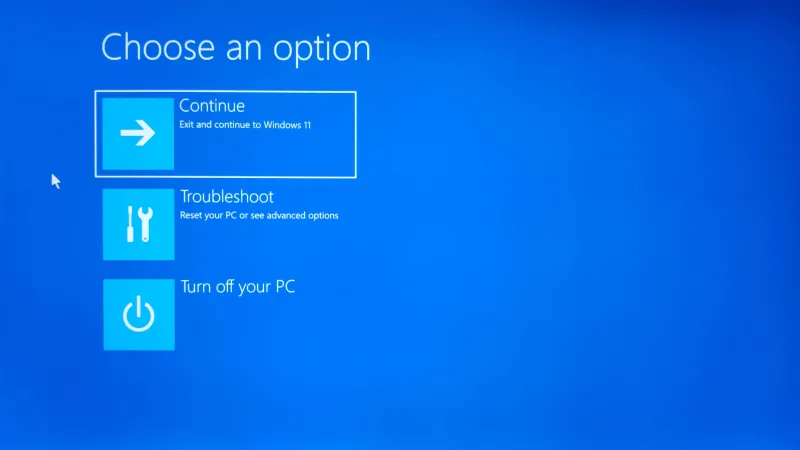
Ever since I first saw a blue screen while trying to render a 4K video in 2022, the dreaded “BSOD” has been both a nightmare and a strange source of fascination for me. Fast forward to 2026, and the blue screen is still a rite of passage for anyone who tinkers with a PC, but the landscape around it has shifted dramatically. Modern operating systems now lean heavily on AI, turning what used to be a cryptic hexadecimal dump into a readable, actionable report. In my day-to‑day workflow as a tech writer and avid gamer, I’ve learned that the key to surviving a BSOD isn’t just rebooting and hoping for the best; it’s about understanding the underlying signals that the system is screaming at you. In this post I’ll walk you through the most common triggers, how AI‑driven diagnostics are changing the game, and what proactive steps you can take to keep that dreaded blue veil from ever appearing again.
Why the Blue Screen Still Happens in 2026
The first thing to grasp is that the blue screen is still fundamentally a safety net—Windows (and now many Linux distributions with similar panic screens) halt the system to protect your data when a critical error occurs. In 2026, the most frequent culprits remain driver conflicts, faulty RAM, and power delivery issues, but the context around them has become more nuanced. For instance, AI‑enhanced drivers now auto‑update based on real‑time telemetry, yet a miscommunication between the driver and the OS can still generate a fatal exception. Likewise, even though memory modules have become more resilient, the sheer bandwidth demands of AI‑accelerated workloads can expose subtle timing glitches that older diagnostic tools would miss. When a BSOD pops up, the error code—often a string like 0x0000007E—provides a breadcrumb trail, but interpreting it correctly now requires a blend of traditional knowledge and modern AI insights.
Diagnosing the Culprit with AI‑Powered Tools
One of the biggest game‑changers this year is the integration of AI directly into the operating system’s crash dump analysis. The new operating systems in 2026 article explains how built‑in machine learning models sift through millions of historical crash reports to pinpoint the most likely offender within seconds. When you restart after a BSOD, the system’s “Reliability Monitor” no longer just shows a generic error; it offers a concise recommendation like “Update NVIDIA driver to 560.89 or roll back to 558.12”. This is a far cry from the days of manually parsing .dmp files with WinDbg. Moreover, third‑party utilities now ship with AI assistants that ask you contextual questions—“Did you just install a new GPU?”—and cross‑reference that with recent firmware releases. The result is a faster, less intimidating troubleshooting experience, especially for those of us who aren’t seasoned system administrators.
Memory problems are still a leading cause of blue screens, but diagnosing them has become more precise thanks to AI‑augmented testing suites. If your system crashes with a “PAGE_FAULT_IN_NONPAGED_AREA” error, the AI will automatically run a targeted RAM stress test, compare the patterns against known defect signatures, and even suggest whether the issue is likely hardware‑related or a software conflict. For a deeper dive into memory diagnostics, check out my guide on RAM issues in 2026, where I walk through the steps to isolate flaky sticks without pulling everything apart.
Hardware Layers: From Motherboards to Storage
While drivers and RAM get most of the spotlight, the underlying hardware platform is the silent workhorse that can turn a minor glitch into a full‑blown BSOD. Motherboards in 2026 are now equipped with AI‑aware power controllers that monitor voltage spikes and throttle down components before a fatal fault occurs. Yet, when a motherboard’s firmware is out of sync with the OS’s AI models, you might still see the infamous “UNEXPECTED_KERNEL_MODE_TRAP”. Regular BIOS updates—preferably applied through the vendor’s AI‑guided utility—can bridge that gap. Additionally, the resurgence of hard drives, as highlighted in the hard drive comeback article, introduces new variables. While SSDs dominate speed charts, hybrid setups with spinning disks can suffer from latency spikes that trigger timeout errors, especially under heavy AI workloads that demand consistent I/O throughput.
Power delivery is another often‑overlooked factor. Modern GPUs draw more power than ever, and an under‑powered PSU can cause the system to hit a blue screen during intense rendering or AI training sessions. The new AI‑driven monitoring tools can now predict PSU overloads by analyzing real‑time power curves, warning you before the system crashes. If you consistently see errors like “POWER_MANAGEMENT_INVALID_PARAMETER,” it’s worth inspecting both your PSU’s wattage rating and the quality of the cables. Investing in a reputable, AI‑compatible power supply not only reduces BSOD frequency but also prolongs the lifespan of all connected components.
Proactive Maintenance: Turning Fear into Confidence
Prevention, as they say, is better than cure—and in the world of blue screens, proactive maintenance is the most reliable cure. In 2026, many PC manufacturers ship devices with built‑in AI health agents that continuously scan driver versions, firmware updates, and hardware telemetry. Enabling these agents in Windows Settings ensures you receive real‑time alerts, such as “A newer, stable driver for your Intel NIC is available—schedule installation tonight.” Pair this with regular system restore point creation, and you have a safety net that can roll back changes before they cause instability. Additionally, the 2026 Tech Pulse newsletter offers a curated list of critical patches and AI‑driven security advisories that are worth a quick glance each week.
Another often‑neglected habit is maintaining a clean driver environment. Over the years, I’ve accumulated a stack of legacy drivers that linger in the system, each a potential source of conflict. Using the AI‑assisted “Driver Hygiene” tool, you can automatically identify and purge obsolete drivers, reducing the chance of a BSOD caused by mismatched kernel modules. Lastly, schedule monthly performance benchmarks; a sudden dip in benchmark scores can hint at underlying issues—perhaps a failing RAM stick or a throttling GPU—that the AI can flag before the system decides to shut down in blue.
When to Call in the Pros and What to Expect
Despite the best AI tools, some blue screen scenarios still warrant professional intervention. If you encounter repeated crashes with cryptic error codes that the AI cannot resolve, or if the system fails to boot into Windows entirely, it’s time to enlist a certified technician. In 2026, many repair shops now employ AI‑enhanced diagnostics that can reproduce your exact crash environment in a sandbox, dramatically speeding up the repair process. When you bring your machine in, expect the technician to pull the crash dump logs, run an AI‑driven correlation analysis, and provide a clear action plan—whether it’s a firmware flash, a component replacement, or a deeper OS reinstall.
Before you hand over your rig, back up all important data to a secure cloud service, as AI‑enabled ransomware continues to evolve, as discussed in the AI‑Powered Malware article. Keeping a recent snapshot not only protects your files but also gives the repair team a clean baseline to work from. Remember, a blue screen is a symptom, not the disease; with the right combination of AI tools, regular maintenance, and timely professional help, you can keep your system running smoothly well beyond the next Windows update.
Looking ahead, the future of the blue screen is likely to become even less intimidating. As AI continues to embed itself deeper into OS kernels, we can anticipate more predictive shutdowns—where the system temporarily pauses, fixes the issue, and resumes without ever flashing that ominous blue hue. For now, though, the best defense remains a mix of vigilance, AI‑assisted troubleshooting, and a solid understanding of the hardware fundamentals that underpin every crash. By treating each BSOD as a learning opportunity rather than a dead end, you’ll not only keep your PC healthy but also stay ahead of the curve in this ever‑evolving tech landscape.