When I first cracked open a Windows machine back in the early 2000s, I never imagined the operating system would evolve into the sophisticated, power‑user‑centric platform it is today. Fast forward to 2026, and Windows has become the ultimate sandbox for developers, gamers, and tech enthusiasts alike. The latest iterations blend legacy compatibility with bleeding‑edge features, letting us push the boundaries without sacrificing stability. As a longtime Windows aficionado, I’ve watched the OS transform from a simple desktop environment into a robust ecosystem that supports containerization, AI‑driven assistance, and granular security controls—all while keeping the familiar Start menu that feels like home. In this article, I’ll unpack why Windows continues to dominate the power‑user arena, spotlight the game‑changing features of Windows 12, and share practical tactics to secure and turbo‑charge your setup. Whether you’re a seasoned sysadmin or a curious hobbyist, you’ll find actionable insights that align with the modern demands of performance, privacy, and flexibility.
Why Windows Remains the Power User’s Playground
At its core, Windows excels because it offers a harmonious blend of openness and polish, a balance that few operating systems manage to achieve. The extensive driver library ensures that even niche hardware—think custom RGB rigs or experimental IoT devices—integrates seamlessly, sparing you the endless hunting for community‑crafted patches. Moreover, Microsoft’s commitment to backward compatibility means legacy tools like PowerShell scripts, older Visual Studio projects, and legacy .NET applications still run reliably, protecting the massive investment many of us have made over the years. This continuity is a silent superpower that lets power users focus on innovation rather than re‑engineering existing workflows. Additionally, the Windows Subsystem for Linux (WSL) has matured into a full‑fledged development environment, allowing us to spin up Linux containers, run Bash scripts, and even compile Linux‑only binaries without leaving the Windows UI. When you pair that with native support for ARM architecture and the rise of cross‑platform development frameworks, Windows becomes not just an OS but a versatile launchpad for any tech endeavor.
Deep‑Dive into Windows 12’s Power Features
Windows 12, released earlier this year, introduces a suite of enhancements that feel tailor‑made for power users who demand speed and intelligence. The new “Dynamic Core Allocation” engine intelligently distributes CPU cycles based on real‑time workload analysis, meaning that heavy tasks like video rendering or AI model training receive priority without manual tinkering. Coupled with the revamped “DirectStorage+” API, game load times shrink dramatically, and data‑intensive applications enjoy near‑instant access to SSD bandwidth. On the UI side, the “Snap‑Flow” interface lets you arrange multiple apps across virtual desktops with a single drag‑gesture, and the integrated “Command Center” widget surfaces system metrics—CPU temperature, RAM usage, network latency—in a compact overlay, keeping you informed at a glance. For developers, the updated Windows Terminal now supports multi‑session tabbing with built‑in SSH tunneling, making remote management a breeze. All these features are designed to reduce friction, letting you focus on creation rather than configuration. If you want to explore the broader strategic implications of these updates, check out Operating Systems Unleashed: Power‑User Tactics for 2026 for a deeper analysis.
Securing Your Windows Environment in 2026
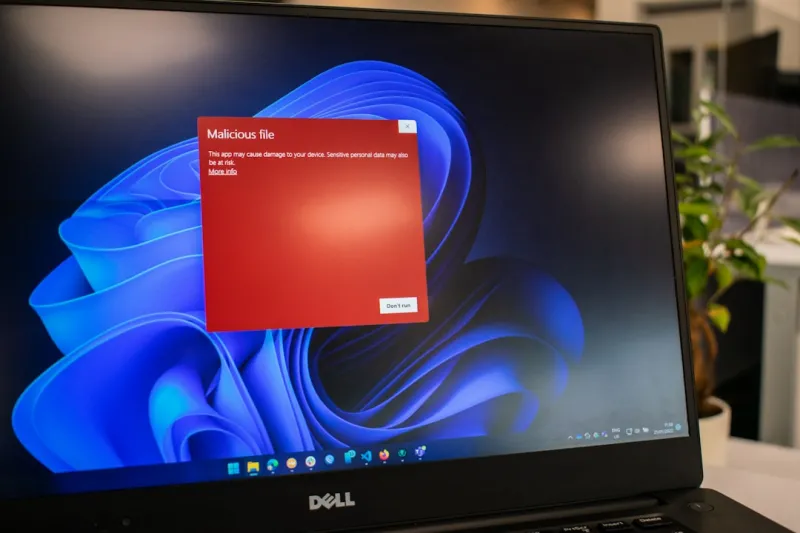
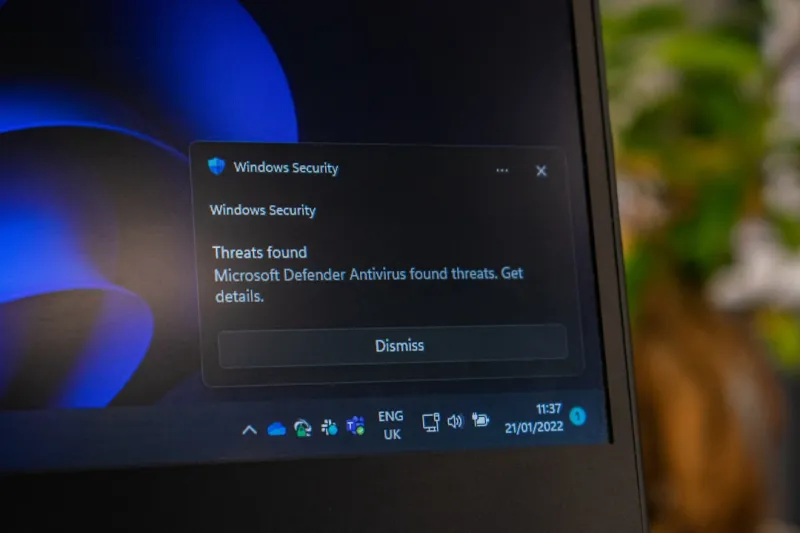
Security is no longer a peripheral concern; it’s the foundation upon which we build every digital experience. Windows 12 reinforces this principle with a revamped “Zero‑Trust Kernel” that enforces strict code signing and runtime integrity checks, dramatically reducing the attack surface for both native and third‑party applications. The built‑in “Secure Boot+” feature now extends hardware verification to firmware updates, ensuring that rogue firmware can’t slip through unnoticed. Complementing these core protections is the enhanced “Microsoft Defender for Endpoint” suite, which leverages cloud‑based AI to detect anomalous behavior across the network in milliseconds. For power users who handle sensitive data, encryption remains the most critical line of defense, and Windows now offers seamless integration with BitLocker’s hardware‑accelerated encryption, allowing you to protect drives without sacrificing performance. To deepen your understanding of encryption’s role in a modern power‑user workflow, I highly recommend reading Why Encryption Is the Power User’s Most Critical Weapon Today. By combining these native tools with disciplined practices—regular patch cycles, principle of least privilege, and multi‑factor authentication—you can construct a fortress that’s resilient against today’s sophisticated threat landscape.
Optimizing Performance Without Compromise
Performance tuning on Windows has traditionally involved a labyrinth of registry hacks and third‑party utilities, but Windows 12 simplifies the process with its “Performance Advisor” dashboard. This AI‑driven assistant profiles your typical usage patterns—whether you’re compiling code, streaming high‑resolution video, or running multiple virtual machines—and automatically suggests optimal power plans, memory allocation tweaks, and background service configurations. One of the most impactful changes is the new “Hybrid Memory Management” system, which intelligently pages less‑used data to a fast NVMe cache while keeping active workloads in RAM, delivering up to a 30 % boost in responsiveness for heavy multitaskers. Additionally, the revamped “Driver Optimizer” validates and updates drivers in real time, preventing the dreaded “blue screen” incidents that used to plague enthusiasts who chased the latest hardware. For those who love to dive deeper, the “Advanced Settings” panel exposes granular controls over CPU thread scheduling, GPU compute priority, and even the Windows Scheduler’s quantum length—allowing you to fine‑tune the OS to match the exact demands of your workload. By leveraging these built‑in tools, you can achieve a high‑performance environment without resorting to risky third‑party tweaks.
Mastering the Command Line: PowerShell 8 and Beyond
PowerShell continues its evolution as the undisputed scripting powerhouse for Windows administrators and developers. With version 8, released alongside Windows 12, Microsoft introduced a native “Parallel Pipeline” capability that lets you execute multiple cmdlets concurrently, slashing execution time for bulk operations like inventory scans or mass file transformations. The new “Typed Variables” feature adds static type enforcement, reducing runtime errors and improving script readability—a boon for larger codebases. Moreover, the integration of the OpenAI Codex API directly into PowerShell enables context‑aware code suggestions, allowing you to write complex scripts with AI‑assisted autocomplete. This synergy between AI and automation opens doors for rapid prototyping of system‑level utilities, from automated backup solutions to real‑time log analytics dashboards. If you’re looking to expand your scripting repertoire, explore the Power‑User Playbook: Mastering Computer Security in 2026, which offers a curated collection of scripts and best practices designed to keep your Windows environment both agile and secure.
Leveraging Virtualization and Containerization
One of the most compelling trends for Windows power users in 2026 is the seamless blending of traditional virtualization with container technology. Windows 12’s “Hyper‑V Next” engine now supports nested virtualization with near‑native performance, enabling developers to run Linux containers inside a Windows VM without the overhead previously associated with dual‑boot setups. The new “Container Hub” integration offers a unified marketplace for both Windows and Linux containers, complete with automated dependency resolution and security scanning. This means you can spin up a development environment for a .NET microservice, test it alongside a Node.js API, and orchestrate the whole stack using Docker Compose—all from within the same Windows host. The built‑in “Resource Guard” monitors container resource consumption, preventing any single container from starving the host system—a crucial feature for maintaining stability on workstations that double as production servers. Embracing these capabilities not only streamlines development workflows but also future‑proofs your setup against the growing shift toward cloud‑native architectures.
Customizing the User Experience with Fluent Design 3.0
Beyond performance and security, the aesthetic and usability refinements of Windows 12 deserve a spotlight. Fluent Design 3.0 introduces a more fluid, context‑aware UI that adapts to ambient lighting and user activity, reducing eye strain during marathon coding sessions. The new “Live Tiles Pro” feature allows you to embed real‑time data—such as Git commit counts, server health metrics, or cryptocurrency prices—directly on your desktop, turning your workspace into an interactive dashboard. Additionally, the revamped “Taskbar Intelligence” predicts the apps you’ll need based on your current task flow, pinning them for instant access and even suggesting keyboard shortcuts tailored to your habits. For power users who cherish keyboard‑first navigation, the “Command Palette” (invoked via ⊞+ Shift+ P) offers a searchable, omniscient list of system commands, settings, and installed applications, dramatically reducing mouse dependency. By personalizing these elements, you create an environment that not only looks sleek but also anticipates your needs, turning everyday interactions into a more efficient, enjoyable experience.
Future‑Proofing Your Windows Rig for the Next Decade
While Windows 12 sets a high bar today, the true test of a power‑user setup lies in its longevity. Planning for future upgrades means selecting components and configurations that will remain relevant as software demands evolve. First, prioritize a motherboard with PCIe 5.0 support and ample M.2 slots to accommodate next‑generation SSDs, ensuring you can scale storage bandwidth as data‑intensive workloads grow. Second, invest in a CPU with a high core‑count and strong single‑thread performance; modern AI inference tasks and gaming still benefit from robust per‑core speeds. Third, consider a modular power supply and a case with excellent airflow to support future GPU upgrades, especially as ray‑tracing and AI‑accelerated rendering become standard. On the software side, maintain a disciplined update cadence for both Windows and your critical applications, and keep an eye on emerging standards like the “Unified Security Framework” that Microsoft plans to roll out over the next few years. By aligning hardware choices with the evolving Windows ecosystem, you safeguard your investment and position yourself to take full advantage of upcoming innovations without a complete system overhaul.
Community, Learning, and the Road Ahead
The Windows power‑user community has always been a crucible for innovation, and 2026 is no exception. Forums, Discord servers, and subreddit threads buzz with tips ranging from advanced PowerShell pipelines to custom theme packs that push Fluent Design to its limits. Engaging with these groups not only accelerates your learning curve but also opens doors to collaborative projects—think open‑source tools that integrate directly with Windows APIs or community‑driven security audits that help fortify the OS against emerging threats. As we look ahead, the convergence of AI, cloud services, and edge computing promises to reshape how we interact with our machines. Staying curious, experimenting with the latest features, and sharing knowledge will ensure that Windows remains a vibrant playground for power users. So dive in, tinker, and remember: the best Windows experience is one you craft yourself, leveraging the platform’s flexibility and the collective expertise of the community.