
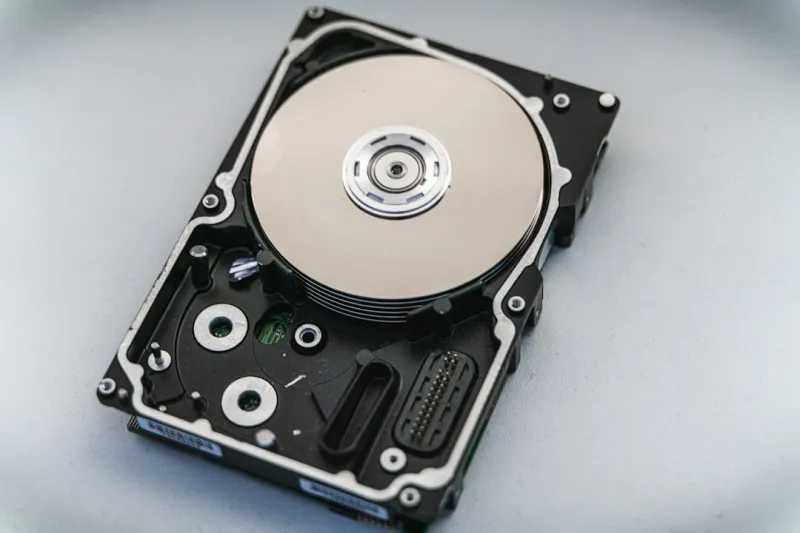
When I first cracked open a 2.5‑inch platter back in the early 2020s, I never imagined I’d still be defending hard drives as a core component of modern PCs in 2026. The hype around SSDs, cloud storage, and even emerging DNA‑based memory has made many assume magnetic disks are obsolete, but the reality is far richer. Hard drives now serve a dual purpose: they’re the budget‑friendly backbone for massive media libraries and the trusted vault for long‑term archival where data integrity trumps raw speed. As I assemble rigs for friends and clients, I constantly weigh the trade‑offs between flash performance and the sheer capacity that a 20 TB drive can deliver for a fraction of the cost of an equivalent SSD array. In this post, I’ll walk you through the current landscape, debunk some myths, and give you a roadmap to choose the right drive for your workflow—whether you’re a content creator, a gamer, or a data‑centric professional.
Why Hard Drives Still Matter in 2026
Even as PCIe 6.0 SSDs promise sub‑millisecond latency, the economics of storage haven’t shifted enough to erase magnetic media from the picture. The average consumer now expects terabytes of space for 4K video, high‑resolution photo archives, and growing game libraries, and the price per gigabyte of a hard drive remains dramatically lower than any solid‑state solution. Moreover, hard drives offer an inherent resilience to power‑cycling wear that can plague SSDs after millions of write cycles. For businesses handling compliance‑heavy data, the ability to store petabytes on a rack of 18‑inch drives without breaking the bank is still a decisive factor. This reality is reflected in the latest Hard Drive Trends in 2026 report, which highlights that capacity and cost efficiency remain top priorities for most buyers.
Capacity Race: From Terabytes to Petabytes
The capacity curve has exploded in the past three years. In 2023, a 10 TB HDD was considered a premium item; today, 20‑TB and even 30‑TB models are mainstream, thanks to advances in shingled magnetic recording (SMR) and heat‑assisted magnetic recording (HAMR). These technologies allow manufacturers to pack more data onto the same platter surface by overlapping tracks or briefly heating the media during writes. For a video editor working with 8K RAW footage, the ability to store a full day of shooting on a single drive translates into massive workflow savings. Meanwhile, the rise of hyper‑converged infrastructure in small‑to‑medium enterprises means that a single storage node can now hold multiple petabytes of data, all on hard drives, thanks to intelligent tiering and caching. The key takeaway? When you plan your storage budget for 2026, start by estimating your data growth curve and then match it to the most cost‑effective HDD tier before splurging on SSDs for performance‑critical partitions.
Speed Evolution: NVMe, PCIe 6.0, and Beyond
Speed is where hard drives traditionally lag behind, but 2026 has brought a surprising convergence of performance strategies. Modern HDDs now ship with built‑in cache controllers that leverage NVMe interfaces, allowing the drive to present a block‑level SSD‑like tunnel for frequently accessed data. While you won’t see the same sequential read/write numbers as a 4 TB PCIe 6.0 SSD, the real‑world impact is noticeable in mixed workloads—think loading a game’s assets while streaming music from the same volume. In addition, the emergence of hybrid drives (SSHDs) that blend a modest NAND flash cache with a magnetic platter offers a sweet spot for users who need both capacity and a dash of speed without the premium price tag. Pairing these drives with a high‑speed motherboard that supports PCIe 5.0 lanes can further reduce bottlenecks, especially when the OS and applications reside on the flash cache while bulk data sits on the magnetic platter.
Security Gets Serious
Data security is no longer an afterthought; it’s a core requirement baked into the hardware itself. Modern hard drives now feature self‑encrypting drive (SED) modules compliant with the TCG Opal 2.0 standard, providing hardware‑based AES‑256 encryption that protects data at rest without impacting performance. This is especially crucial for remote workers and small businesses that must comply with GDPR‑like regulations even in 2026. For those looking to deepen their protection strategy, the Critical 2026 Tech Updates article outlines how integrated firmware attestation can thwart tampering attempts. Moreover, coupling drive encryption with a solid password manager and enabling secure boot creates a layered defense that many overlook. As you evaluate storage solutions, prioritize drives that advertise hardware encryption and ensure your BIOS/UEFI supports the necessary key management protocols.
The Rise of Hybrid Storage Solutions
Hybrid storage architectures are gaining traction as a pragmatic approach to balance speed, capacity, and cost. By pairing an NVMe SSD for the operating system and frequently accessed apps with a high‑capacity HDD for bulk files, you create a tiered system that feels snappy without draining the wallet. In practice, I’ve seen creators who store their Lightroom catalogs on a 2 TB SSD for instant previews, while the raw photo vault lives on a 20 TB HDD, accessed seamlessly via Windows 2026’s Storage Spaces Direct. This configuration also benefits from automatic data migration: the OS can move cold data to the HDD while keeping hot data on the SSD, thanks to built‑in tiering algorithms. The result is a user experience that feels like pure SSD performance for everyday tasks, while still offering massive, affordable storage for archives. If you’re building a workstation in 2026, consider a hybrid approach before committing to an all‑SSD build.
Choosing the Right Drive for Your Build
When I sit down to spec a new rig, I start with three questions: What’s the primary workload? How much data will I generate annually? And what’s my budget ceiling? For gamers, a 1‑2 TB NVMe SSD for the OS and games plus a 4‑6 TB HDD for DLCs and media strikes a perfect balance. Content creators handling 8K video benefit from a 4‑TB NVMe as a scratch disk, paired with a 20‑TB HDD for project archives. Small‑business servers often deploy a RAID‑10 array of 10 TB HDDs for redundancy and performance, supplemented by a 1‑TB boot SSD. Don’t forget to check the drive’s MTBF (Mean Time Between Failures) rating—modern enterprise drives now boast 2 million hours, a testament to their durability. Lastly, verify that the drive supports the latest security features; you’ll thank yourself when a ransomware attempt is thwarted by built‑in encryption.
Future‑Proofing: What to Expect in 2027 and Beyond
While we’re deep into the HDD renaissance of 2026, the horizon holds even more intriguing developments. Researchers are piloting microwave‑assisted magnetic recording, which could push individual platter capacities beyond 40 TB within the next two years. Meanwhile, the industry is standardizing a new protocol—NVMe‑HDD—that will allow magnetic drives to speak the same high‑speed language as SSDs, reducing latency gaps. For anyone looking to future‑proof their setup, the How to Future‑Proof Your Computer Security in 2026 guide recommends selecting drives with upgradable firmware and ensuring your motherboard supports both SATA III and emerging NVMe‑HDD slots. By staying flexible and opting for modular storage bays, you can swap in next‑gen drives without a full system overhaul, preserving both performance and investment.
Bottom Line: Making an Informed Decision
Hard drives in 2026 are no longer the underdog—they’re a strategic component that delivers massive capacity, robust security, and cost efficiency. By understanding the nuances of capacity trends, speed enhancements, and built‑in encryption, you can craft a storage solution that meets today’s demands while staying adaptable for tomorrow’s innovations. Whether you’re a gamer, creator, or enterprise admin, the key is to align your workload with the right tier of storage, leverage hybrid configurations where appropriate, and keep an eye on emerging standards that will reshape the storage hierarchy. With the right mix, you’ll enjoy the best of both worlds: lightning‑fast responsiveness where it matters and an expansive, secure archive for everything else.




