
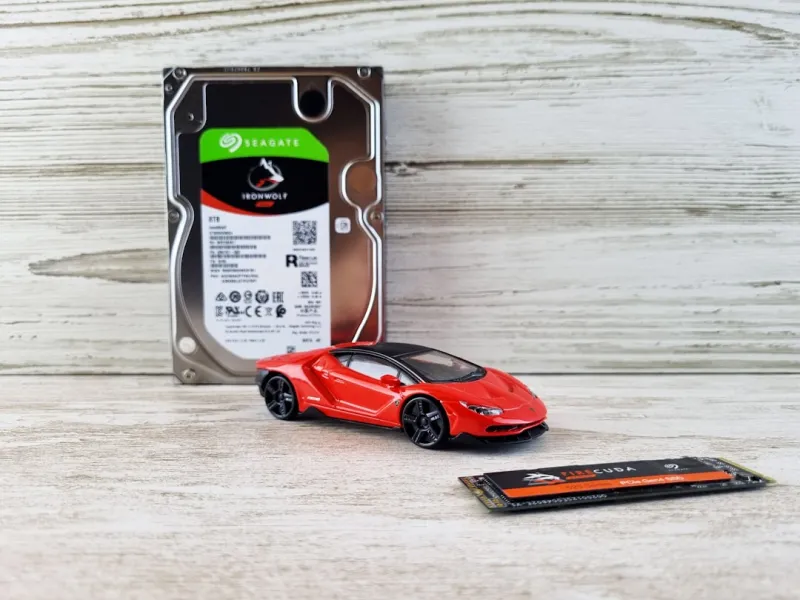
When I first unpacked a 12‑TB SSD back in 2023, it felt like I was holding a small data warehouse in my hands. Fast‑forward to 2026, and hard drives have become the unsung heroes of every AI‑infused workflow, high‑resolution content creation, and even the everyday cloud backup. The market is awash with multi‑terabyte NVMe drives that promise blistering speeds, while the classic 3.5‑inch HDD still clings to a niche, thanks to its unmatched price‑per‑gigabyte ratio. As someone who lives at the intersection of hardware tinkering and software performance, I’ve watched the storage landscape morph from a “fill‑the‑box” mentality to a strategic, data‑centric approach. Today’s hard drive decisions aren’t just about space; they’re about latency, power efficiency, and how well the drive can cooperate with AI‑driven storage algorithms that predict access patterns before you even click. In this deep dive, we’ll explore the trends shaping hard drives in 2026, the technologies that make them smarter, and the practical steps you can take to future‑proof your rig without breaking the bank.
Capacity Explosion: From Gigabytes to Petabytes
One of the most striking shifts this year is the sheer scale of storage capacity that’s become mainstream. While a 4‑TB HDD was once the ceiling for most consumer desktops, manufacturers now ship 20‑TB and even 30‑TB models at price points that would have seemed futuristic a decade ago. This surge is driven by two forces: the relentless appetite for 8K video, immersive VR content, and the explosion of AI model datasets that require massive local caches to keep inference latency low. In the enterprise arena, hybrid storage arrays blend ultra‑fast NVMe tiers with dense SATA HDD pools, delivering a balanced mix of speed and capacity. For the power user, the decision matrix now includes considerations like sustained write endurance—critical for workloads that constantly train neural networks—and the drive’s ability to handle mixed read/write patterns without throttling. The takeaway? When you shop for a new drive, think beyond the immediate gigabyte need and ask yourself how your data consumption will evolve over the next three to five years.
NVMe vs. SATA: Choosing the Right Interface
In 2026, the NVMe interface has cemented its dominance in performance‑critical applications, thanks to its direct PCIe lane access and reduced I/O overhead. The latest PCIe 5.0 x4 SSDs can push sequential read speeds past 14 GB/s, dwarfing the 600 MB/s ceiling of the best SATA III drives. However, SATA isn’t dead; it still offers a reliable, low‑cost solution for bulk storage where raw speed isn’t the primary concern. What’s more compelling is the emergence of “Hybrid NVMe” drives that integrate a small portion of high‑speed NAND cache on a SATA backbone, delivering a sweet spot for gamers and content creators who need quick launches without splurging on a full‑blown PCIe 5.0 setup. When evaluating your build, match the interface to your workload: if you’re rendering 8K video or running AI inference locally, lean heavily on NVMe. If you’re archiving raw footage, massive datasets, or running a home media server, a high‑capacity SATA HDD can still be the most cost‑effective choice.
Data Integrity and Reliability: The Hidden Costs
Speed and capacity often steal the spotlight, but reliability is the silent pillar that keeps our digital lives intact. Modern hard drives now feature advanced error‑correction codes (ECC) and self‑monitoring, analysis, and reporting technology (SMART) algorithms that can predict failure days before a catastrophic crash. Manufacturers also employ multi‑tiered wear‑leveling and dynamic bad‑block mapping to extend lifespan, especially in high‑write environments like AI training pipelines. For the enthusiast, tools like CrystalDiskInfo have evolved to display granular health metrics, including temperature trends, power‑on hours, and reallocated sector counts—all crucial for proactive maintenance. Moreover, RAID configurations remain a go‑to strategy for mission‑critical setups, offering redundancy that single drives simply cannot match. As you plan your storage architecture, factor in not just the upfront cost but the total cost of ownership, which includes potential data loss, downtime, and the time spent troubleshooting a failing drive.
AI‑Driven Storage Optimization
Artificial intelligence isn’t just a workload; it’s now an integral part of the storage stack itself. Many 2026 SSDs ship with on‑board machine‑learning controllers that analyze your usage patterns and dynamically allocate resources to the hottest data blocks. This “predictive caching” can shave milliseconds off load times, a benefit that’s especially noticeable in large‑scale game libraries and complex design suites. For a deeper dive into how AI reshapes the PC experience, check out How AI Computing Is Redefining Your PC in 2026. These intelligent controllers also manage thermal throttling more gracefully, adjusting performance in real time to keep the drive within optimal temperature ranges. The result is a storage solution that not only reacts to your commands but anticipates them, delivering a smoother, more responsive experience across the board.
Security in the Age of Gigabytes
With data volumes soaring, protecting that data has become non‑negotiable. Modern hard drives now come equipped with hardware‑based encryption modules that implement AES‑256 encryption without a noticeable performance penalty. Some drives even support self‑encrypting drive (SED) standards that lock the entire media at power‑up, requiring a TPM‑backed key to unlock. In a landscape where ransomware and AI‑infused malware are on the rise, leveraging such built‑in security features is essential. For a broader perspective on why cryptography has become a baseline requirement, read Encryption in 2026: Why Strong Crypto Is No Longer Optional. Pairing hardware encryption with regular firmware updates ensures that your drives stay resilient against emerging threats, while also simplifying compliance for professionals who must adhere to strict data‑privacy regulations.
Future‑Proofing Your Storage: Upgrade Strategies
Planning a storage upgrade in 2026 isn’t just about swapping out an old HDD for a flashier SSD; it’s a strategic decision that should align with your long‑term tech roadmap. One popular approach is to adopt a “tiered storage” architecture: a lightning‑fast NVMe tier for operating systems and active projects, a SATA SSD tier for secondary applications, and a high‑capacity HDD tier for archival data. This layered model maximizes performance while keeping costs in check. When selecting drives, pay attention to endurance ratings measured in TBW (terabytes written) and DWPD (drive writes per day); higher numbers indicate suitability for write‑intensive tasks like AI model training. Additionally, keep an eye on emerging form factors such as M.2 2280‑E and the nascent U.2 4‑lane variants, which promise even greater bandwidth for future motherboards. By mapping out your data flow today and anticipating the next wave of software demands, you can avoid the dreaded “storage bottleneck” that plagues many builds.
Environmental Impact and Sustainability
Beyond performance, the ecological footprint of hard drives is gaining attention in 2026. Manufacturers are adopting greener production methods, reducing rare‑earth usage, and improving recyclability of drive components. Some vendors now offer “circular economy” programs, where end‑of‑life drives are collected, refurbished, and re‑issued with a warranty, dramatically cutting e‑waste. When choosing a drive, consider the brand’s sustainability credentials—look for certifications like ENERGY STAR and EPEAT. Moreover, SSDs tend to consume less power than spinning HDDs, especially when idle, contributing to lower overall system energy usage. For users running multiple drives in a server or workstation, enabling aggressive power‑saving modes can shave off kilowatts of consumption annually. By aligning your storage choices with environmentally responsible practices, you not only reduce your carbon footprint but also often benefit from longer‑lasting hardware that’s built to higher quality standards.
Wrapping Up: Making the Right Choice in 2026
Hard drives in 2026 are no longer a monolithic component; they’re a dynamic, intelligent, and secure part of a broader ecosystem that includes AI, advanced encryption, and sustainable design. Whether you’re a creator pushing 8K timelines, a data scientist training massive models, or a gamer looking for the fastest load times, the key is to match the drive’s capabilities to your specific workflow while keeping an eye on reliability, security, and future expansion. Remember to leverage tiered storage, embrace hardware encryption, and stay informed about emerging interfaces like PCIe 5.0 and beyond. By doing so, you’ll build a storage foundation that not only meets today’s demands but also scales gracefully into the next wave of technological innovation. Happy building, and may your data always be swift, safe, and plentiful.




