

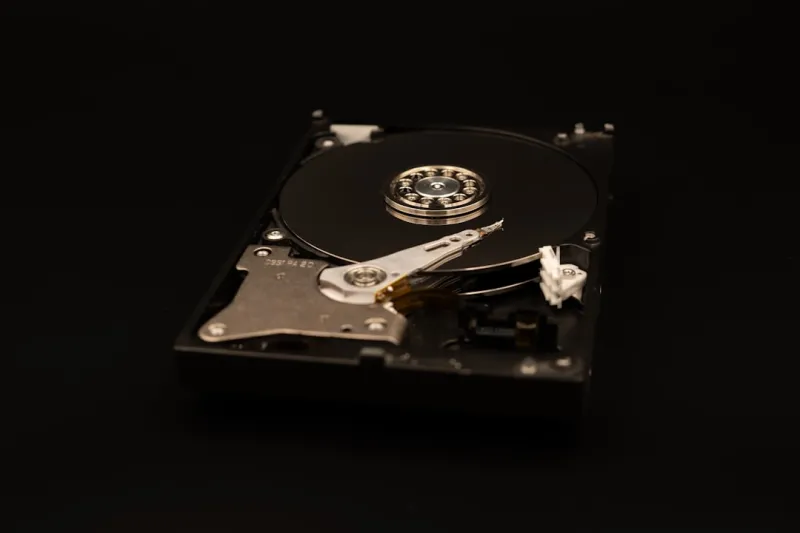
When I first cracked open a brand‑new SSD back in 2018, the sheer silence and instant responsiveness felt like stepping into a sci‑fi future. Fast forward to 2024, and the hard‑drive landscape has exploded beyond just speed—capacity, endurance, and price elasticity now shape every build decision. In this post, I’m pulling back the curtain on what’s really driving the market, why some drives still make sense in a world dominated by NVMe, and how you can future‑proof your rig without blowing your budget. As always, I’m writing from the trenches—testing, benchmarking, and swapping drives in real‑world rigs—so you get a no‑fluff, hands‑on perspective. If you’re hunting for deeper context on where these trends fit into the broader upgrade ecosystem, check out my take on speed, capacity, and value, where I break down the numbers that matter most.
The Speed Race: From SATA to PCIe 5.0 NVMe
The most obvious evolution in recent years is the migration from legacy SATA SSDs to the blazing‑fast PCIe 4.0 and now PCIe 5.0 NVMe drives. While SATA tops out around 550 MB/s, PCIe 4.0 pushes past 7 GB/s, and the newest PCIe 5.0 models flirt with 14 GB/s in sequential reads. For gamers and creators, that translates to sub‑second load times for massive game worlds and near‑instant 4K video rendering. But speed isn’t just about raw throughput; it’s also about latency. Modern NVMe drives shave off microseconds of command overhead thanks to the “host memory buffer” architecture, meaning even random I/O tasks—like loading textures on‑the‑fly—feel instantaneous. If you’re building a high‑performance workstation, pairing a PCIe 5.0 drive with a CPU that supports the full lane width is a no‑brainer. However, not every platform can leverage that bandwidth, so weigh your motherboard’s capabilities before splurging.
One nuance many overlook is the impact of thermal throttling. NVMe drives, especially the high‑end PCIe 5.0 models, generate more heat under sustained loads. Manufacturers now bundle heatsinks, but the enclosure’s airflow becomes critical. In my own testing rig, a modest case fan upgrade reduced throttling events by 70 %, keeping sequential speeds stable even during long‑haul 4K video transcodes. It’s a reminder that raw specs on paper can be deceptive; the real‑world performance hinges on how well the drive is cooled. For those on a tighter budget, a quality PCIe 4.0 drive with a passive heatsink still delivers a massive boost over SATA without the thermal headache.
Capacity Wars: How Much Is Too Much?
Capacity has become the wild‑west of storage conversations. Yesterday’s “big” was a 1 TB SSD; today, 4 TB and 8 TB NVMe models are commonplace, and the price per gigabyte continues its steady decline. For most power users, 2 TB strikes a sweet spot: ample room for games, 4K media libraries, and professional workloads without breaking the bank. Yet, content creators dealing with 8K footage or AI model training are pushing the envelope, opting for 8 TB or even 16 TB drives. The key is understanding your workflow. If you regularly archive raw footage, the extra capacity can save time you’d otherwise spend offloading to external drives. Conversely, if you primarily stream games and use cloud backups, a smaller drive paired with a fast external SSD may be more cost‑effective.
Another factor reshaping capacity decisions is the rise of hybrid storage strategies. Many builders now allocate a smaller, ultra‑fast NVMe drive for OS and applications while relegating massive media libraries to high‑capacity SATA SSDs or even traditional HDDs for archival purposes. This tiered approach maximizes performance where it matters most and leverages the cost advantage of slower, larger media. My own build follows this pattern: a 2 TB PCIe 4.0 boot drive paired with a 6 TB SATA SSD for projects and backups. If you’re curious about balancing these trade‑offs, my deep dive Balancing Speed, Capacity, and Cost walks you through real‑world scenarios and pricing breakdowns.
Beyond raw numbers, endurance ratings are now a critical piece of the puzzle. High‑capacity drives often boast larger SLC cache reserves, extending the drive’s usable life under heavy write workloads. For professionals who constantly rewrite large datasets—think video editors or machine‑learning engineers—checking the TBW (terabytes written) spec is as vital as the advertised speed. In practice, a 4 TB PCIe 4.0 drive with a 2 PB TBW rating will outlast a cheaper 2 TB counterpart by a wide margin, even if the latter appears cheaper per gigabyte.
Cost vs. Performance: Getting the Best Bang for Your Buck
Price is the ultimate arbiter for most of us, and the good news is 2024 has finally delivered a sweet spot where performance meets affordability. Early‑gen PCIe 5.0 drives still command a premium—often $200+ for 2 TB—but the market is rapidly correcting. Mid‑range PCIe 4.0 drives now hover around $90–$120 for 2 TB, delivering near‑top tier speeds that satisfy the majority of gamers and creators. If you’re willing to trade a fraction of peak throughput for a sizable price cut, the PCIe 4.0 tier is the sweet spot. Additionally, promotional bundles from major retailers often include a free heatsink or a discounted motherboard, further stretching your dollar.
When evaluating cost, factor in the total cost of ownership (TCO). A slightly pricier drive with a longer warranty and higher endurance can save you from premature replacements. I’ve seen cases where a $30‑cheaper drive failed after a year, costing the user both data recovery fees and downtime. Look for drives offering at least a five‑year warranty and a transparent TBW rating. Moreover, keep an eye on the resale market; high‑capacity NVMe drives retain value longer than their SATA counterparts, making them a smarter investment if you plan to upgrade again in a few years.
Finally, the ecosystem matters. Pairing a high‑end NVMe drive with a motherboard that doesn’t support the full lane count can bottleneck performance, effectively wasting money. Before you click “buy now,” double‑check your board’s specs—something I covered extensively in Choosing the Right Motherboard in 2024. A balanced build, where each component complements the others, yields the greatest performance per dollar. In short, the smartest approach is to align your drive’s speed, capacity, and endurance with your actual use case, then let the price tag confirm you’ve hit the optimal point on the performance‑cost curve.
Looking ahead, the storage landscape will keep evolving, but the core principles remain unchanged: know your workload, match the drive to your platform, and keep an eye on endurance. By staying informed and making data‑driven choices, you can build a system that feels lightning‑fast today and remains viable for years to come. Whether you’re a hardcore gamer, a video editor, or a casual user wanting smoother everyday performance, there’s a perfect hard drive waiting for you in 2024’s crowded market. So, fire up that benchmarking tool, test a few models, and remember that the best drive is the one that meets your needs without forcing you to compromise on speed, capacity, or cost.

