When people hear “hard drive,” they often picture a dusty box in an old desktop, a relic compared to the sleek flash of SSDs. As someone who’s been tearing apart PCs for over a decade, I can tell you that the HDD isn’t dead—it’s simply evolving. In 2024, the hard drive market is a balancing act of raw capacity, respectable speed, and price points that still make sense for bulk storage. Whether you’re a gamer hoarding massive game libraries, a content creator archiving terabytes of 4K footage, or a home office user needing reliable backups, the modern HDD offers a sweet spot that SSDs can’t always match. In this post I’ll walk you through the trends shaping today’s drives, the form factors that matter, and how to integrate them with flash storage for a truly hybrid system that doesn’t break the bank.
Why Hard Drives Still Matter in a SSD‑Dominated World
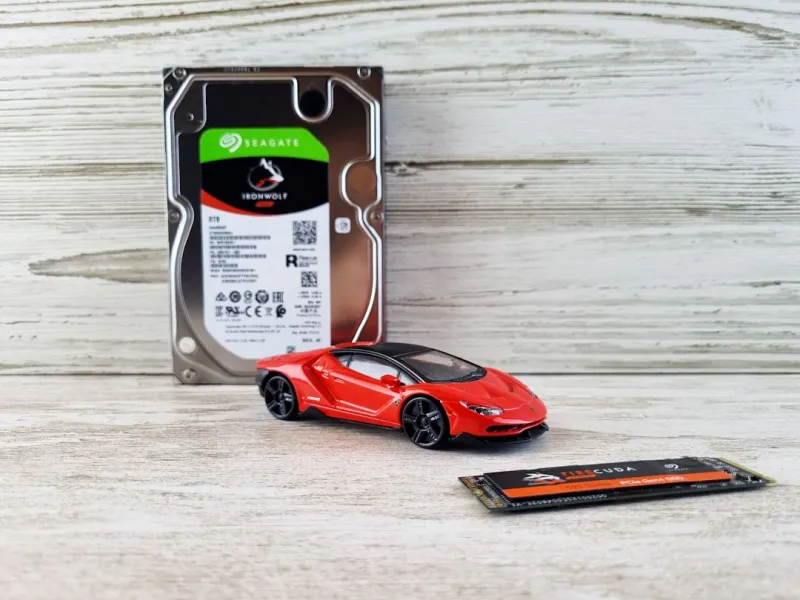
First, let’s debunk the myth that SSDs have entirely replaced HDDs. While SSDs excel at low latency and blistering read/write speeds, they still lag in sheer cost‑per‑gigabyte. In my own build‑lab, I keep a 12 TB 7200 RPM drive for video archives because the price differential versus a comparable SSD is still staggering. Moreover, many enterprise and consumer NAS devices continue to rely on spinning disks for their redundancy and long‑term durability. The key takeaway? Hard drives provide the volume you need when the budget doesn’t allow for multiple terabytes of flash. Choosing the right storage hierarchy—fast SSD for the OS and apps, massive HDD for bulk—means you can enjoy both performance and capacity without compromising either.
The 2024 Hard Drive Landscape: Speed vs. Capacity
This year’s drives are no longer the slow, clunky machines of the early 2000s. Modern 7200 RPM models now sport cache sizes of up to 256 MB, and the emergence of SMR (Shingled Magnetic Recording) and CMR (Conventional Magnetic Recording) technologies has pushed sequential read/write rates past 200 MB/s on the high end. Those numbers still trail behind NVMe SSDs, but they’re more than adequate for large file transfers and media streaming. For anyone curious about the broader market dynamics, I recommend checking out the Hard Drive Trends 2024: Balancing Speed, Capacity, and Cost analysis, which breaks down how manufacturers are threading the needle between performance and price. As a rule of thumb, if your primary workload involves sequential reads—like video editing or backup—an HDD with a larger cache will feel snappier than you might expect.
Cost Realities: Getting More GB per Dollar
One of the most compelling arguments for HDDs is the sheer value proposition. In 2024, you can pick up a 10 TB 7200 RPM drive for under $150, translating to roughly $15 per terabyte. Compare that to a high‑end NVMe SSD where the cost per terabyte can easily exceed $150. For home users looking to archive family photos, movies, and software installers, that price differential adds up quickly. However, it’s not just about raw price; it’s about understanding the hidden costs of storage. Buying cheap, low‑quality drives can lead to higher failure rates, which in turn incurs data‑recovery expenses. Look for drives that offer a decent warranty (typically three to five years) and reputable MTBF (Mean Time Between Failures) stats. A modest investment in a well‑reviewed brand often saves you from headaches down the line.
Choosing the Right Form Factor for Your Build
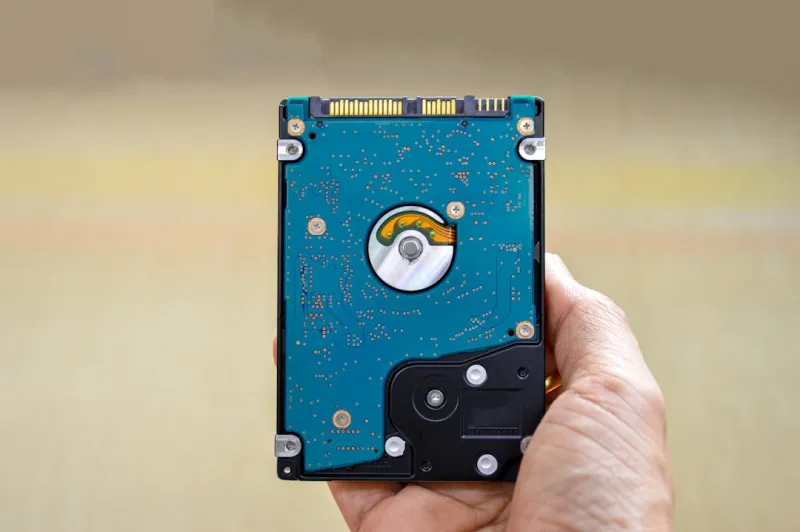
Form factor matters more than you might think. The classic 3.5‑inch drive remains the workhorse for desktops and external enclosures, offering the highest capacities and the most efficient cooling. Yet, for smaller builds—like mini‑ITX rigs or compact NAS units—2.5‑inch drives are becoming increasingly viable thanks to higher platter densities and improved heat management. If you’re dealing with limited internal space, consider a 2.5‑inch 5 TB drive that still delivers decent speeds and a lower power draw. Also, don’t overlook the importance of proper ventilation; a drive that runs hot will see its lifespan shrink dramatically. I always recommend pairing your HDD with a case that has at least one dedicated airflow path, whether that’s a front intake or a rear exhaust fan.
Hybrid Solutions: Pairing SSDs with HDDs for Optimal Performance
The smartest storage strategy in 2024 is hybridization. By installing the operating system and frequently used applications on an SSD, you reap the benefits of instant boot times and snappy program launches. Meanwhile, relegating large media libraries, game installations, and backup archives to an HDD keeps costs under control while still offering ample space. Many modern motherboards and operating systems support “caching” solutions like Intel Optane or software‑based tiering, which automatically move hot data to the SSD and cold data back to the HDD. This approach not only improves overall system responsiveness but also extends the life of both drives by reducing unnecessary write cycles on the SSD. As a final tip, set your HDD to spin down during idle periods to conserve energy and reduce wear.
Data Integrity and Longevity: What to Look for in a Reliable Drive
When selecting an HDD, focus on data integrity features that go beyond capacity and speed. Look for drives that incorporate technologies such as TCG Opal encryption, error‑correcting code (ECC) buffers, and vibration‑resistant designs—especially if the drive will sit in a multi‑bay enclosure. Another often‑overlooked factor is the drive’s rotational speed: while 7200 RPM is the sweet spot for performance, a 5400 RPM unit may actually last longer due to lower mechanical stress, making it a suitable choice for archival storage. In my own experience, drives that advertise “Enterprise‑grade” reliability often have higher MTBF ratings and better firmware for handling bad sectors, but they also come at a premium. For most enthusiasts, a consumer‑grade 7200 RPM drive with a solid warranty strikes the right balance.
Future‑Proofing: How Emerging Technologies May Impact HDDs
Even as HDDs retain their niche, the broader storage ecosystem is shifting. Technologies like Heat‑Assisted Magnetic Recording (HAMR) and Microwave‑Assisted Magnetic Recording (MAMR) promise to push areal densities beyond 2 TB per platter, which could dramatically increase capacity without changing the physical size of the drive. Additionally, the rise of PCIe‑based “SSD‑on‑HDD” hybrid cards may blur the lines between spinning media and flash, offering the best of both worlds in a single form factor. While these innovations are still on the horizon for mainstream consumers, keeping an eye on them can inform your long‑term upgrade path. If you anticipate needing petabyte‑scale storage in the next five years, investing in a drive ecosystem that supports these next‑gen interfaces will save you from costly overhauls.
Practical Tips for Upgrading Your Hard Drive Today
Ready to swap out your aging drive? Start by backing up all critical data—whether you use a cloud service, an external USB enclosure, or a dedicated NAS. Next, choose a drive that matches your system’s interface: SATA III remains the most common, but if your motherboard supports U.2 or SAS, you can squeeze out a few extra performance gains. When you physically install the drive, be sure to use the correct mounting brackets and connect the power and data cables securely. After installation, run a full surface scan using tools like CrystalDiskInfo to verify the drive’s health. For those looking for a deeper dive into upgrade strategies, the Upgrade Your PC: Tips, Tricks, and Trends guide walks you through step‑by‑step procedures, from BIOS settings to partition alignment best practices.
Final Thoughts: Embrace the HDD Evolution
Hard drives have come a long way from the noisy, low‑capacity devices of yesteryear. In 2024, they offer a compelling mix of capacity, cost‑effectiveness, and reliability that makes them indispensable for many users. By understanding the current trends—speed improvements, smarter caching, and emerging recording technologies—you can make informed decisions that keep your PC both fast and spacious. Remember, the best storage strategy isn’t about choosing one technology over another; it’s about leveraging each for what it does best. So whether you’re upgrading a home workstation or provisioning a small office NAS, give the HDD its due respect and watch your system thrive.