When I first started tinkering with deep‑learning models in a cramped dorm room, the idea of “AI computing” felt like a futuristic buzzword reserved for glossy conference slides. Fast‑forward to today, and that buzz has turned into a full‑throttle reality that reshapes how we build, upgrade, and troubleshoot every PC we touch. As someone who lives on the bleeding edge of hardware reviews and performance tuning, I’ve learned that the true power of AI isn’t just in the software algorithms—it’s rooted in the silicon, the memory hierarchy, and the networking fabric that moves data at the speed of thought. In this post, I’ll walk you through the most compelling trends shaping AI computing in 2025, dissect the hardware choices that make or break a model’s throughput, and share actionable strategies you can apply whether you’re a hobbyist, a data‑science professional, or a corporate IT architect looking to future‑proof your fleet.
Defining AI Computing in the Modern Era
At its core, AI computing is the convergence of three pillars: raw processing horsepower, ultra‑low‑latency memory, and a software stack that can translate complex tensor operations into efficient machine code. It’s not just about slapping a GPU into a workstation; it’s about orchestrating CPUs, GPUs, dedicated AI accelerators, and even emerging optical compute units into a harmonious pipeline. In 2025, we’re seeing a shift from single‑purpose GPUs toward heterogeneous compute clusters where each workload finds its perfect match—think Tensor Processing Units (TPUs) handling matrix multiplications while a CPU manages control flow and data pre‑processing. This architectural dance enables models to run faster, consume less power, and scale more gracefully across edge devices and massive cloud farms. Understanding this ecosystem is the first step toward making informed decisions about upgrades, cooling solutions, and budget allocations.
Hardware Foundations: The Silicon Engine Room
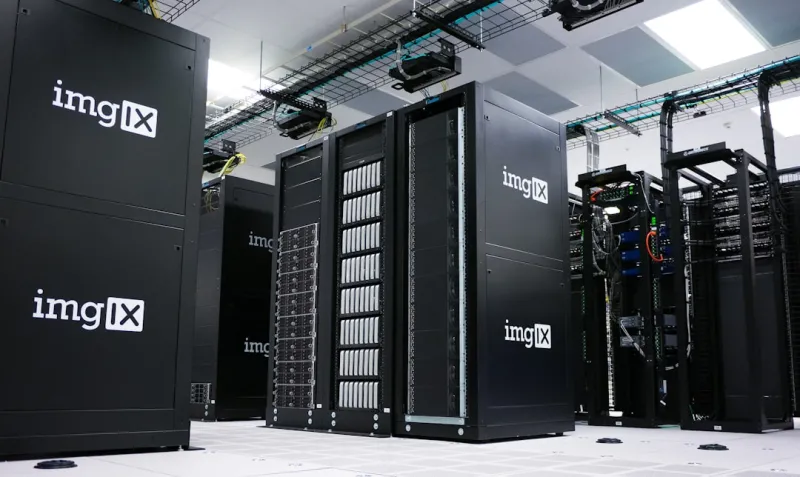
The silicon landscape for AI has exploded with options that would make any system builder’s head spin. Modern CPUs now sport up to 64 cores with advanced vector extensions, but they’re often paired with GPUs that wield thousands of CUDA cores or AMD’s RDNA‑3 stream processors. Meanwhile, niche accelerators like Intel’s Gaudi or Graphcore’s IPU bring purpose‑built tensor pipelines that cut inference latency by up to 50 % for specific workloads. In my recent deep‑dive, AI Computing in 2025: Trends, Challenges, and Real‑World Strategies, I highlighted how these heterogeneous systems are no longer experimental—they’re the default for high‑performing AI pipelines. Choosing the right mix hinges on your workload profile: training massive language models demands GPU memory bandwidth, while real‑time inference at the edge may favor low‑power NPUs. The key is to match the compute topology to the data flow, ensuring you’re not over‑provisioning in one area while starving another.
Memory and Storage: Keeping Up with Data Deluge
Data is the lifeblood of AI, and the memory subsystem is the heart that pumps it where it needs to go. DDR5 has finally become mainstream, offering bandwidths that exceed 60 GB/s, but for truly massive models we’re now looking at High‑Bandwidth Memory (HBM2e) stacked directly on GPUs, delivering up to 900 GB/s per stack. On the storage side, NVMe 2.0 SSDs are pushing sequential read speeds past 10 GB/s, which is critical for feeding training datasets without bottlenecks. I’ve written extensively about the evolving storage scene in Hard Drive Trends 2024: My Take on Speed, Capacity, and Value, and the same principles apply to AI pipelines: low latency, high throughput, and cost‑effective scaling. For most developers, a tiered approach works best—use an NVMe cache for hot training data, a larger SATA‑based archive for older datasets, and keep your most critical tensors in GPU‑local HBM. This hierarchy minimizes stalls and keeps the GPU fed, which directly translates into higher FLOPS per watt.
GPU Powerhouses and the Rise of Dedicated Accelerators
If you’ve ever built a rig based on my Maximize Your Rig: The Ultimate 2024 PC Upgrade Guide, you know I’m obsessive about extracting every ounce of performance from a graphics card. In the AI arena, the GPU remains the workhorse, but the market has matured beyond the “bigger is better” mantra. NVIDIA’s Hopper architecture introduces the Transformer Engine, a specialized block that accelerates attention mechanisms by up to 4× compared to traditional CUDA cores. AMD’s Radeon RX 7900 XTX counters with a revamped matrix core that excels at mixed‑precision workloads, while Intel’s Arc Alchemist line brings AI‑specific instruction sets into the consumer space. Beyond GPUs, companies like Cerebras are shipping wafer‑scale engines that fit an entire AI model onto a single silicon wafer, eliminating inter‑chip latency entirely. When selecting a GPU, consider not only raw TFLOPs but also the software ecosystem—NVIDIA’s cuDNN, AMD’s ROCm, and Intel’s oneAPI all offer different levels of integration and optimization. Pair the right card with sufficient power delivery and cooling, and you’ll see dramatic gains in both training speed and inference latency.
Software Stacks: From Frameworks to Compiler Optimizations
The software layer is where hardware meets the model, and in 2025 the landscape is both richer and more fragmented than ever. PyTorch continues to dominate research thanks to its dynamic graph capabilities, while TensorFlow remains the go‑to for production pipelines, especially with its TensorRT inference optimizer that squeezes out extra performance on NVIDIA hardware. Emerging frameworks like JAX and MindSpore are gaining traction for their functional programming paradigms and tighter integration with TPU‑like accelerators. However, the real magic happens at the compiler level: tools such as TVM, XLA, and Intel’s OpenVINO translate high‑level model descriptions into hardware‑specific kernels, often delivering 30‑40 % speedups without manual tuning. To make the most of these advances, I recommend a layered approach: start with a high‑level framework for rapid prototyping, then use a domain‑specific compiler to target your chosen accelerator. This workflow not only future‑proofs your code but also ensures you’re leveraging the latest silicon innovations without rewriting large codebases.
Challenges on the Horizon: Power, Heat, and Security
Despite the heady excitement around AI compute, we’re still wrestling with three persistent challenges: power consumption, thermal management, and security. Training a state‑of‑the‑art language model can drain a megawatt‑hour of electricity in a single run, driving up operational costs and carbon footprints. Modern GPUs mitigate this with dynamic voltage and frequency scaling (DVFS), but the onus is on the system builder to provide robust power delivery—think dual 12‑V rails and high‑efficiency platinum‑rated PSUs. Heat is equally unforgiving; dense GPU clusters generate more BTUs than a small office, necessitating liquid cooling loops or immersion cooling for sustained performance. On the security front, model extraction attacks and adversarial inputs pose real threats, especially when AI inference runs at the edge. Leveraging secure enclaves, encrypted model weights, and regular firmware updates can harden your deployment. Addressing these pain points early in the design phase prevents costly retrofits and ensures your AI infrastructure remains both performant and resilient.
Real‑World Strategies: Edge, Cloud, and Hybrid Deployments
Deploying AI models isn’t a one‑size‑fits‑all proposition; the optimal strategy depends on latency requirements, data sovereignty, and cost constraints. Edge AI—running inference on devices like Jetson Nano or Coral TPU—offers sub‑millisecond response times for applications ranging from autonomous drones to industrial IoT sensors. For massive training workloads, the cloud still reigns supreme, with providers offering elastic GPU clusters that scale on demand. However, a hybrid approach is gaining momentum: perform heavy training in the cloud, then ship distilled, quantized models to edge devices for inference. This model reduces bandwidth usage and protects sensitive data. In my recent article on networking trends, The Future of Computer Networking: Trends, Technologies, and Strategies for 2025, I discussed how low‑latency 5G and programmable Ethernet fabrics enable seamless data flow between cloud and edge, making hybrid deployments not just feasible but efficient. By aligning your compute architecture with the right deployment model, you can achieve the sweet spot of performance, cost, and scalability.
Looking Ahead: Optical Compute and Quantum‑Assisted AI
The next frontier in AI computing will likely break the silicon barrier altogether. Researchers are demonstrating photonic processors that perform matrix multiplications using light, offering orders of magnitude lower energy per operation and virtually zero heat generation. While still in early‑stage labs, companies like Lightmatter and PsiQuantum are building prototypes that could one day replace traditional GPU farms for inference workloads. Parallel to this, quantum‑assisted machine learning is exploring how quantum annealers might accelerate optimization problems embedded within training loops. Though these technologies are years away from mainstream adoption, they’re already influencing design decisions—manufacturers are adding dedicated optical I/O ports and exploring hybrid silicon‑photonics chips. Keeping an eye on these developments ensures you won’t be blindsided when a disruptive technology finally hits the market, and it allows you to future‑proof your hardware investments by choosing modular, upgradable platforms.
Key Takeaways and Your Next Steps
To recap, mastering AI computing in 2025 demands a holistic view that blends cutting‑edge silicon, high‑bandwidth memory, optimized software stacks, and strategic deployment models. Prioritize heterogeneous compute—match GPUs for bulk tensor work, NPUs for low‑power inference, and CPUs for data orchestration. Invest in DDR5 and HBM memory to keep data flowing, and pair it with NVMe storage tiers to eliminate I/O bottlenecks. Leverage modern compilers and framework optimizations to extract every ounce of performance, while staying vigilant about power, thermal, and security constraints. Finally, choose a deployment strategy—edge, cloud, or hybrid—that aligns with your latency and cost goals, and keep an eye on emerging optical and quantum technologies that could redefine the AI compute paradigm. If you’re ready to revamp your rig, start with a clear roadmap, reference the guides I’ve linked throughout this post, and remember that the most powerful AI systems are built on a foundation of thoughtful, future‑oriented engineering.