
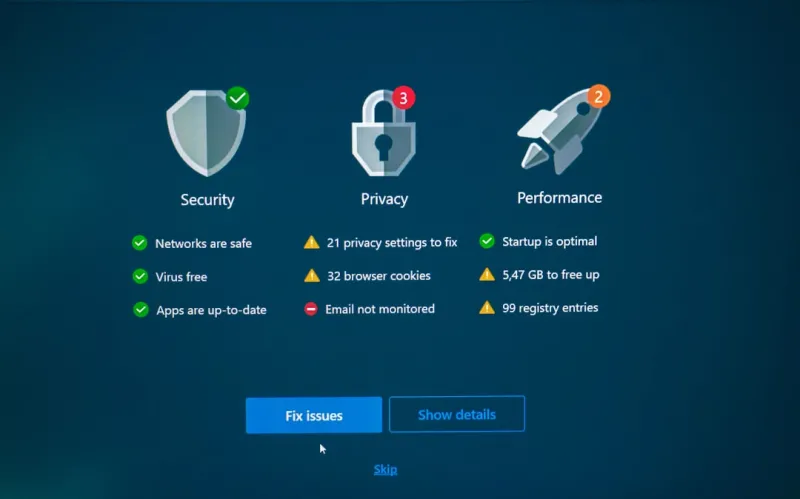
As a tech enthusiast, I've always been fascinated by the world of PC upgrades. There's something satisfying about breathing new life into an old machine, watching it perform tasks with ease that once seemed impossible. But with so many components to consider, it can be overwhelming to know where to start. In this article, I'll share my expertise on the most critical upgrades you can make to your PC, and provide guidance on how to navigate the process.
Understanding Your PC's Bottlenecks
Before you begin upgrading, it's essential to understand where your PC's bottlenecks lie. A bottleneck is a component that limits the performance of your system, preventing it from reaching its full potential. Common bottlenecks include RAM, storage, and graphics cards. To identify your PC's bottlenecks, you can use tools like memory and RAM troubleshooting guides to diagnose issues with your system's memory. You can also use online resources to help you identify areas for improvement.
One of the most significant bottlenecks can be your PC's storage. Traditional hard drives can be slow and outdated, leading to sluggish performance and long loading times. Upgrading to a solid-state drive (SSD) can make a significant difference, providing faster load times and improved overall performance. When choosing an SSD, consider factors like storage capacity, read and write speeds, and compatibility with your system.
The Importance of RAM
RAM (Random Access Memory) is another critical component that can significantly impact your PC's performance. Insufficient RAM can cause your system to slow down, making it difficult to multitask or run demanding applications. Troubleshooting memory and RAM issues can help you identify if this is a problem for your system. When upgrading your RAM, consider the type of RAM your system uses, the amount of RAM you need, and the speed of the RAM.
For example, if you're running a resource-intensive program like Adobe Premiere Pro, you may need 16GB or more of RAM to ensure smooth performance. Additionally, if you're planning to upgrade your RAM, make sure to check your system's motherboard manual to ensure you're using the correct type of RAM. Some systems may require specific types of RAM, such as DDR4 or DDR5.
Upgrading Your Graphics Card
For gamers and graphics enthusiasts, upgrading your graphics card can be a game-changer. A high-performance graphics card can provide smoother gameplay, improved graphics quality, and increased frame rates. When choosing a graphics card, consider factors like GPU performance, memory, and power consumption. You can also use online resources to help you choose the right graphics card for your system and budget.
However, upgrading your graphics card can also be complex, requiring careful consideration of power supply, cooling, and compatibility. Make sure to research your system's specific requirements and consult with experts if you're unsure. Additionally, if you're experiencing issues with your graphics card, troubleshooting video card issues can help you diagnose and fix common problems.
The Role of Motherboards
Your PC's motherboard is the backbone of your system, connecting all your components together and providing a platform for them to communicate. When upgrading your PC, it's essential to consider your motherboard's capabilities and limitations. A high-quality motherboard can provide features like USB ports, SATA ports, and high-speed storage options.
When choosing a motherboard, consider factors like chipset, socket type, and features. You can use motherboard guides to help you choose the right one for your needs. Additionally, make sure to research your system's specific requirements and consult with experts if you're unsure.
Security Considerations
When upgrading your PC, it's essential to consider security implications. A new component can introduce vulnerabilities, especially if it's not properly configured or secured. Make sure to research your system's specific security requirements and take steps to protect your system from viruses and malware.
Additionally, consider implementing robust security measures like firewalls, antivirus software, and regular software updates. By taking a proactive approach to security, you can protect your system from emerging threats and ensure your upgrades are secure.
Future-Proofing Your PC
When upgrading your PC, it's essential to consider future-proofing. A well-planned upgrade can provide years of reliable service, while a hasty or poorly planned upgrade can lead to compatibility issues and premature obsolescence. Consider factors like emerging technologies, compatibility, and upgrade paths when making your upgrade decisions.
For example, if you're planning to upgrade your PC for gaming, consider investing in a high-performance graphics card that will last for years to come. Additionally, make sure to research your system's specific requirements and consult with experts if you're unsure.
Conclusion
Upgrading your PC can be a complex and overwhelming process, but with the right guidance, you can make informed decisions and breathe new life into your machine. By understanding your PC's bottlenecks, upgrading critical components like RAM and graphics cards, and considering security and future-proofing implications, you can create a high-performance system that meets your needs and exceeds your expectations.




