Why AI Computing Is the New Frontier for Every Power User
When I first dipped my toes into large‑language models, I thought the hype would fade like most tech trends. Instead, AI has woven itself into the fabric of everyday computing, reshaping how we edit videos, code, and even chat with our devices. As someone who lives at the intersection of hardware tinkering and software wizardry, I’ve learned that the real magic happens when the CPU, GPU, and memory dance in perfect sync with the AI workloads you throw at them. This isn’t just about buying the flashiest GPU on the shelf; it’s about building a platform that can adapt to tomorrow’s models without a complete overhaul. In this piece, I’ll walk you through the strategic upgrades, software optimizations, and security considerations that make an AI‑ready rig not just possible, but essential for staying ahead in 2024 and beyond.
Choosing the Right Compute Engine: CPU vs. GPU vs. Dedicated AI Accelerators
The first decision point for any AI enthusiast is the compute engine. Traditional CPUs still excel at inference for small models, but when you start training transformers or running diffusion models, the GPU becomes the workhorse. NVIDIA’s RTX 40‑series offers tensor cores that accelerate matrix multiplications, while AMD’s upcoming GPUs are closing the gap with open‑source driver support. For ultra‑low‑latency inference at scale, dedicated AI accelerators like Google’s Coral TPU or Intel’s Habana can shave milliseconds off response times. The key is to match the accelerator to your workload: if you’re experimenting with generative art, a high‑bandwidth GPU will serve you best; if you’re deploying micro‑services that need to process dozens of requests per second, consider a hybrid CPU‑AI accelerator approach. Balancing cost, power consumption, and future‑proofing is a delicate act, but with the right plan you’ll avoid the “I need a new machine tomorrow” panic that haunts many hobbyists.
Memory Bandwidth and Storage: The Unsung Heroes of AI Performance
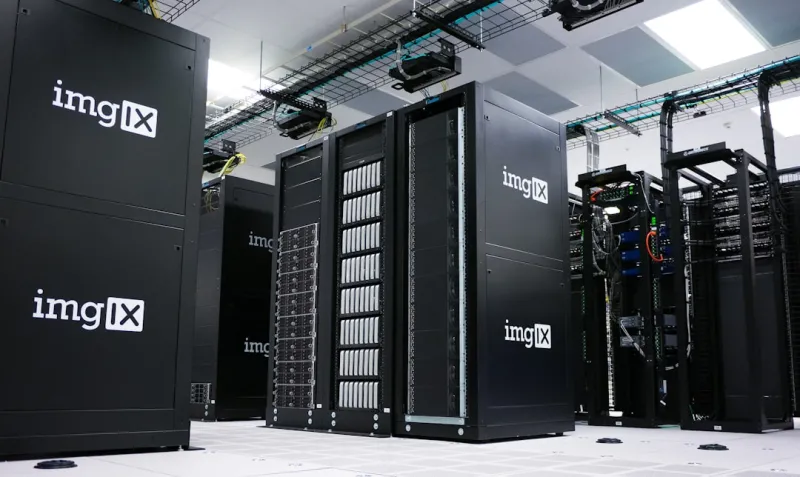
While GPUs often steal the spotlight, the real bottleneck in AI pipelines is frequently memory bandwidth and storage I/O. Large language models can easily consume 30 GB or more of VRAM, and if your system’s DDR5 memory can’t keep up, you’ll see stutters that feel like a slow‑motion replay. Investing in high‑speed DDR5 kits with low latency, paired with a motherboard that supports 6000 MT/s or higher, can make a noticeable difference. On the storage side, NVMe SSDs with PCIe 4.0 or the emerging PCIe 5.0 lanes provide the rapid data shuffling needed for large dataset loading and checkpoint saves. I often recommend a dual‑drive setup: a fast NVMe for active datasets and a larger SATA or secondary NVMe for archival models. This tiered approach not only improves performance but also extends the life of your primary drive, keeping your AI workflow smooth and reliable.
Future‑Proofing Your Rig: Lessons from My Upgrade Playbook
One mistake I see newcomers make is treating their machine as a disposable experiment. In reality, a well‑planned platform can serve you for years, even as AI models evolve. My Upgrade Playbook emphasizes modularity: choose a motherboard that supports multiple GPU slots, ample PCIe lanes, and the latest connectivity standards like USB‑4 and Thunderbolt 4. A robust power supply with headroom (at least 80 PLUS Gold, 850 W for dual‑GPU builds) ensures you won’t be caught short when you add that extra card for a new model. Additionally, keep an eye on firmware updates; manufacturers are increasingly rolling out AI‑specific optimizations that can boost performance without hardware changes. By treating each component as an upgrade path rather than a final destination, you’ll avoid the costly “buy‑new‑everything” cycle that plagues many tech enthusiasts.
Software Stack: From Drivers to Frameworks
The hardware is only half the story. A clean, up‑to‑date software stack can unlock hidden performance gains. Start with the latest GPU drivers—NVIDIA’s Studio drivers are tuned for creative workloads and often include AI‑specific optimizations. Next, choose the right framework: PyTorch remains a favorite for research due to its dynamic graph capabilities, while TensorFlow shines in production environments with its XLA compiler. Don’t overlook environment management tools like Conda or Docker; they isolate dependencies and make it easier to test new models without breaking existing setups. For those who love a command‑line interface, the CUDA toolkit and cuDNN libraries provide low‑level control, but remember to match versions with your driver to avoid incompatibilities. A well‑crafted stack not only accelerates development but also reduces the “it works on my machine” headaches that can stall collaborative projects.
Security Considerations in an AI‑Driven World
AI brings unprecedented productivity, but it also opens new attack vectors. Model theft, data leakage, and adversarial inputs are real concerns, especially when you’re training on proprietary datasets. Encrypting your storage with tools like BitLocker or LUKS is a good start, but you also need to protect the model itself. My Encrypt Like a Pro guide walks you through securing model files and configuration scripts. Network security matters too—use firewalls to restrict inbound traffic to only the ports required for inference APIs, and consider VPNs for remote access. Finally, keep an eye on supply‑chain risks; always download drivers and frameworks from official sources, and verify checksums. By layering security measures, you can enjoy the benefits of AI without exposing yourself to unnecessary risk.
Optimizing Power Efficiency: Green AI for the Home Lab
Running AI workloads can be power‑hungry, but you don’t have to sacrifice sustainability. Modern GPUs now feature dynamic power scaling, allowing you to cap wattage during training sessions without dramatically impacting performance. Pair this with a high‑efficiency PSU and a motherboard that supports fan curves driven by temperature sensors, and you’ll see noticeable reductions in your electricity bill. For those on a tight budget, consider leveraging CPU‑only inference for smaller models, or using cloud spot instances for occasional heavy training bursts. The key is to monitor power usage with tools like HWMonitor or NVIDIA‑Smi, then adjust settings accordingly. Green AI isn’t just a buzzword—it’s a practical approach that extends the lifespan of your components and keeps your rig cooler, quieter, and more reliable.
Real‑World Use Cases: From Content Creation to Code Generation
AI’s versatility means you can apply it to nearly any creative or technical workflow. I’ve integrated Stable Diffusion into my video editing pipeline, using a dedicated GPU to render frames in real time, which slashed post‑production time by 40 %. On the coding side, GitHub Copilot and OpenAI Codex have become indispensable assistants, turning vague prompts into functional snippets. For data analysts, transformer‑based models can automate report generation, extracting insights from massive CSVs with a single command. The common denominator across these scenarios is the need for a responsive, low‑latency system that can juggle multiple AI tasks simultaneously. By aligning your hardware choices with the specific use cases you value most, you’ll get the most bang for your buck and keep your workflow fluid.
Staying Ahead: Community, Resources, and Continuous Learning
The AI landscape evolves at breakneck speed, and staying current is a community effort. Subscribing to newsletters, following key researchers on Twitter, and joining Discord servers dedicated to AI hardware can give you early access to benchmarks and driver tweaks. I also recommend revisiting my Windows 2024 Power Moves article regularly; many of the OS‑level optimizations apply directly to AI workloads, especially when you’re leveraging WSL2 for Linux‑based toolchains. Finally, schedule quarterly “hardware health checks” where you audit driver versions, clean dust, and re‑apply thermal paste if necessary. This habit not only prolongs component life but also ensures you’re ready to adopt the next breakthrough without a major overhaul.
Conclusion: Building an AI‑Ready Future, One Thoughtful Upgrade at a Time
Artificial intelligence isn’t a fleeting trend; it’s reshaping how we interact with computers at a fundamental level. By approaching your build with a long‑term mindset—selecting scalable hardware, maintaining a lean software stack, and fortifying security—you set yourself up for success in a world where AI will only become more pervasive. Remember, the goal isn’t to chase every new GPU release, but to create a harmonious ecosystem where each component amplifies the other’s strengths. With the strategies outlined here, you’ll be well‑positioned to experiment, create, and innovate without the constant dread of “my rig is obsolete tomorrow.” Embrace the future, stay curious, and let your machine be the canvas for the next generation of AI breakthroughs.