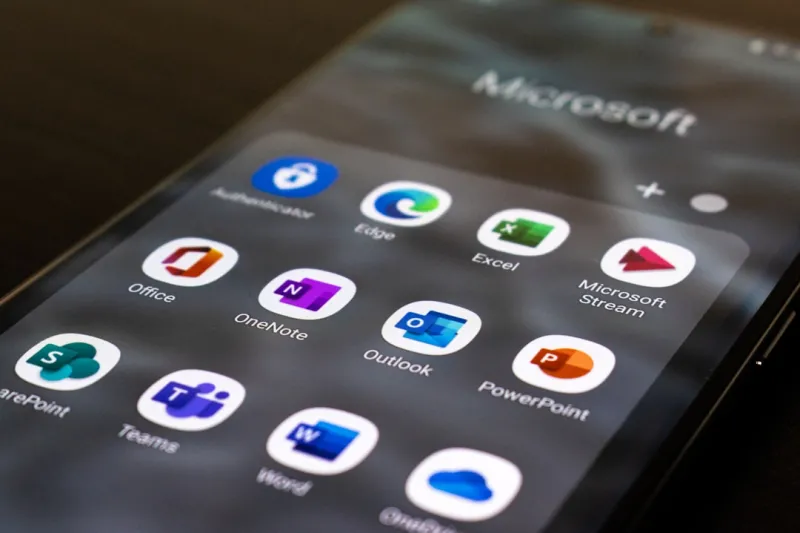
When you hear “Microsoft Office,” you might picture the same gray boxes from a decade ago, but the suite is anything but static. I’ve been chewing on the data, the road‑show demos, and the late‑night support tickets, and the conclusion is clear: Office isn’t just surviving—it’s thriving in a world that demands AI, security, and seamless collaboration. In 2024 the pressure to modernize is relentless, yet Office keeps its footing by quietly evolving under the radar, delivering the kind of incremental power‑ups that make a real difference to the daily grind. From the way a sales team drafts proposals in Word to how a data analyst whips up dashboards in Excel, the suite’s flexibility is now amplified by cloud‑first thinking and AI‑driven assistants. This post will walk you through the trends that keep Office at the top of the workplace hierarchy, why the suite feels fresh despite its age, and how you can leverage the newest features to stay ahead of the curve—all from my insider perspective as a longtime tech journalist and hands‑on tinkerer.
Why Microsoft Office Still Rules the Workplace
First, let’s address the elephant in the room: why does any organization still cling to Office when dozens of “modern” alternatives promise shinier interfaces? The answer lies in the marriage of reliability and innovation. Office’s deep integration with Microsoft 365’s cloud services means your files are always in sync, whether you’re on a Surface laptop, a Mac, or a Linux box using the web apps. That continuity is a silent productivity booster that most competitors can’t match without a patchwork of third‑party tools. Add to that the robust compliance engine—think data loss prevention, eDiscovery, and conditional access—that satisfies even the most stringent enterprise policies. As I laid out in Why Microsoft Office Still Dominates, the suite’s ability to adapt to regulatory shifts while keeping the user experience familiar is a core reason it remains the workhorse of the modern office.
Beyond the baseline reliability, Office now leans heavily into AI to deliver what I like to call “smart assistance.” The newest generation of Copilot, embedded across Word, Excel, PowerPoint, and Outlook, isn’t just a fancy chatbot—it’s a context‑aware co‑author that can draft a quarterly report, generate a complex financial model, or design a slide deck from a simple outline. These capabilities are built on the same large‑language‑model tech that powers ChatGPT, but they’re fine‑tuned on your organization’s data (with strict privacy safeguards). The result? You spend less time hunting for the right phrasing or formula and more time refining strategy. This AI boost is especially evident in collaborative environments where multiple teammates edit a document in real time; Copilot can suggest consistent terminology, flag contradictory data, and even surface relevant research from your SharePoint library—all without leaving the app.
AI‑Powered Evolution: From Copilot to Cloud‑First Collaboration
While Copilot steals the headlines, the less obvious AI enhancements are reshaping how Office apps talk to each other and to the cloud. Take Excel’s dynamic arrays and Power Query, now supercharged with AI‑suggested data transformations. You can paste a raw CSV, click a single “Clean Data” button, and let the engine infer column types, remove duplicates, and even spot outliers, all while preserving a reproducible script for future runs. This not only accelerates the data‑prep phase but also democratizes analytics—team members without deep spreadsheet expertise can now produce reliable insights. In PowerPoint, the AI Designer has learned from millions of presentations to auto‑generate layout suggestions that respect branding guidelines, making it easier for marketing teams to roll out on‑brand decks at scale.
Security, a non‑negotiable for any enterprise, has also received an AI upgrade. Microsoft’s Zero‑Trust framework now extends into Office files, scanning for malicious macros, suspicious links, and anomalous sharing patterns before they even reach a user’s inbox. The AI engine learns from global threat telemetry, allowing it to quarantine a compromised Word doc in seconds, sparing the IT department a cascade of tickets. And because these protections are baked into the service layer, they work uniformly across desktop, web, and mobile clients—eliminating the dreaded “security gaps” that often arise when users toggle between devices.
All these innovations are anchored in the broader Windows ecosystem, and that synergy is more pronounced than ever. When you run Office on Windows 11, you tap into the same AI pipelines that power the OS’s own “Windows 2024 Unleashed” experience. For a deeper dive into how the operating system’s AI and security enhancements dovetail with Office, check out Windows 2024 Unleashed. The result is a fluid, end‑to‑end environment where your OS, cloud, and productivity suite speak the same language, dramatically reducing friction and boosting overall efficiency.
Productivity Hacks for 2024: Getting the Most Out of Office
Now that we’ve covered the strategic why, let’s get tactical. One of the most underrated features is Outlook’s new “Focused Inbox AI” that learns from your email habits and automatically surfaces critical messages while nudging less‑important threads to the “Other” tab. Pair this with the AI‑driven Calendar Assistant, which proposes meeting times that respect participants’ time zones, preferred working hours, and even typical meeting lengths based on past data. For power users, the new Quick Steps in Outlook let you bundle actions—like moving an email to a folder, flagging it, and sending a templated response—into a single click, saving minutes that add up over weeks.
In Word, the “Rewrite” feature is a game‑changer for content creators. Highlight a paragraph, click “Rewrite,” and the AI presents three alternative phrasings, each tuned for tone—formal, conversational, or concise. This not only speeds up the editing process but also ensures consistency across large documents where multiple authors contribute. Meanwhile, the “Reference” pane now pulls in citations from your organization’s internal knowledge base, making academic‑style reports or compliance documentation a breeze.
PowerPoint users can now generate a complete slide deck from a simple outline using Copilot. Type bullet points like “Q1 revenue, market trends, product roadmap,” and watch the AI craft visually appealing slides, complete with charts sourced from Excel and icons from the built‑in library. The AI also suggests speaker notes, which is a massive time‑saver for executives who need to rehearse without writing notes from scratch. Combine this with live captioning powered by Azure Speech, and you have a presentation that’s accessible and globally ready in minutes.
Finally, let’s not forget the power of Teams integration. Every Office app now offers a “Share to Teams” button, instantly turning a document into a collaborative channel where you can chat, co‑author, and run polls without leaving the app. This tight coupling eliminates the “file‑version” nightmare and encourages a culture of real‑time feedback. For teams spread across continents, this means faster decision cycles and fewer email threads—exactly the kind of efficiency boost that keeps organizations competitive in 2024’s fast‑paced market.
Looking ahead, Microsoft’s roadmap suggests even deeper AI entanglement—think predictive analytics in Excel that forecast trends before you even plot a chart, and a “Digital Twin” of your project plans in Project for the Web that simulates outcomes based on resource changes. As someone who lives on the cutting edge of tech reporting, I’m excited to see how these upcoming features will further blur the line between productivity software and intelligent decision‑making platforms. The takeaway for today’s reader is simple: embrace the AI tools already baked into Office, lock down the security features, and stay curious about the next wave of integrations. The suite is evolving fast, and with the right mindset, you can turn each update into a competitive advantage.