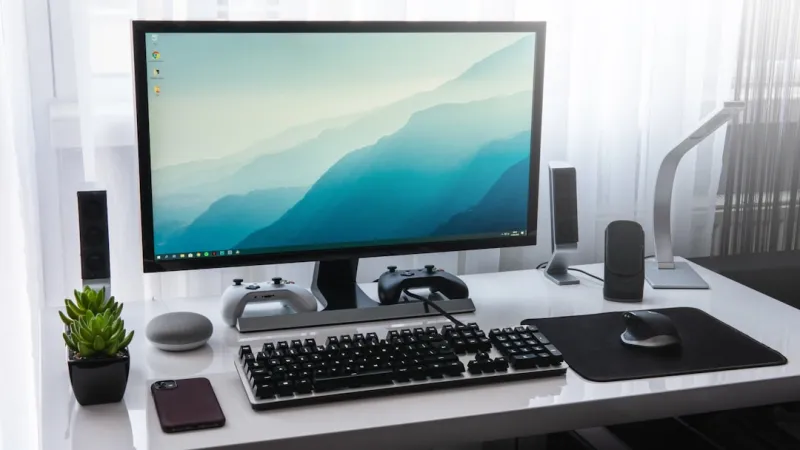
When I first tore into my 2020 rig, the excitement of swapping out a single component felt like a rite of passage. Fast‑forward to 2024, and the landscape has exploded with new standards, AI‑centric workloads, and an ever‑tightening balance between performance and power. In this post I’m pulling back the curtain on what really matters when you’re building or upgrading a computer in today’s hyper‑competitive market. It’s not just about chasing the highest GHz number or the flashiest RGB; it’s about crafting a platform that can handle the next wave of software, stay cool under pressure, and still be affordable enough to make sense for most enthusiasts. I’ll walk you through my personal decision‑making process, share the lessons I’ve learned from countless builds, and sprinkle in some hard‑won shortcuts that have saved me time, money, and headaches. By the end you’ll have a clear roadmap for a future‑proof build that aligns with your needs—whether you’re a content creator, a gamer, or a data scientist dabbling in AI.
Choosing the Right CPU: Power Meets Efficiency
The CPU is still the heart of any system, but the way we evaluate it has shifted dramatically. In 2024, I prioritize core count and architectural efficiency over raw clock speed because modern software, especially AI and video rendering tools, can spread work across many threads. A 12‑core, 24‑thread processor built on a 5nm process often outperforms a higher‑clocked 8‑core older node, delivering better performance per watt—a critical factor when you factor in cooling and electricity costs. I also consider platform longevity; a socket that supports multiple generations of CPUs gives you upgrade paths without a full motherboard swap. When I built my latest rig, I gravitated toward a chip that offered built‑in AI acceleration, which is becoming a standard feature for tasks like image upscaling and real‑time inference. Pairing the right CPU with a balanced motherboard and memory setup ensures you’re not bottlenecked, and it lays the groundwork for a system that can evolve with software demands.
GPU Trends: From Gaming to AI Acceleration
Graphics cards have always been the headline act, but in 2024 their role is expanding beyond just rendering frames. The rise of AI‑enhanced features—DLSS, ray tracing, and real‑time neural upscaling—means that a powerful GPU can now double as a compute engine for machine‑learning workloads. When I’m selecting a GPU, I look at both rasterization performance and tensor core count, because the latter dictates how well the card will handle AI tasks. Memory bandwidth is another silent hero; 24 GB of GDDR6X with a 384‑bit bus can dramatically cut rendering times in professional applications. However, it’s easy to get caught up in the hype of the latest flagship. Instead, I weigh the performance per dollar and consider future‑proofing with features like PCIe 5.0 and HDMI 2.1. If you’re aiming for a versatile rig, the AI Computing in 2024 guide offers deeper insight into leveraging GPUs for both gaming and AI workloads.
Memory and Storage: Speed Is the New Capacity
Memory speed has become a decisive factor, especially as CPUs and GPUs demand faster data access. In my recent builds, I’ve gravitated toward DDR5 kits with latency CL30 or better, as they provide a noticeable lift in both gaming frame rates and content‑creation workflows. The sweet spot often lands around 5600 MT/s, offering a balance between price and performance. For storage, the rule of thumb is simple: always prioritize NVMe over SATA. A 2 TB PCIe 4.0 NVMe SSD can saturate the bus, delivering sequential reads above 7 GB/s and drastically reducing load times for massive datasets. When I paired a high‑end NVMe with a modest secondary SATA drive for archival purposes, the system felt snappy across the board. Don’t overlook the importance of a proper cooling solution for your SSDs; thermal throttling can erode those gains in sustained workloads. By aligning memory and storage choices with your CPU and GPU, you create a harmonious data pipeline that keeps every component humming at peak efficiency.
Motherboard Mastery: The Unsung Backbone
Often overlooked, the motherboard is the glue that holds your entire build together, and choosing the right one can save you future headaches. In 2024, I focus on a board that offers robust power delivery, ample PCIe 5.0 lanes, and a rich I/O suite—including USB‑4, Thunderbolt 4, and dual‑M.2 slots with heatsinks. These features ensure you can attach the latest peripherals and storage without compromising thermal performance. I also pay close attention to the BIOS ecosystem; a clean, user‑friendly BIOS with frequent updates is essential for stability, especially when you’re tweaking settings for overclocking or AI acceleration. The form factor matters too—while ATX provides the most expansion, micro‑ATX can be a sleek alternative if space is at a premium. For a deep dive into selecting the perfect board, my Motherboard Mastery in 2024 article walks through chipset differences, VRM design, and future‑proof features you should never ignore.
Power Delivery and Cooling: Keeping the Beast Tamed
Power and thermal management are the twin pillars that determine whether your rig can sustain high performance over long sessions. I always opt for a PSU with an 80 Plus Gold rating or better, and I size it with a 20‑25% headroom over your calculated wattage—this not only improves efficiency but also prolongs component lifespan. Modular cables help with cable management, reducing airflow obstruction. On the cooling side, I’ve migrated from traditional air coolers to hybrid liquid solutions for my high‑end CPUs, especially when I’m pushing the silicon to the edge with AI workloads. A well‑designed case with unrestricted airflow, front intake fans, and a rear exhaust can make or break temperature targets. Don’t forget to monitor VRM temperatures on the motherboard; many modern boards include dedicated heatsinks and even fan headers for VRM cooling. Balancing power and cooling ensures your system runs stable under both gaming spikes and prolonged AI training sessions.
Future‑Proofing: Planning for the Next Wave
Future‑proofing isn’t about buying the most expensive components; it’s about strategic choices that keep your system relevant as technology evolves. I start by looking at industry roadmaps: upcoming PCIe 5.0 adoption, DDR5 ubiquity, and the shift toward AI‑centric instruction sets. Investing in a motherboard that supports the latest standards gives you a runway of at least three to five years. Similarly, choosing a case with modular drive bays and ample space for additional radiators allows for incremental upgrades without a full rebuild. I also factor in software trends—operating systems are now integrating AI features at the kernel level, so a CPU with built‑in AI instructions can provide a performance edge without hardware changes. By planning for expansion—extra M.2 slots, spare PCIe lanes, and a robust power budget—you create a platform that can adapt, whether you’re adding a new GPU for ray‑traced gaming or a dedicated AI accelerator card down the line.
Putting It All Together: My Blueprint for a 2024 Rig
Pulling all these threads together, my ideal 2024 build starts with a 12‑core, 24‑thread CPU on a 5nm node, paired with a DDR5‑5600 MHz kit and a 2 TB PCIe 4.0 NVMe SSD. The motherboard is an ATX board with robust VRM, PCIe 5.0 slots, and dual‑M.2 heatsinks, as detailed in my Motherboard Mastery in 2024 guide. For graphics, I choose a GPU that balances rasterization power with ample tensor cores, ensuring it can handle both AAA titles and AI inference tasks—a decision influenced by insights from my AI Computing in 2024 playbook. Power comes from an 850 W 80 Plus Gold PSU, while cooling relies on a hybrid AIO for the CPU and strategic case airflow. This combination delivers a system that feels responsive today, scales with tomorrow’s software, and remains within a reasonable budget. The result is a versatile, future‑ready workstation that can game, create, and compute without compromise.