Why the Motherboard Still Rules the Roost in 2024
When you walk into a PC‑building forum these days, the chatter often jumps straight to GPUs, CPUs, or the latest RGB lighting trends. But if you ask seasoned builders what truly determines a system’s longevity, the answer always circles back to the motherboard. It’s the silent conductor, orchestrating power distribution, data flow, and future‑proofing potential. In 2024, the stakes are higher than ever because the pace of chipset innovation has accelerated, and the line between a “good enough” build and a truly future‑ready rig is drawn by the board you choose. As someone who has spent countless nights soldering, BIOS‑flashing, and troubleshooting, I can tell you that a well‑chosen motherboard can save you from costly upgrades, performance bottlenecks, and even compatibility nightmares. In this article, I’ll walk you through the criteria that matter most, share personal anecdotes from my own builds, and point you toward resources that will help you make an informed, future‑proof decision.
Understanding Chipset Evolution: From Intel 13th Gen to AMD Zen 5
The chipset is the motherboard’s brain, dictating which CPUs, memory speeds, and expansion options are available. Intel’s 13th‑Gen “Raptor Lake” platforms introduced hybrid core designs, demanding motherboards with robust power phases and refined PCIe lane allocation. Meanwhile, AMD’s upcoming Zen 5 roadmap promises DDR5‑8000 memory support and native PCIe 5.0 lanes, which means you’ll need a board that can handle those speeds without choking. It’s tempting to grab the cheapest B‑series board, but those often lack the refined power delivery needed for sustained high‑clock performance, especially under AI‑centric workloads. I’ve seen builders push a modest B560 board past its limits, only to encounter throttling under prolonged stress tests. The lesson? Align your chipset choice with your CPU’s roadmap and consider how far you want to push the envelope—because the right chipset today can keep you comfortable for the next three to five years.
Form Factor Realities: ATX, Micro‑ATX, and the Rise of Mini‑ITX
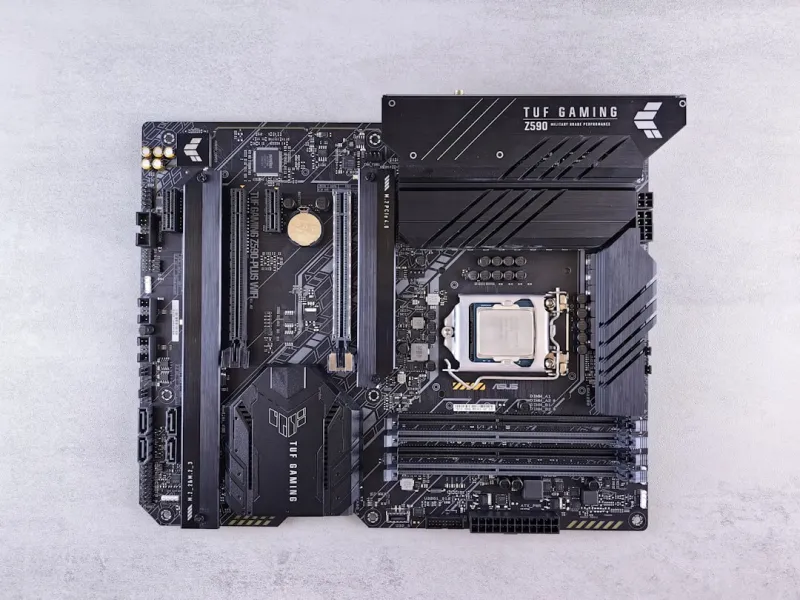
Form factor isn’t just a question of case size; it directly influences expandability, cooling potential, and the overall aesthetic of your build. ATX remains the workhorse for enthusiasts who demand multiple M.2 slots, full‑size GPU clearance, and ample VRM heat sinks. Micro‑ATX offers a sweet spot for compact yet capable rigs, but you’ll often sacrifice a PCIe slot or two. Mini‑ITX has exploded in popularity among gamers and content creators who crave a portable powerhouse, yet the trade‑off is a tighter VRM layout and limited expansion. In my own “travel‑friendly” workstation, I opted for a Mini‑ITX board with a six‑phase VRM and a single M.2 slot, supplementing storage with a high‑speed external NVMe enclosure. The key takeaway is to match the form factor to your real‑world use case: if you anticipate future GPU upgrades, stick with ATX; if you value desk space and portability, a well‑engineered Mini‑ITX can still be future‑proof, provided you pay attention to VRM quality and connectivity.
Power Delivery Matters: VRM Design, Phases, and Cooling
Voltage Regulator Modules (VRMs) are the unsung heroes that keep your CPU and GPU fed with clean, stable power. Modern high‑performance CPUs can draw 250 W or more under load, and without a solid VRM design, you’ll see voltage droop, throttling, and potentially reduced lifespan of components. Look for boards that advertise a minimum of eight power phases for a mainstream build, and twelve or more for overclocking or AI workloads. The quality of the MOSFETs, the presence of a robust heatsink, and even the use of premium chokes can make a dramatic difference. I once ran a benchmark on a budget board with a four‑phase VRM, and the CPU couldn’t sustain its boost clock beyond 30 seconds. Upgrading to a board with a twelve‑phase design not only stabilized the clock but also reduced temperatures by several degrees thanks to better heat dissipation. When evaluating a motherboard, treat the VRM specs like a safety rating—you want a board that can handle peaks without breaking a sweat.
Connectivity in the Age of PCIe 5.0 and USB 4.0
Connectivity is where the future‑proof factor really shines. PCIe 5.0 doubles the bandwidth of PCIe 4.0, unlocking new possibilities for next‑gen graphics cards, storage, and networking adapters. A motherboard that offers at least one PCIe 5.0 x16 slot ensures you can drop in a future GPU without bottlenecking. Additionally, USB 4.0 and Thunderbolt 4 ports provide 40 Gbps data transfer rates, essential for high‑speed external storage or eGPU setups. I recently upgraded my workstation with a board featuring dual PCIe 5.0 slots and a trio of USB 4.0 Type‑C ports, future‑proofing the system for both AI training rigs and high‑resolution video editing. For more detailed guidance on building a platform that stands the test of time, check out Motherboard Mastery in 2024: Shawn DesRochers’ Blueprint for a Future‑Proof Platform. This resource dives deep into slot configurations, lane allocation, and how to balance performance with cost.
BIOS, Firmware Updates, and the Importance of Manufacturer Support
Even the most feature‑rich board can become obsolete if the manufacturer abandons firmware updates. In 2024, we see a split: premium brands push regular BIOS releases that add support for new CPUs, fix memory compatibility issues, and improve power management, while some budget brands lag behind. A well‑maintained BIOS can also introduce advanced features like AI‑enhanced power profiling or built‑in memory overclocking assistants. When I built a machine based on a mid‑range B660 board, the manufacturer released a BIOS update three months later that added support for DDR5‑5600 modules, unlocking a significant performance bump. Conversely, I’ve seen boards that never received an update for a year, leaving owners stuck with older CPU support. Before committing to a purchase, research the brand’s update history and consider whether the BIOS interface is user‑friendly—especially if you plan to tweak settings or flash updates manually.
AI‑Ready Motherboards: Preparing for the Next Wave of Compute
Artificial intelligence workloads are no longer confined to data centers; creators, developers, and gamers are tapping into AI‑accelerated features like real‑time ray tracing, upscaling, and neural network inference. To support these demands, motherboards need high‑speed interconnects, ample power headroom, and robust thermal solutions. Look for boards that advertise AI‑specific features such as dedicated tensor‑core lanes, integrated AI accelerators, or support for PCIe 5.0 AI expansion cards. For a deep dive into constructing an AI‑ready rig, I recommend reading Future‑Proof Your PC in 2024: Shawn DesRochers’ Hands‑On Blueprint. The guide walks you through selecting a motherboard that balances AI performance with traditional gaming needs, ensuring you can leverage next‑gen AI tools without a complete system overhaul.
Budgeting Smartly: Getting the Most Bang for Your Buck
Budget constraints are real, and you don’t have to splurge on a top‑tier board to achieve future‑proofing. The sweet spot often lies in the high‑end B‑series or mid‑range X‑series motherboards, which provide solid VRMs, decent PCIe 5.0 support, and a respectable feature set at a fraction of the flagship price. Prioritize the features you actually need—if you’re not planning to run multiple GPUs, a single PCIe 5.0 slot is sufficient. If high‑speed networking isn’t a priority, you can skip 2.5 GbE and opt for a board with standard Gigabit Ethernet. Always compare the cost of the board against the price of potential upgrades you might need in the next two to three years. In many cases, investing a little extra now in a board with a better VRM and more M.2 slots pays off by delaying the need for a complete motherboard replacement when newer CPUs hit the market.
Troubleshooting Tips: From POST Failures to BIOS Loops
Even the best‑designed motherboards can encounter hiccups during assembly. Common issues include “no boot” situations caused by improperly seated RAM, outdated BIOS that doesn’t recognize a new CPU, or conflicting PCIe lane assignments. My go‑to troubleshooting checklist starts with clearing the CMOS to reset the BIOS, then verifying that the CPU power connector is firmly attached. If the system still won’t post, I isolate the problem by booting with only the essential components—CPU, one stick of RAM, and integrated graphics—to rule out peripheral conflicts. When dealing with BIOS loops, a USB flash drive with the latest firmware can be used for a quick flash via the motherboard’s Q‑Flash or similar utility. Keeping a spare set of SATA data cables and a basic GPU on hand can also save time. Remember, a methodical approach often reveals that the issue isn’t the motherboard at all, but an overlooked connector or a mis‑configured BIOS setting.
Conclusion: Your Motherboard Is the Foundation of a Future‑Proof PC
Choosing the right motherboard is a blend of art and science—balancing today’s performance needs with tomorrow’s technological leaps. By focusing on chipset compatibility, VRM quality, form factor suitability, and robust connectivity options, you can build a platform that remains relevant for years. Leverage the resources linked earlier to deepen your understanding, stay on top of BIOS updates, and keep an eye on emerging standards like PCIe 5.0 and USB 4.0. Whether you’re a gamer chasing the next frame‑rate boost, a creator diving into AI‑enhanced workflows, or a professional seeking a reliable workstation, the motherboard you select will dictate the ceiling of your system’s potential. Invest wisely, and your rig will reward you with stability, speed, and the flexibility to adapt to whatever the tech landscape throws your way.