
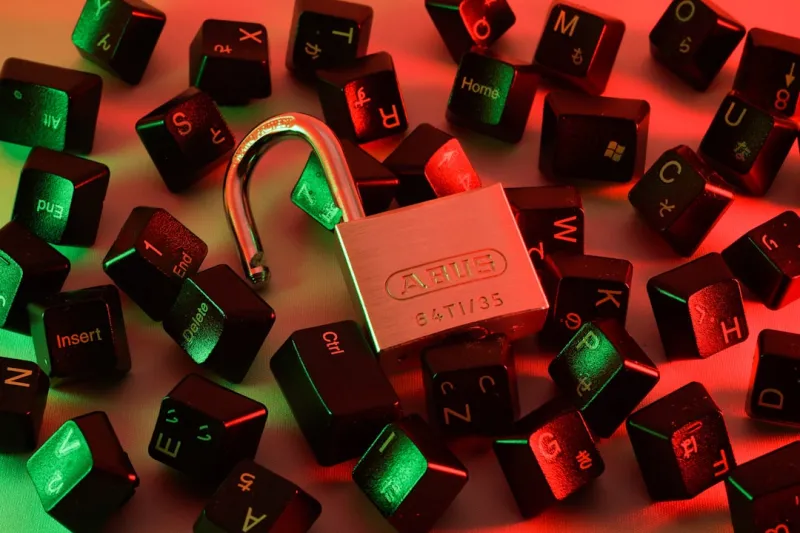
When I first started tinkering with custom rigs, my focus was always on raw horsepower and the thrill of squeezing every megahertz out of a GPU. Over the years, however, I’ve learned that power without protection is a ticking time bomb. In 2026, the conversation has shifted from “how fast can I compute?” to “how securely can I store and transmit that compute.” Modern encryption isn’t a niche concern for government agencies—it’s a daily requirement for anyone who values their data, whether that data lives on a high‑end workstation, a cloud bucket, or a portable SSD. As a power user, you’re constantly moving massive files, running AI models, and collaborating across borders, which means the attack surface is constantly expanding. Encryption is the silent guardian that lets you sleep at night while your machine crunches billions of calculations. In this post, I’ll walk through the latest encryption strategies that fit a power‑user workflow, why they matter more than ever, and how to integrate them without sacrificing the performance you demand.
From Legacy Ciphers to Post‑Quantum Ready Algorithms
The encryption landscape of 2026 feels like a high‑speed chase between innovators and attackers. Ten years ago, AES‑256 and RSA‑2048 were the gold standards, and they still hold strong for most everyday tasks. Yet the looming reality of practical quantum computers forces us to look ahead. Researchers are now deploying hybrid schemes that pair classical AES with lattice‑based post‑quantum keys, ensuring that even if a quantum adversary emerges tomorrow, your data remains locked away. This shift isn’t just academic; major cloud providers have already begun offering post‑quantum‑ready key management services, and many hardware vendors are integrating support for NIST‑approved algorithms directly into TPM chips. For a power user who’s already planning a hardware refresh, this is the perfect moment to future‑proof your encryption stack—choosing devices that support both traditional and emerging algorithms guarantees longevity and compliance with upcoming regulations.
Hardware Roots: TPM, Self‑Encrypting Drives, and Secure Enclaves
When it comes to encryption, the hardware layer is the foundation you can’t afford to ignore. Trusted Platform Modules (TPMs) have evolved from simple key storage devices into full‑blown cryptographic co‑processors capable of handling secure boot, measured boot, and attestation without taxing your CPU. Pair a TPM‑2.0 with a Self‑Encrypting Drive (SED) and you get a “set‑and‑forget” solution where data is encrypted at the silicon level, invisible to the operating system but always protected. In 2026, many SSD manufacturers ship drives with built‑in AES‑XTS hardware encryption, and the performance penalty is negligible—often less than a 2 % throughput hit. Secure enclaves, like Intel’s SGX and AMD’s SEV, now support larger memory footprints, letting you run sensitive workloads (think AI model training on proprietary data) inside isolated environments that the OS can’t tamper with. Leveraging these hardware features not only boosts security but also frees up CPU cycles for the heavy lifting you love.
Operating System Encryption: Choosing the Right Tool for the Job
The software side of encryption is where power users can fine‑tune their security posture. Windows 11 continues to be a favorite for many, thanks to BitLocker’s seamless integration with TPM and its support for network unlock, which is a godsend for roaming professionals. macOS users can rely on FileVault, which now includes a hardware‑accelerated key derivation function that speeds up unlock times on Apple‑silicon machines. Linux aficionados have a rich ecosystem: LUKS2 with the latest Argon2id KDF, ZFS native encryption, and eCryptfs for per‑directory protection. If you’re looking for a deep dive into modern encryption techniques, check out Mastering Modern Encryption, which breaks down the nuances of each platform. Regardless of your OS, the key is to enable full‑disk encryption from day one, enforce strong recovery keys, and regularly audit the encryption status with built‑in tools to avoid nasty surprises.
Encrypting the Workflow: Files, Containers, and the Cloud
Power users rarely rely on a single storage medium. You might be syncing massive datasets to a cloud bucket, juggling Docker containers, or moving encrypted archives between workstations. For files in transit, TLS 1.3 is a given, but it’s equally important to encrypt at rest. Tools like VeraCrypt let you create portable containers that you can mount on any machine, while still benefiting from AES‑256 encryption and plausible‑deniability features. For cloud storage, many providers now offer client‑side encryption options where the encryption key never leaves your device—think of it as a personal vault in the sky. When you combine these tactics with version‑controlled repositories (Git‑crypt, for example), you get end‑to‑end protection that scales with your workflow. The trick is to automate key management: use a password manager that supports encrypted file attachments, and script the mounting of containers at login, so security becomes invisible, not intrusive.
Facing the 2026 Threat Landscape Head‑On
Ransomware has mutated from a nuisance into a sophisticated supply‑chain weapon, and the line between “personal” and “enterprise” attacks has blurred. In 2026, threat actors are leveraging AI to automate phishing, discover weak encryption implementations, and even generate custom decryption keys for poorly configured systems. The good news is that a well‑encrypted environment can dramatically reduce the impact of a breach. If an attacker can’t read the data, they’re forced to either abandon the target or resort to extortion tactics that are less effective. For actionable strategies, see Outsmart the 2026 Threat Landscape, which outlines how to combine encryption with proactive monitoring and threat‑intel feeds. By treating encryption as a layered defense—combined with regular patches, multi‑factor authentication, and network segmentation—you create a resilient fortress that deters even the most determined adversaries.
Key Management: The Often‑Overlooked Pillar of Security
Encrypting data is only half the battle; managing the keys that unlock it is where most failures occur. As a power user, you should treat your encryption keys like any other critical asset. Hardware security keys (YubiKey, Feitian) provide a physical factor that can store private keys securely, preventing extraction via malware. For full‑disk encryption, store recovery keys in a secure, offline location—think an encrypted USB drive kept in a safe. Password‑derived keys should use a high‑entropy passphrase combined with a modern KDF like Argon2id, and you should rotate them periodically, especially after a device change or a suspected compromise. Cloud‑based key management services (AWS KMS, Azure Key Vault) offer audit logs and fine‑grained access controls, making it easier to track who accessed which key and when. By centralizing key policies and automating rotation, you eliminate the human error that often leads to data loss.
Preparing for the Post‑Quantum Future
While quantum computers capable of breaking RSA are not yet mainstream, the research community is moving at a breakneck pace. In 2026, many security‑focused vendors are offering “quantum‑ready” firmware updates that support hybrid key exchanges—combining traditional RSA/ECDSA with lattice‑based schemes like Kyber. For a power user, the smartest move is to start adopting these hybrid solutions now. Choose VPNs, SSH servers, and email clients that have already integrated post‑quantum algorithms, and configure your TLS stacks to prefer them. Even if you’re not immediately at risk, future‑proofing your encryption ensures that you won’t need a massive overhaul when the quantum threat becomes tangible. It also positions you as a leader among peers, demonstrating a proactive stance that can influence team policies and organizational security roadmaps.
Wrapping Up: Encryption as an Enabler, Not a Barrier
In the end, encryption should feel like a silent partner that amplifies your productivity rather than a cumbersome hurdle. By aligning hardware capabilities, operating‑system tools, and disciplined key management, you can safeguard every byte without compromising the raw performance you demand. Remember to stay updated on emerging standards, regularly audit your encryption health, and leverage the community resources that we power‑user crowd constantly shares. When you make encryption a foundational element of your workflow, you not only protect your own work but also set a benchmark for the broader tech ecosystem. So fire up those TPM‑enabled drives, spin up your encrypted containers, and keep pushing the envelope—knowing that your data is locked tight, ready for whatever 2026 throws at you.




