As a computer enthusiast and troubleshooter, I've seen my fair share of video card issues. From faulty installations to overheating problems, a malfunctioning video card can bring your entire system to a grinding halt. In this article, I'll share my expertise on troubleshooting common video card issues and provide you with some valuable tips and tricks to get your graphics up and running smoothly.
Understanding Video Card Basics
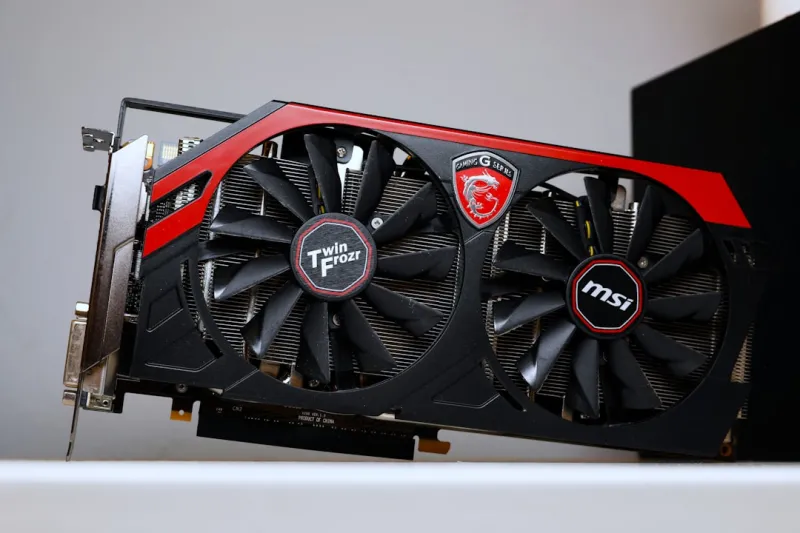
Before we dive into troubleshooting, it's essential to understand the basics of video cards. A video card, also known as a graphics card, is a component that controls the output display on your computer. It's responsible for rendering images, videos, and games on your screen. There are two primary types of video cards: integrated and dedicated. Integrated video cards are built into the motherboard, while dedicated video cards are separate components that offer better performance and more features.
When it comes to troubleshooting video card issues, it's crucial to identify the root cause of the problem. Is it a hardware issue, or is it related to software or drivers? In some cases, a simple driver update or adjustment can resolve the issue, while in other cases, you may need to replace the video card entirely. Upgrading your video card can be a great way to breathe new life into an old system, but it's essential to ensure compatibility and follow proper installation procedures.
Common Video Card Issues
So, what are some common video card issues that you might encounter? One of the most common problems is a blank or black screen. This can be caused by a variety of factors, including a faulty video card, loose connections, or incorrect driver installations. Another common issue is screen flickering or tearing, which can be caused by outdated drivers, overheating, or incompatible hardware. Blue screens can also be a symptom of a video card issue, especially if you're experiencing frequent crashes or shutdowns.
Other common video card issues include artifacts, glitches, or distorted graphics. These can be caused by overheating, overclocking, or faulty hardware. In some cases, a simple cleaning or adjustment can resolve the issue, while in other cases, you may need to replace the video card or other components. It's also essential to ensure that your power supply unit (PSU) is sufficient to handle the power requirements of your video card.
Troubleshooting Tips and Tricks
So, how can you troubleshoot video card issues? Here are a few tips and tricks to get you started. First, ensure that your video card is properly seated and connected to the motherboard. Check for loose connections, dust buildup, or signs of physical damage. Next, try updating your drivers to the latest version. This can often resolve issues related to compatibility or performance. You can also try adjusting your video card settings, such as resolution, refresh rate, or graphics quality, to see if it resolves the issue.
Another useful tool is the Device Manager, which can help you identify and troubleshoot hardware issues. You can also use benchmarking software to test your video card's performance and identify potential bottlenecks. Data storage is also an essential consideration, as a slow hard drive can bottleneck your system's performance and impact video card performance.
Advanced Troubleshooting Techniques
For more advanced troubleshooting, you may need to use specialized software or tools. For example, you can use GPU-Z to monitor your video card's temperature, clock speed, and memory usage. This can help you identify issues related to overheating or overclocking. You can also use stress testing software, such as FurMark or Unigine Heaven, to push your video card to its limits and identify potential issues.
In some cases, you may need to perform a clean installation of your video card drivers or even reinstall your operating system. This can be a time-consuming process, but it's often necessary to resolve complex issues. It's also essential to ensure that your system is free from malware or viruses, which can cause a range of problems, including video card issues.
Conclusion
In conclusion, troubleshooting video card issues can be a challenging but rewarding process. By understanding the basics of video cards, identifying common issues, and using the right tools and techniques, you can resolve even the most complex problems. Remember to stay up-to-date with the latest drivers and software, and don't be afraid to seek professional help if you're unsure about any aspect of the process. With patience and practice, you can become a master troubleshooter and get the most out of your computer's graphics capabilities.