Why 2024 Is the Year Hardware Enthusiasts Can’t Sit Still
Every spring I sit down with a fresh cup of coffee, stare at my bench of components, and wonder which piece will finally tip the scales from “good enough” to “mind‑blowing.” 2024 feels like that tipping point. From the relentless march of silicon to the resurgence of boutique cooling, the hardware landscape is humming with innovation that demands a new kind of vigilance from builders, gamers, and pros alike. I’ve spent the last decade chasing performance gains, but this year the intersection of AI‑centric CPUs and ultra‑fast storage is reshaping how we think about overall system balance. No longer can you throw a $2,000 GPU into a dusty old tower and expect stellar results; the supporting ecosystem—motherboard firmware, power delivery, and even chassis airflow—must be equally future‑ready. In this post, I’ll walk you through the trends that matter, sprinkle in a few hard‑won lessons from the trenches, and point you toward resources that cut the guesswork out of your next upgrade.
CPU Evolution: From Raw Clock Speed to Intelligent Cores
The headline‑grabbing specs of the latest processors still read like a brag sheet—core counts in the double digits, boost clocks flirting with 6 GHz, and TDP numbers that could power a small refrigerator. Yet the real story is the shift toward heterogeneous architectures where AI accelerators and security enclaves sit side‑by‑side with traditional cores. Modern CPUs now handle on‑the‑fly compression for massive datasets, offload inference tasks for AI‑enhanced applications, and provide built‑in mitigations against speculative execution attacks. For builders, this means pairing the right motherboard chipset to unlock those hidden accelerators; otherwise you’re paying premium for features you’ll never tap. I’ve seen users waste $500 on a high‑end processor only to be throttled by a mismatched VRM design. The key is to evaluate your primary workloads—gaming, content creation, or AI research—and match them with a platform that scales gracefully, ensuring you don’t hit a performance ceiling before the next silicon refresh rolls out.
GPU Landscape: Power, Heat, and the Nightmares That Follow
The graphics card market finally steadied after the pandemic‑induced shortages, but the challenges have migrated from availability to integration. Today's top‑tier GPUs pack more than 30 TFLOPs of compute power, and they demand robust power delivery, sophisticated cooling, and a BIOS that can keep pace with driver updates. If you’ve ever been haunted by driver crashes, artifact spews, or sudden shutdowns, you know the frustration of a “video card nightmare.” That’s why I wrote Taming Video Card Nightmares, a step‑by‑step guide that walks you through BIOS tweaking, power limit adjustments, and proper fan curve configuration. The takeaway? Don’t let a $1,200 GPU become a $200 headache. Invest time in a quality PSU, verify that your case supports the card’s length and airflow requirements, and keep firmware current. When those pieces click, you’ll unlock the full visual fidelity of ray‑traced titles without the dreaded “driver stopped responding” pop‑up.
RAM Realities: DDR5 Maturation and the Hunt for Stability
DDR5 is finally shedding its early‑adopter stigma and becoming the default memory choice for new builds. Higher bandwidth, lower voltage, and on‑die ECC support promise smoother multitasking and better performance in memory‑intensive workloads like 3D rendering or large‑scale simulations. However, the transition isn’t seamless. Incompatibilities between motherboard BIOS versions and certain memory kits can trigger intermittent crashes that masquerade as software bugs. I’ve helped countless users diagnose why their system freezes under load, and the answer often boils down to timing mismatches or inadequate voltage headroom. My RAM troubleshooting playbook outlines a systematic approach: start with XMP profiles, then dial back timings manually while monitoring stability with stress tests. Remember, a stable memory subsystem is the foundation for any high‑performance build—if it’s shaky, the rest of your rig will feel the tremors.
Storage Speed Surge: PCIe 5.0 and the New SSD Paradigm
Storage has become the silent workhorse that determines how quickly you can launch games, edit 8K footage, or spin up virtual machines. PCIe 5.0 SSDs are finally hitting the mainstream, delivering sequential read speeds north of 14 GB/s and write speeds that eclipse even the most aggressive RAID‑0 arrays of a few years ago. This leap isn’t just about raw numbers; it translates to sub‑second load times for massive open‑world titles and near‑instantaneous data crunching for AI model training. Yet, the hardware ecosystem must keep pace—your motherboard needs a PCIe 5.0 lane allocation, and your CPU must support the bandwidth without throttling. Additionally, thermal throttling can become a hidden enemy; high‑end NVMe drives can run hot under sustained writes, so a dedicated heatsink or a well‑ventilated M.2 slot is essential. Pairing these drives with a robust caching strategy—using a smaller, faster drive for OS and applications—can further smooth out performance bottlenecks, giving you a system that feels responsive from the moment you press power.
Cooling Innovations: From Classic Air to Hybrid Liquid Solutions
As component power densities climb, the art of cooling has evolved from simple case fans to sophisticated hybrid solutions that blend air and liquid. Modern AIO coolers now sport 360 mm radiators with fin densities optimized for low‑speed, high‑static pressure fans, delivering quiet operation while keeping CPUs under 60 °C under load. For enthusiasts seeking the ultimate thermal headroom, custom loops with hard‑line tubing and dual‑chamber reservoirs can drop temperatures into the mid‑30s, but they demand meticulous planning and regular maintenance. An often‑overlooked factor is the case airflow architecture; a well‑designed intake and exhaust path can make a modest 120 mm fan outperform a larger, poorly placed radiator. I recommend pairing a high‑static‑pressure front intake with a slightly positive pressure setup to reduce dust ingress—a small habit that prolongs component lifespan. Whether you choose air, AIO, or a full‑custom loop, the goal remains the same: keep temperatures low enough that boost clocks stay sustained, and avoid the dreaded thermal throttling that turns a gaming session into a sluggish crawl.
Power Delivery: The Unsung Hero of Stable Performance
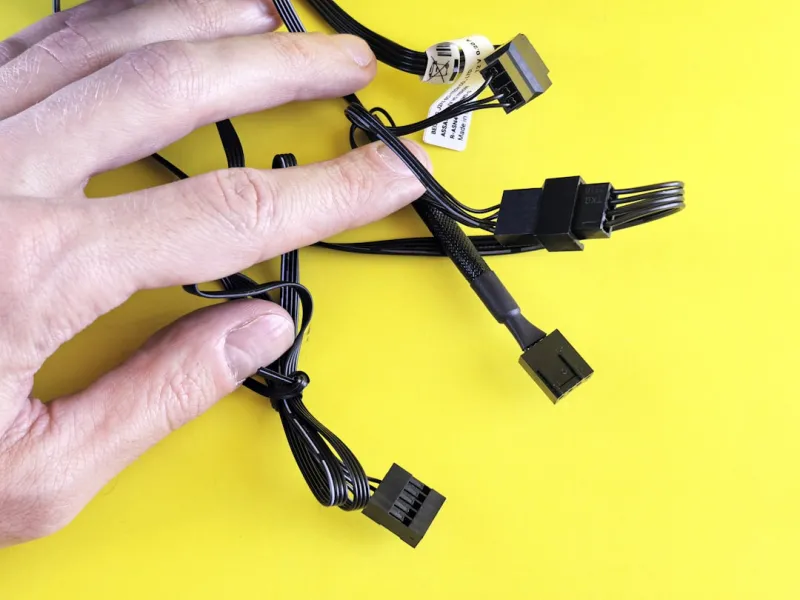
Power supplies have quietly stepped into the spotlight as the backbone of any high‑performance build. Modern GPUs and CPUs can draw upwards of 500 W under peak load, and a marginally underspecified PSU will manifest as random reboots, BIOS error codes, or even permanent component damage. Look for units that exceed your estimated wattage by at least 20 % and boast an 80 PLUS Gold or Platinum efficiency rating—these not only run cooler but also deliver cleaner, more stable voltage rails. Modular designs help reduce cable clutter, improving airflow and simplifying upgrades. Don’t forget to check the rail distribution; a single‑rail design can simplify power budgeting, while multi‑rail units give you finer control over individual component limits. Investing in a high‑quality PSU may not be glamorous, but it’s the most reliable way to safeguard your expensive hardware and maintain consistent performance across gaming marathons and intensive rendering sessions.
Future‑Proofing: Building a Rig That Grows With You
When you’re committing to a $2,500 build, you want it to stay relevant for at least five years. That mindset drives my Future‑Proof Your Rig playbook, where I stress modularity, forward‑compatible standards, and strategic component selection. Opt for a motherboard with extra M.2 slots, PCIe 5.0 lanes, and robust VRM phases; this gives you room to add faster storage or a next‑gen GPU without a full replacement. Choose a case with ample clearance for taller coolers and longer GPUs, and consider a PSU that can handle an extra 200 W headroom for future upgrades. Memory should be installed in a dual‑channel configuration that can be expanded to quad‑channel down the line. By planning for these variables now, you’ll avoid the “I need a new case” dilemma when a new graphics card exceeds your current chassis dimensions, and you’ll keep your system performing at the top of its class well into the next hardware cycle.
Final Thoughts: Stay Curious, Stay Informed, Stay Ahead
The hardware world moves at warp speed, but the best builders aren’t the ones who chase every new release—they’re the ones who understand the ecosystem and make informed decisions that align with their real‑world needs. My journey from hobbyist tinkerer to seasoned consultant taught me that patience, research, and a willingness to troubleshoot are as vital as any component on the shelf. Use the resources I’ve linked, keep an eye on firmware updates, and don’t be afraid to experiment in a controlled environment—whether that’s testing a new BIOS setting or swapping out a cooler for a more efficient design. When you combine thoughtful planning with the right tools, you’ll build a machine that not only dazzles today but remains a reliable workhorse for years to come. Happy building, and may your temps stay low and your frame rates stay high!