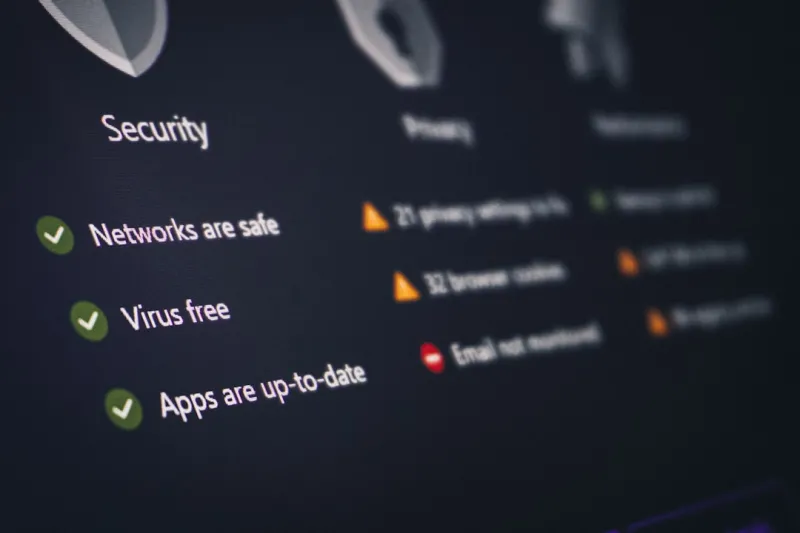
When I first started tinkering with firewalls in the late‑2000s, I never imagined that the very concept of “security” would become a full‑time mental gymnastics routine. Fast forward to 2024, and the threat surface has exploded into a sprawling digital battlefield where ransomware gangs, nation‑state actors, and even opportunistic script‑kiddies are all vying for a slice of the pie. From my home office, where a single compromised USB can cascade into a network nightmare, I’ve learned that complacency is the most dangerous software bug of all. In this post, I’ll walk you through the current security climate, share the playbook that has kept my rigs safe, and point you toward the deeper dives that have shaped my own approach. Buckle up—this isn’t a sterile checklist, it’s a behind‑the‑scenes look at how I stay ahead of the curve without sacrificing productivity or sanity.
Understanding the 2024 Threat Landscape
The headline‑grabbing ransomware attacks of the past year are just the tip of an iceberg that includes supply‑chain compromises, deep‑fake phishing, and AI‑generated malware. What’s different this time is the speed at which threat actors can iterate. A single malicious payload can be auto‑generated, tested against multiple environments, and deployed globally within hours. I’ve seen colleagues lose entire project timelines because a compromised library silently injected backdoors into their codebase. The lesson? Traditional perimeter defenses are no longer sufficient. We need a mindset that assumes breach, layers verification, and continuously validates trust. By treating every endpoint as a potential foothold, you can turn the attacker’s advantage into a manageable risk, buying yourself the precious time needed to detect, contain, and remediate before the damage spreads.
Zero‑Trust Isn’t Just a Buzzword—It’s a Survival Strategy
Zero‑trust architecture feels like a paradox: you grant access only after you’ve verified that the request is legitimate, yet you must do so quickly enough not to hinder workflow. In practice, I start by segmenting my home network into logical zones—one for work devices, another for personal gadgets, and a third for IoT toys. Each zone has its own firewall rules, and I enforce multi‑factor authentication on every jump‑box. The real magic happens when you pair these controls with continuous monitoring. Tools that flag anomalous logins, unexpected data exfiltration patterns, or strange DNS queries become your early warning system. It’s not a set‑and‑forget solution; it’s a habit of revisiting trust decisions daily. When you combine strict segmentation with adaptive verification, you’ll find that the attacker’s path becomes a maze of dead ends, dramatically reducing the blast radius of any breach.
Encryption: The Unsung Hero of Modern Security
If you think encryption is only for government agencies, think again. In 2024, end‑to‑end encryption has become a baseline requirement for everything from cloud storage to inter‑process communication on your laptop. I’ve spent countless nights fine‑tuning AES‑256 implementations, ensuring my backups are both encrypted at rest and in transit. For a deeper dive into the technical nuances, check out my piece on cutting‑edge of computer encryption. The key takeaway? Choose algorithms that are vetted by the cryptographic community, avoid proprietary “home‑grown” solutions, and rotate keys regularly. Even the strongest ciphers can be undermined by poor key management or outdated libraries, so stay vigilant. By making encryption a default, not an afterthought, you protect data integrity and privacy—even if the perimeter is breached.
Malware Evolution Demands a New Playbook
Malware in 2024 has shed its clunky, single‑purpose reputation and now masquerades as legitimate software updates, AI assistants, and even video games. The rise of fileless attacks—payloads that live only in memory—means traditional antivirus signatures are often useless. In my own experience, a seemingly benign macro in a spreadsheet triggered a chain of PowerShell commands that exfiltrated credentials before I even noticed a slowdown. That’s why I recommend adopting behavior‑based detection and sandboxing untrusted executables. For a comprehensive look at why these threats matter, read Why 2024’s Malware Threats Demand a New Playbook. The takeaway is simple: you need layered defenses that can spot suspicious activity in real time, not just known virus signatures. By integrating endpoint detection and response (EDR) with threat intelligence feeds, you can neutralize unknown threats before they embed themselves into your system.
Practical Hardening: Patching, Passwords, and the Human Factor
It’s tempting to think that buying the latest security software will solve everything, but the most common breaches still stem from unpatched software and weak passwords. I keep a rolling 30‑day patch calendar that automatically applies critical updates to the OS, drivers, and third‑party apps. For passwords, I’ve moved away from memorization and toward a password manager that generates unique, 20‑character strings for every account, stored behind a master passphrase protected by hardware‑backed MFA. The human element remains the weakest link, so regular security awareness training is non‑negotiable. I run short, scenario‑based drills with my team—think phishing simulations that mimic current trends. When everyone knows the signs of a spear‑phishing email or the red flags of a compromised OAuth token, the odds of a successful attack drop dramatically. Remember, security is a team sport; the more eyes you have watching for anomalies, the safer the whole network becomes.
Securing the Home Office and IoT Ecosystem
Working from home has become the norm, and with that comes an influx of IoT devices—smart speakers, thermostats, even Wi‑Fi‑enabled coffee makers—each presenting a potential attack vector. I isolate these gadgets on a separate VLAN and enforce strict outbound traffic rules, allowing only necessary DNS queries. For my work laptop, I enable a hardware‑based VPN that tunnels all traffic through a corporate gateway, encrypting data before it leaves my apartment. Additionally, I regularly audit device firmware for known vulnerabilities and disable any services that aren’t required. The goal isn’t to eliminate convenience but to strike a balance where convenience doesn’t become an invitation for adversaries. By treating every connected device as a potential entry point, you dramatically reduce the attack surface without sacrificing the comforts of a modern smart home.
Future‑Proofing with AI‑Assisted Defenses
Artificial intelligence is no longer a futuristic buzzword; it’s an integral part of modern defense strategies. AI‑driven threat detection can sift through terabytes of logs in seconds, flagging anomalies that would take humans days to uncover. I’ve integrated a lightweight AI model that monitors system calls for patterns indicative of fileless malware, automatically quarantining suspicious processes before they can act. For those looking to upgrade their hardware to support such workloads, my guide on Future‑Proof Your Rig offers a roadmap for selecting CPUs, GPUs, and storage solutions that can handle AI workloads without breaking the bank. The key is to adopt a scalable architecture that can incorporate new detection models as threats evolve, ensuring your security posture remains as agile as the attackers you face.
Incident Response: From Panic to Playbook
No matter how many defenses you stack, a breach will eventually happen—think of it as an inevitability, not a failure. What separates the resilient from the rattled is a well‑rehearsed incident response (IR) plan. I keep a concise, step‑by‑step IR checklist stored offline, covering containment, eradication, recovery, and post‑mortem analysis. When a breach is detected, the first 30 minutes are critical; you isolate the affected segment, preserve forensic evidence, and begin communication with stakeholders. My detailed strategy is outlined in Navigating the New Frontier of Computer Security, where I break down each phase with real‑world examples. The goal is to transform chaos into a controlled process, minimizing downtime and learning from every incident to fortify future defenses.
Wrapping Up: Continuous Learning and Community
Security isn’t a destination; it’s a perpetual journey that demands curiosity, humility, and a willingness to adapt. I encourage you to stay engaged with the broader tech community—join forums, attend webinars, and read peer‑reviewed research. My own growth has been fueled by sharing lessons learned, whether through blog posts, podcasts, or casual conversations over coffee. Remember, the best defense is a well‑informed one. Keep revisiting the resources mentioned throughout this article, experiment with new tools, and never assume you’re “too small” to be a target. In the ever‑shifting landscape of 2024, the only constant is change, and those who evolve will always stay one step ahead of the threat actors.